
Components & interactionsSnapping range slider
A setting that settles
A slider gently catches at meaningful settings and springs into position.
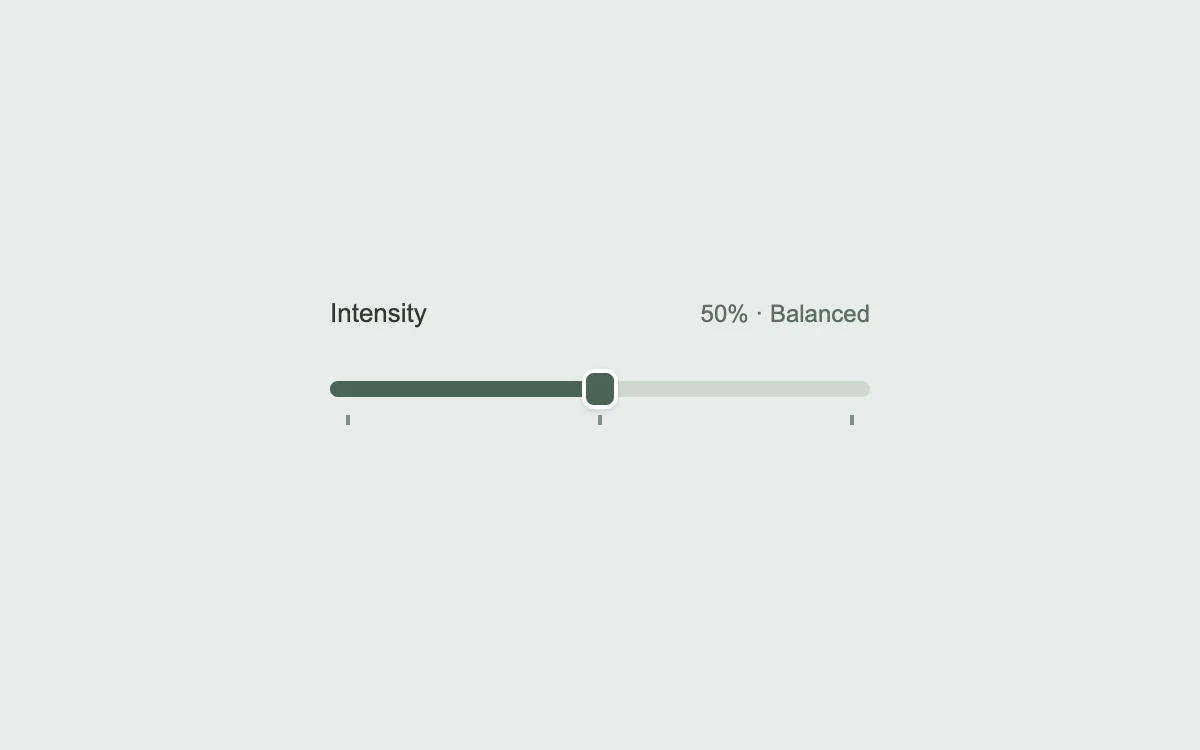
Drag the slider; use arrow keys or Shift + arrows
Add to your project
Component source
Standalone React component. Styles are included.
npm install [email protected]Render the default export inside a container with a defined height. Its optional active prop stops movement when false. This example works with React 19; Next.js projects can use it as a client component.
View source code
/**
 * Adapted from https://github.com/ddoemonn/interior/blob/314800833bf01e23e6ae74c2a17fbdaac3688c84/components/interior/slider-detents.tsx
 * Retains the detent attraction and pointer-capture hook, full slider keyboard controls, and spring-driven carriage.
 * Standalone styles and original demo content; reduced-motion and preview controls.
 *
 * MIT License
 *
 * Copyright (c) 2026 ozzy
 *
 * Permission is hereby granted, free of charge, to any person obtaining a copy
 * of this software and associated documentation files (the "Software"), to deal
 * in the Software without restriction, including without limitation the rights
 * to use, copy, modify, merge, publish, distribute, sublicense, and/or sell
 * copies of the Software, and to permit persons to whom the Software is
 * furnished to do so, subject to the following conditions:
 *
 * The above copyright notice and this permission notice shall be included in all
 * copies or substantial portions of the Software.
 *
 * THE SOFTWARE IS PROVIDED "AS IS", WITHOUT WARRANTY OF ANY KIND, EXPRESS OR
 * IMPLIED, INCLUDING BUT NOT LIMITED TO THE WARRANTIES OF MERCHANTABILITY,
 * FITNESS FOR A PARTICULAR PURPOSE AND NONINFRINGEMENT. IN NO EVENT SHALL THE
 * AUTHORS OR COPYRIGHT HOLDERS BE LIABLE FOR ANY CLAIM, DAMAGES OR OTHER
 * LIABILITY, WHETHER IN AN ACTION OF CONTRACT, TORT OR OTHERWISE, ARISING FROM,
 * OUT OF OR IN CONNECTION WITH THE SOFTWARE OR THE USE OR OTHER DEALINGS IN THE
 * SOFTWARE.
 */

"use client"

import { motion, useMotionTemplate, useSpring } from "motion/react"
import { useCallback, useEffect, useId, useMemo, useRef, useState } from "react"

// Subscribe directly so a changed system preference also stops an active preview.
function useReducedMotion() {
  const [reduced, setReduced] = useState(true)
  useEffect(() => {
    const preference = window.matchMedia("(prefers-reduced-motion: reduce)")
    const update = () => setReduced(preference.matches)
    update()
    preference.addEventListener("change", update)
    return () => preference.removeEventListener("change", update)
  }, [])
  return reduced
}

const CARRIAGE = { stiffness: 520, damping: 34, mass: 0.45 } as const

const GRAB = { type: "spring", stiffness: 700, damping: 46, mass: 0.5 } as const

const INSTANT = { duration: 0 } as const
const THUMB = 18

const plain = (value: number) => String(value)

function tidy(value: number) {
  return Math.round(value * 1e6) / 1e6
}

export type SliderDetent = { value: number; label?: string }

const NONE: readonly (number | SliderDetent)[] = []

export type UseSliderDetentsOptions = {
  value: number
  onValueChange: (value: number) => void
  min?: number
  max?: number
  step?: number
  detents?: readonly (number | SliderDetent)[]
  pull?: number
  thumbSize?: number
  disabled?: boolean
  haptic?: boolean
  format?: (value: number) => string
  label?: string
  labelledBy?: string
}

export function useSliderDetents({
  value,
  onValueChange,
  min = 0,
  max = 100,
  step = 1,
  detents = NONE,
  pull,
  thumbSize = THUMB,
  disabled = false,
  haptic = true,
  format = plain,
  label,
  labelledBy,
}: UseSliderDetentsOptions) {
  const trackRef = useRef<HTMLDivElement>(null)
  const [dragging, setDragging] = useState(false)

  const list = useMemo<SliderDetent[]>(() => detents.map((d) => (typeof d === "number" ? { value: d } : d)), [detents])

  const range = max - min
  const grab = pull ?? range * 0.045

  const emit = useRef(onValueChange)
  emit.current = onValueChange
  const emitted = useRef(value)
  emitted.current = value

  const activeDetent = useMemo(() => list.findIndex((d) => tidy(d.value) === tidy(value)), [list, value])

  const marked = useRef(activeDetent)
  const held = useRef(false)

  const commit = useCallback(
    (next: number) => {
      const settled = Math.min(max, Math.max(min, tidy(next)))
      const index = list.findIndex((d) => tidy(d.value) === settled)
      if (index !== marked.current) {
        marked.current = index
        if (haptic && index >= 0) navigator.vibrate?.(6)
      }
      if (settled !== emitted.current) {
        emitted.current = settled
        emit.current(settled)
      }
    },
    [haptic, list, max, min],
  )

  const capture = useCallback(
    (clientX: number) => {
      const el = trackRef.current
      if (!el || range <= 0) return null
      const rect = el.getBoundingClientRect()
      const travel = el.clientWidth - thumbSize
      if (travel <= 0) return null

      const localX = ((clientX - rect.left) / rect.width) * el.offsetWidth - el.clientLeft
      const ratio = (localX - thumbSize / 2) / travel
      const raw = Math.min(max, Math.max(min, min + ratio * range))

      let index = -1
      let nearest = grab
      for (let i = 0; i < list.length; i += 1) {
        const distance = Math.abs(raw - list[i].value)
        if (distance <= nearest) {
          nearest = distance
          index = i
        }
      }
      if (index >= 0) return list[index].value
      return min + Math.round((raw - min) / step) * step
    },
    [grab, list, max, min, range, step, thumbSize],
  )

  const release = useCallback(() => {
    if (!held.current) return
    held.current = false
    setDragging(false)
  }, [])

  const toDetent = useCallback(
    (direction: number) => {
      const sorted = list.map((d) => d.value).sort((a, b) => a - b)
      const forward = sorted.find((d) => d > value + 1e-6)
      const backward = [...sorted].reverse().find((d) => d < value - 1e-6)
      const target = direction > 0 ? forward : backward
      commit(target ?? (direction > 0 ? max : min))
    },
    [commit, list, max, min, value],
  )

  useEffect(() => {
    window.addEventListener("blur", release)
    return () => window.removeEventListener("blur", release)
  }, [release])

  const detentLabel = list[activeDetent]?.label
  const valueText = detentLabel ? `${format(value)}, ${detentLabel}` : format(value)

  const percent = range > 0 ? Math.min(1, Math.max(0, (value - min) / range)) : 0

  const trackProps = {
    role: "slider" as const,
    tabIndex: 0,
    "aria-orientation": "horizontal" as const,
    "aria-valuemin": min,
    "aria-valuemax": max,
    "aria-valuenow": value,
    "aria-valuetext": valueText,
    "aria-disabled": disabled || undefined,
    "aria-label": labelledBy ? undefined : label,
    "aria-labelledby": labelledBy,
    style: { touchAction: "none" as const },
    onPointerDown: (e: React.PointerEvent<HTMLDivElement>) => {
      if (disabled) return
      if (e.pointerType === "mouse" && e.button !== 0) return
      e.currentTarget.setPointerCapture?.(e.pointerId)
      e.currentTarget.focus({ preventScroll: true })
      held.current = true
      setDragging(true)
      const next = capture(e.clientX)
      if (next !== null) commit(next)
    },
    onPointerMove: (e: React.PointerEvent<HTMLDivElement>) => {
      if (!held.current) return
      const next = capture(e.clientX)
      if (next !== null) commit(next)
    },
    onPointerUp: release,
    onPointerCancel: release,
    onLostPointerCapture: release,
    onKeyDown: (e: React.KeyboardEvent<HTMLDivElement>) => {
      if (disabled) return
      const forward = e.key === "ArrowRight" || e.key === "ArrowUp"
      const back = e.key === "ArrowLeft" || e.key === "ArrowDown"

      if (forward || back) {
        const direction = forward ? 1 : -1
        if (e.shiftKey) toDetent(direction)
        else commit(value + direction * step)
      } else if (e.key === "PageUp") {
        toDetent(1)
      } else if (e.key === "PageDown") {
        toDetent(-1)
      } else if (e.key === "Home") {
        commit(min)
      } else if (e.key === "End") {
        commit(max)
      } else {
        return
      }
      e.preventDefault()
    },
  }

  return {
    trackRef,
    trackProps,
    detents: list,
    activeDetent,
    percent,
    dragging,
    valueText,
  }
}

const stage: React.CSSProperties = {
  width: "100%",
  height: "100%",
  minHeight: 260,
  display: "grid",
  placeItems: "center",
  padding: 24,
  boxSizing: "border-box",
  background: "#eeede8",
  color: "#343832",
  fontFamily: "inherit",
}

const DETENTS = [
  { value: 0, label: "Quiet" },
  { value: 50, label: "Balanced" },
  { value: 100, label: "Full" },
]

export default function SliderDetentsExample({ active = true }: { active?: boolean }) {
  const [value, setValue] = useState(50)
  const [keyboard, setKeyboard] = useState(false)
  const labelId = useId()
  const reduced = useReducedMotion() !== false || !active || keyboard
  const { trackRef, trackProps, activeDetent, percent, dragging } = useSliderDetents({
    value,
    onValueChange: setValue,
    detents: DETENTS,
    labelledBy: labelId,
    haptic: false,
  })
  const carriage = useSpring(percent * 100, CARRIAGE)
  const offset = useMotionTemplate`${carriage}%`
  useEffect(() => {
    if (reduced) carriage.jump(percent * 100)
    else carriage.set(percent * 100)
  }, [carriage, percent, reduced])
  return (
    <div style={{ ...stage, background: "#e8eceb" }}>
      <div style={{ width: "100%", maxWidth: 270 }}>
        <div style={{ display: "flex", justifyContent: "space-between", alignItems: "baseline", marginBottom: 14 }}>
          <label id={labelId} style={{ fontSize: 13 }}>
            Intensity
          </label>
          <span style={{ fontSize: 12, color: "#5d6e63", fontVariantNumeric: "tabular-nums" }}>
            {value}%{activeDetent >= 0 ? ` · ${DETENTS[activeDetent].label}` : ""}
          </span>
        </div>
        <div
          ref={trackRef}
          {...trackProps}
          onKeyDown={(event) => {
            setKeyboard(true)
            trackProps.onKeyDown(event)
          }}
          onPointerDown={(event) => {
            setKeyboard(false)
            trackProps.onPointerDown(event)
          }}
          style={{
            position: "relative",
            width: "100%",
            height: 48,
            borderRadius: 8,
            overflow: "hidden",
            cursor: dragging ? "grabbing" : "grab",
            outlineOffset: 4,
            touchAction: "none",
          }}
        >
          <div
            aria-hidden
            style={{
              position: "absolute",
              top: 12,
              left: 0,
              right: 0,
              height: 8,
              borderRadius: 8,
              background: "#ced8d1",
              overflow: "hidden",
              pointerEvents: "none",
            }}
          >
            <div style={{ position: "absolute", inset: "0 9px" }}>
              <motion.div style={{ position: "absolute", inset: 0, x: offset }}>
                <span
                  style={{ position: "absolute", top: 0, bottom: 0, right: "100%", width: 1000, background: "#4b6357" }}
                />
              </motion.div>
            </div>
          </div>
          <div aria-hidden style={{ position: "absolute", inset: "0 9px", pointerEvents: "none" }}>
            {DETENTS.map((detent) => (
              <span
                key={detent.value}
                style={{
                  position: "absolute",
                  top: 29,
                  left: `${detent.value}%`,
                  width: 2,
                  height: 5,
                  background: "#7e9285",
                  transform: "translateX(-50%)",
                }}
              />
            ))}
            <motion.div style={{ position: "absolute", inset: 0, x: offset }}>
              <motion.span
                initial={false}
                animate={{ scale: !reduced && dragging ? 1.08 : 1 }}
                transition={reduced ? INSTANT : GRAB}
                style={{
                  position: "absolute",
                  top: 6,
                  left: -9,
                  width: 18,
                  height: 20,
                  boxSizing: "border-box",
                  border: "2px solid #fff",
                  borderRadius: 6,
                  background: "#4b6357",
                  boxShadow: "0 1px 3px #34503b25",
                }}
              />
            </motion.div>
          </div>
        </div>
      </div>
    </div>
  )
}
Where it works well
Give a continuous control a few useful stops without hiding the values in between.
Reduced motion
The thumb goes directly to each value without spring travel or scale. Keyboard changes are also immediate.
Things to know
This is a single-thumb horizontal control. Review value labels and detent spacing when adapting its range.