
Components & interactionsStep progress checklist
Progress, step by step
An active step becomes a settled check while the next task takes its turn.
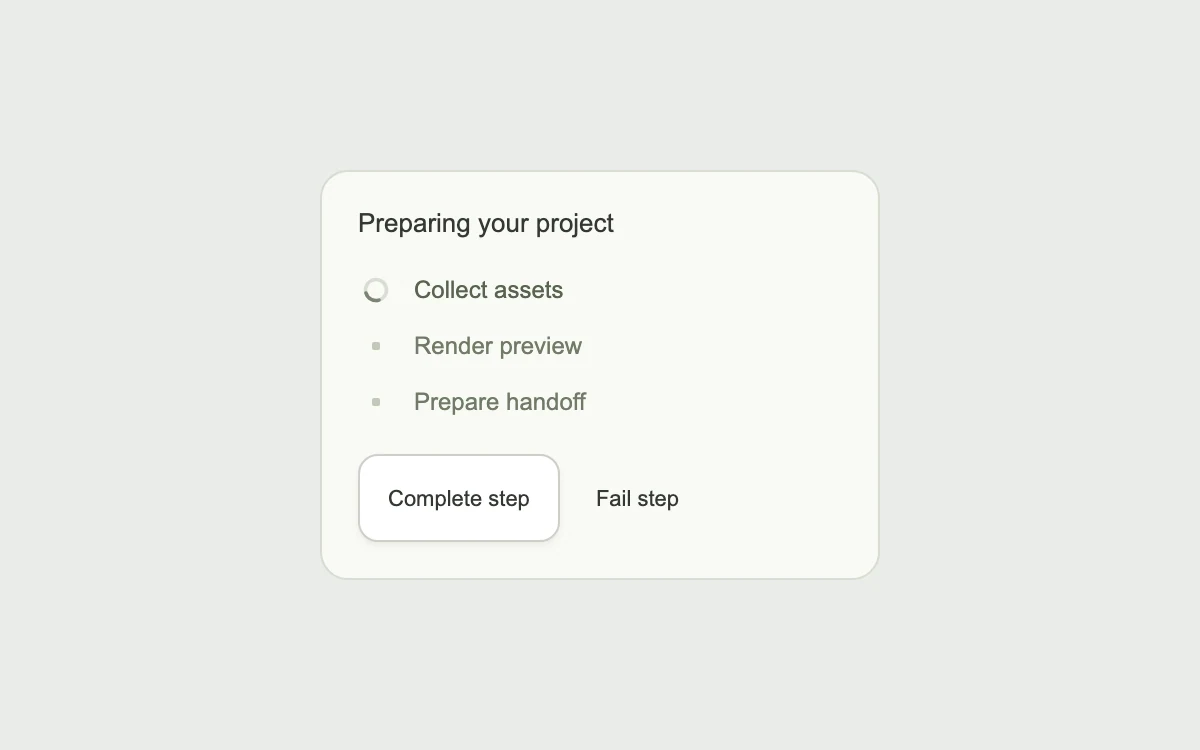
Complete a step, or try a failure
Add to your project
Component source
Standalone React component. Styles are included.
npm install [email protected]Render the default export inside a container with a defined height. Its optional active prop stops movement when false. This example works with React 19; Next.js projects can use it as a client component.
View source code
/**
 * Adapted from https://github.com/ddoemonn/interior/blob/314800833bf01e23e6ae74c2a17fbdaac3688c84/components/interior/task-steps.tsx
 * Retains the pending/active/done/error step model, spring status swaps and spinner.
 * Standalone styles and original demo content; reduced-motion and preview controls.
 *
 * MIT License
 *
 * Copyright (c) 2026 ozzy
 *
 * Permission is hereby granted, free of charge, to any person obtaining a copy
 * of this software and associated documentation files (the "Software"), to deal
 * in the Software without restriction, including without limitation the rights
 * to use, copy, modify, merge, publish, distribute, sublicense, and/or sell
 * copies of the Software, and to permit persons to whom the Software is
 * furnished to do so, subject to the following conditions:
 *
 * The above copyright notice and this permission notice shall be included in all
 * copies or substantial portions of the Software.
 *
 * THE SOFTWARE IS PROVIDED "AS IS", WITHOUT WARRANTY OF ANY KIND, EXPRESS OR
 * IMPLIED, INCLUDING BUT NOT LIMITED TO THE WARRANTIES OF MERCHANTABILITY,
 * FITNESS FOR A PARTICULAR PURPOSE AND NONINFRINGEMENT. IN NO EVENT SHALL THE
 * AUTHORS OR COPYRIGHT HOLDERS BE LIABLE FOR ANY CLAIM, DAMAGES OR OTHER
 * LIABILITY, WHETHER IN AN ACTION OF CONTRACT, TORT OR OTHERWISE, ARISING FROM,
 * OUT OF OR IN CONNECTION WITH THE SOFTWARE OR THE USE OR OTHER DEALINGS IN THE
 * SOFTWARE.
 */

"use client"

import { AnimatePresence, motion } from "motion/react"
import { useEffect, useState } from "react"

// Subscribe directly so a changed system preference also stops an active preview.
function useReducedMotion() {
  const [reduced, setReduced] = useState(true)
  useEffect(() => {
    const preference = window.matchMedia("(prefers-reduced-motion: reduce)")
    const update = () => setReduced(preference.matches)
    update()
    preference.addEventListener("change", update)
    return () => preference.removeEventListener("change", update)
  }, [])
  return reduced
}

const POP = { type: "spring", stiffness: 640, damping: 22, mass: 0.7 } as const
const CELL = { type: "spring", stiffness: 520, damping: 34, mass: 0.45 } as const
const STILL = { duration: 0 } as const

export type TaskStep = {
  id: string
  label: string

  meta?: string
}

export type TaskStepStatus = "pending" | "active" | "done" | "error"

export type UseTaskStepsOptions = {
  steps: TaskStep[]

  current: number

  failed?: boolean
}

export function useTaskSteps({ steps, current, failed = false }: UseTaskStepsOptions) {
  const complete = !failed && current >= steps.length

  const rows = steps.map((step, i) => ({
    ...step,
    status: (i < current
      ? "done"
      : i === current && failed
      ? "error"
      : i === current && !complete
      ? "active"
      : "pending") as TaskStepStatus,
  }))

  const active = rows.find((r) => r.status === "active")
  const sentence = failed
    ? `Failed at ${steps[Math.min(current, steps.length - 1)]?.label ?? "step"}`
    : complete
    ? `All ${steps.length} steps complete`
    : active
    ? `${active.label}, step ${current + 1} of ${steps.length}`
    : ""

  return { rows, complete, failed, sentence }
}

const Tick = (
  <svg viewBox="0 0 256 256" width="11" height="11" fill="none" aria-hidden>
    <polyline
      points="216 72 104 184 48 128"
      stroke="currentColor"
      strokeWidth="26"
      strokeLinecap="round"
      strokeLinejoin="round"
    />
  </svg>
)

const Cross = (
  <svg viewBox="0 0 256 256" width="10" height="10" fill="none" aria-hidden>
    <path d="M200 56 56 200 M56 56l144 144" stroke="currentColor" strokeWidth="26" strokeLinecap="round" />
  </svg>
)

const Arc = ({ spin }: { spin: boolean }) => (
  <motion.svg
    viewBox="0 0 16 16"
    width="14"
    height="14"
    aria-hidden
    animate={spin ? { rotate: 360 } : { rotate: 0 }}
    transition={spin ? { duration: 0.8, ease: "linear", repeat: Infinity } : STILL}
  >
    <circle cx="8" cy="8" r="6" fill="none" stroke="currentColor" strokeOpacity="0.25" strokeWidth="2" />
    <path d="M8 2 a6 6 0 0 1 6 6" fill="none" stroke="currentColor" strokeWidth="2" strokeLinecap="round" />
  </motion.svg>
)

const stage: React.CSSProperties = {
  width: "100%",
  height: "100%",
  minHeight: 260,
  display: "grid",
  placeItems: "center",
  padding: 24,
  boxSizing: "border-box",
  background: "#eeede8",
  color: "#343832",
  fontFamily: "inherit",
}
const button: React.CSSProperties = {
  position: "relative",
  display: "inline-flex",
  alignItems: "center",
  justifyContent: "center",
  gap: 10,
  minHeight: 46,
  padding: "0 20px",
  border: "1px solid #cfcec7",
  borderRadius: 10,
  background: "#fff",
  color: "inherit",
  font: "inherit",
  fontSize: 13,
  fontWeight: 500,
  cursor: "pointer",
  outlineOffset: 4,
  touchAction: "manipulation",
  boxShadow: "0 2px 3px #252a2010",
}
const hidden: React.CSSProperties = {
  position: "absolute",
  width: 1,
  height: 1,
  padding: 0,
  margin: -1,
  overflow: "hidden",
  clipPath: "inset(50%)",
  whiteSpace: "nowrap",
  border: 0,
}

const DEMO_STEPS = [
  { id: "assets", label: "Collect assets", meta: "0.8s" },
  { id: "render", label: "Render preview", meta: "1.2s" },
  { id: "publish", label: "Prepare handoff", meta: "0.4s" },
]

export default function TaskStepsExample({ active = true }: { active?: boolean }) {
  const [current, setCurrent] = useState(0)
  const [failed, setFailed] = useState(false)
  const reduced = useReducedMotion() !== false || !active
  const { rows, complete, sentence } = useTaskSteps({ steps: DEMO_STEPS, current, failed })
  const [spoken, setSpoken] = useState("")
  useEffect(() => {
    const timer = setTimeout(() => setSpoken(sentence), 350)
    return () => clearTimeout(timer)
  }, [sentence])
  return (
    <div style={{ ...stage, background: "#eaece8" }}>
      <div
        style={{
          width: "100%",
          maxWidth: 280,
          background: "#f9faf6",
          border: "1px solid #d7dcd1",
          borderRadius: 14,
          padding: 18,
          boxSizing: "border-box",
        }}
      >
        <p style={{ margin: "0 0 12px", fontSize: 13, fontWeight: 500 }}>Preparing your project</p>
        <ol aria-label="Project preparation" style={{ margin: 0, padding: 0, listStyle: "none" }}>
          {rows.map((row) => (
            <li
              key={row.id}
              aria-current={row.status === "active" ? "step" : undefined}
              style={{ display: "flex", alignItems: "center", gap: 10, height: 28 }}
            >
              <span aria-hidden style={{ display: "grid", placeItems: "center", width: 18, height: 18 }}>
                <AnimatePresence initial={false}>
                  <motion.span
                    key={row.status}
                    initial={{ opacity: 0, scale: reduced ? 1 : 0.8 }}
                    animate={{ opacity: 1, scale: 1 }}
                    exit={{ opacity: 0, transition: STILL }}
                    transition={reduced ? STILL : row.status === "done" ? POP : CELL}
                    style={{
                      gridArea: "1 / 1",
                      display: "grid",
                      placeItems: "center",
                      color: row.status === "done" ? "#43865e" : row.status === "error" ? "#b94c40" : "#7b8574",
                      width: 18,
                      height: 18,
                      borderRadius: 5,
                      background: row.status === "done" ? "#e0eee0" : "transparent",
                    }}
                  >
                    {row.status === "done" ? (
                      Tick
                    ) : row.status === "error" ? (
                      Cross
                    ) : row.status === "active" ? (
                      <Arc spin={!reduced} />
                    ) : (
                      <span style={{ width: 4, height: 4, borderRadius: 1, background: "#c1c8b9" }} />
                    )}
                  </motion.span>
                </AnimatePresence>
              </span>
              <span style={{ flex: 1, fontSize: 12, color: row.status === "pending" ? "#717b67" : "#59634f" }}>
                {row.label}
              </span>
              <span
                aria-hidden
                style={{
                  opacity: row.status === "done" ? 1 : 0,
                  fontSize: 10,
                  color: "#6b765f",
                  fontFamily: "monospace",
                }}
              >
                {row.meta}
              </span>
            </li>
          ))}
        </ol>
        <div style={{ display: "flex", gap: 8, marginTop: 12 }}>
          <button
            type="button"
            onClick={() => {
              if (complete || failed) {
                setCurrent(0)
                setFailed(false)
              } else setCurrent((value) => value + 1)
            }}
            style={{ ...button, minHeight: 44, padding: "0 14px", fontSize: 11 }}
          >
            {complete || failed ? "Run again" : "Complete step"}
          </button>
          {!complete && (
            <button
              type="button"
              onClick={() => setFailed((value) => !value)}
              style={{
                ...button,
                minHeight: 44,
                padding: "0 10px",
                fontSize: 11,
                border: 0,
                background: "transparent",
                boxShadow: "none",
              }}
            >
              {failed ? "Recover" : "Fail step"}
            </button>
          )}
        </div>
        <span role="status" style={hidden}>
          {spoken}
        </span>
      </div>
    </div>
  )
}
Where it works well
Explain a multi-stage upload, export or preparation task with progress that has meaning.
Reduced motion
State indicators change immediately; spinning and scale transitions are disabled.
Things to know
The preview advances manually. Wire current and failed to real progress rather than a cosmetic timer.