
Components & interactions3D press button
A button with depth
A raised button presses down from the point you touch, then returns with a spring.
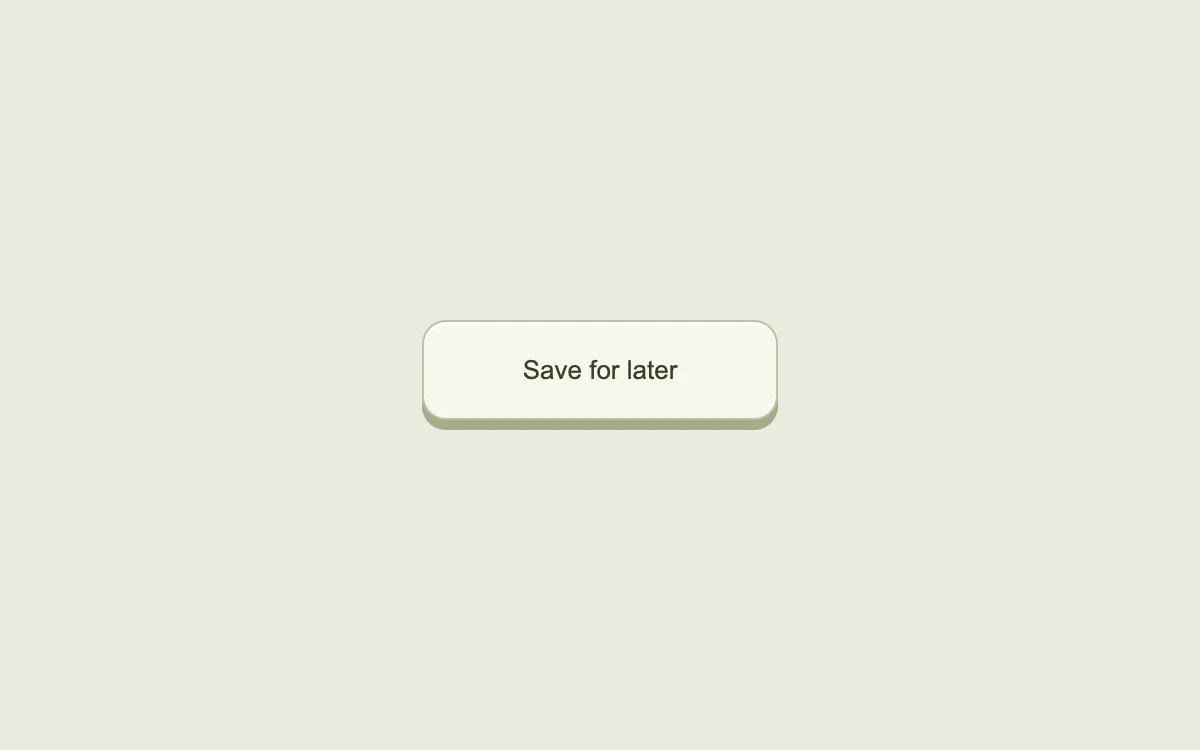
Press near different edges of the button
Add to your project
Component source
Standalone React component. Styles are included.
npm install [email protected]Render the default export inside a container with a defined height. Its optional active prop stops movement when false. This example works with React 19; Next.js projects can use it as a client component.
View source code
/**
 * Adapted from https://github.com/ddoemonn/interior/blob/314800833bf01e23e6ae74c2a17fbdaac3688c84/components/interior/press-depth.tsx
 * Retains the pointer-origin tilt, press-depth spring and global pointer cancellation hook.
 * Standalone styles and original demo content; reduced-motion and preview controls.
 *
 * MIT License
 *
 * Copyright (c) 2026 ozzy
 *
 * Permission is hereby granted, free of charge, to any person obtaining a copy
 * of this software and associated documentation files (the "Software"), to deal
 * in the Software without restriction, including without limitation the rights
 * to use, copy, modify, merge, publish, distribute, sublicense, and/or sell
 * copies of the Software, and to permit persons to whom the Software is
 * furnished to do so, subject to the following conditions:
 *
 * The above copyright notice and this permission notice shall be included in all
 * copies or substantial portions of the Software.
 *
 * THE SOFTWARE IS PROVIDED "AS IS", WITHOUT WARRANTY OF ANY KIND, EXPRESS OR
 * IMPLIED, INCLUDING BUT NOT LIMITED TO THE WARRANTIES OF MERCHANTABILITY,
 * FITNESS FOR A PARTICULAR PURPOSE AND NONINFRINGEMENT. IN NO EVENT SHALL THE
 * AUTHORS OR COPYRIGHT HOLDERS BE LIABLE FOR ANY CLAIM, DAMAGES OR OTHER
 * LIABILITY, WHETHER IN AN ACTION OF CONTRACT, TORT OR OTHERWISE, ARISING FROM,
 * OUT OF OR IN CONNECTION WITH THE SOFTWARE OR THE USE OR OTHER DEALINGS IN THE
 * SOFTWARE.
 */

"use client"

import { motion } from "motion/react"
import { useCallback, useEffect, useRef, useState } from "react"

// Subscribe directly so a changed system preference also stops an active preview.
function useReducedMotion() {
  const [reduced, setReduced] = useState(true)
  useEffect(() => {
    const preference = window.matchMedia("(prefers-reduced-motion: reduce)")
    const update = () => setReduced(preference.matches)
    update()
    preference.addEventListener("change", update)
    return () => preference.removeEventListener("change", update)
  }, [])
  return reduced
}

const PRESS = { type: "spring", stiffness: 520, damping: 34, mass: 0.45 } as const

export type UsePressDepthOptions = {
  disabled?: boolean
  onPressStart?: () => void
  onPressEnd?: () => void
}

export type PressOrigin = { x: number; y: number }

export type UsePressDepthResult = {
  pressed: boolean
  origin: PressOrigin | null
  ref: (node: HTMLElement | null) => void
  bind: {
    onPointerDown: (event: React.PointerEvent) => void
    onKeyDown: (event: React.KeyboardEvent) => void
    onKeyUp: (event: React.KeyboardEvent) => void
    onBlur: () => void
  }
}

export function usePressDepth(options: UsePressDepthOptions = {}): UsePressDepthResult {
  const { disabled = false, onPressStart, onPressEnd } = options

  const [pressed, setPressed] = useState(false)
  const [tracking, setTracking] = useState(false)
  const [origin, setOrigin] = useState<PressOrigin | null>(null)

  const node = useRef<HTMLElement | null>(null)
  const pointer = useRef<number | null>(null)
  const down = useRef(false)

  const began = useRef(onPressStart)
  began.current = onPressStart
  const ended = useRef(onPressEnd)
  ended.current = onPressEnd

  const setDown = useCallback((next: boolean) => {
    if (down.current === next) return
    down.current = next
    setPressed(next)
    if (next) began.current?.()
    else ended.current?.()
  }, [])

  const stop = useCallback(() => {
    pointer.current = null
    setTracking(false)
    setOrigin(null)
    setDown(false)
  }, [setDown])

  useEffect(() => {
    if (!tracking) return

    const contains = (event: PointerEvent) => {
      const el = node.current
      if (!el) return false
      const r = el.getBoundingClientRect()
      return event.clientX >= r.left && event.clientX <= r.right && event.clientY >= r.top && event.clientY <= r.bottom
    }

    const move = (event: PointerEvent) => {
      if (event.pointerId !== pointer.current) return
      setDown(contains(event))
    }
    const lift = (event: PointerEvent) => {
      if (event.pointerId !== pointer.current) return
      stop()
    }
    const bail = () => stop()
    const hidden = () => {
      if (document.hidden) stop()
    }

    window.addEventListener("pointermove", move)
    window.addEventListener("pointerup", lift)
    window.addEventListener("pointercancel", lift)
    window.addEventListener("blur", bail)
    document.addEventListener("visibilitychange", hidden)

    return () => {
      window.removeEventListener("pointermove", move)
      window.removeEventListener("pointerup", lift)
      window.removeEventListener("pointercancel", lift)
      window.removeEventListener("blur", bail)
      document.removeEventListener("visibilitychange", hidden)
    }
  }, [tracking, setDown, stop])

  useEffect(() => {
    if (disabled) stop()
  }, [disabled, stop])

  const ref = useCallback((next: HTMLElement | null) => {
    node.current = next
  }, [])

  const bind = {
    onPointerDown: (event: React.PointerEvent) => {
      if (disabled) return
      if (event.pointerType === "mouse" && event.button !== 0) return
      const r = event.currentTarget.getBoundingClientRect()
      setOrigin({
        x: Math.max(-1, Math.min(1, ((event.clientX - r.left) / r.width) * 2 - 1)),
        y: Math.max(-1, Math.min(1, ((event.clientY - r.top) / r.height) * 2 - 1)),
      })
      pointer.current = event.pointerId
      setTracking(true)
      setDown(true)
    },
    onKeyDown: (event: React.KeyboardEvent) => {
      if (disabled || event.repeat) return
      if (event.key === " " || event.key === "Enter") setDown(true)
    },
    onKeyUp: (event: React.KeyboardEvent) => {
      if (event.key === " " || event.key === "Enter" || event.key === "Escape") {
        setDown(false)
      }
    },
    onBlur: () => stop(),
  }

  return { pressed, origin, ref, bind }
}

const stage: React.CSSProperties = {
  width: "100%",
  height: "100%",
  minHeight: 260,
  display: "grid",
  placeItems: "center",
  padding: 24,
  boxSizing: "border-box",
  background: "#eeede8",
  color: "#343832",
  fontFamily: "inherit",
}
const button: React.CSSProperties = {
  position: "relative",
  display: "inline-flex",
  alignItems: "center",
  justifyContent: "center",
  gap: 10,
  minHeight: 46,
  padding: "0 20px",
  border: "1px solid #cfcec7",
  borderRadius: 10,
  background: "#fff",
  color: "inherit",
  font: "inherit",
  fontSize: 13,
  fontWeight: 500,
  cursor: "pointer",
  outlineOffset: 4,
  touchAction: "manipulation",
  boxShadow: "0 2px 3px #252a2010",
}
const hidden: React.CSSProperties = {
  position: "absolute",
  width: 1,
  height: 1,
  padding: 0,
  margin: -1,
  overflow: "hidden",
  clipPath: "inset(50%)",
  whiteSpace: "nowrap",
  border: 0,
}

export default function PressDepthExample({ active = true }: { active?: boolean }) {
  const reduced = useReducedMotion() !== false || !active
  const { pressed, origin, ref, bind } = usePressDepth()
  const [saved, setSaved] = useState(false)
  const lean = pressed && origin && !reduced ? origin : null
  return (
    <div style={{ ...stage, background: "#e9eadf" }}>
      <div style={{ textAlign: "center" }}>
        <button
          ref={ref}
          type="button"
          aria-pressed={saved}
          onClick={() => setSaved((value) => !value)}
          {...bind}
          style={{
            position: "relative",
            padding: "0 0 5px",
            border: 0,
            borderRadius: 12,
            background: "transparent",
            color: "#38402e",
            cursor: "pointer",
            font: "inherit",
            outlineOffset: 5,
            touchAction: "manipulation",
          }}
        >
          <span
            aria-hidden
            style={{
              position: "absolute",
              top: 5,
              bottom: 0,
              left: 0,
              right: 0,
              borderRadius: 12,
              background: "#a3ac88",
            }}
          />
          <motion.span
            initial={false}
            animate={{
              y: reduced ? 0 : pressed ? 5 : 0,
              rotateX: lean ? -lean.y * 7 : 0,
              rotateY: lean ? lean.x * 7 : 0,
              backgroundColor: pressed ? "#d8dfc2" : "#f6f7ec",
            }}
            transition={reduced ? { duration: 0 } : PRESS}
            style={{
              ...button,
              borderColor: "#bac3a3",
              position: "relative",
              transformPerspective: 340,
              minWidth: 178,
              height: 50,
              borderRadius: 12,
              boxShadow: "inset 0 2px 0 #ffffffaa",
            }}
          >
            {saved ? "✓  Saved for later" : "Save for later"}
          </motion.span>
        </button>
        <span role="status" style={hidden}>
          {saved ? "Saved for later" : ""}
        </span>
      </div>
    </div>
  )
}
Where it works well
Give an occasional action a tactile response without moving its hit area.
Reduced motion
The button stays stationary and uses color to show its pressed state.
Things to know
The example toggles a local saved state. Avoid adding this motion to high-frequency controls.