
Precision scrub
A compact numerical field sets the spacing of a white typographic specimen on a deep plum proofing surface.
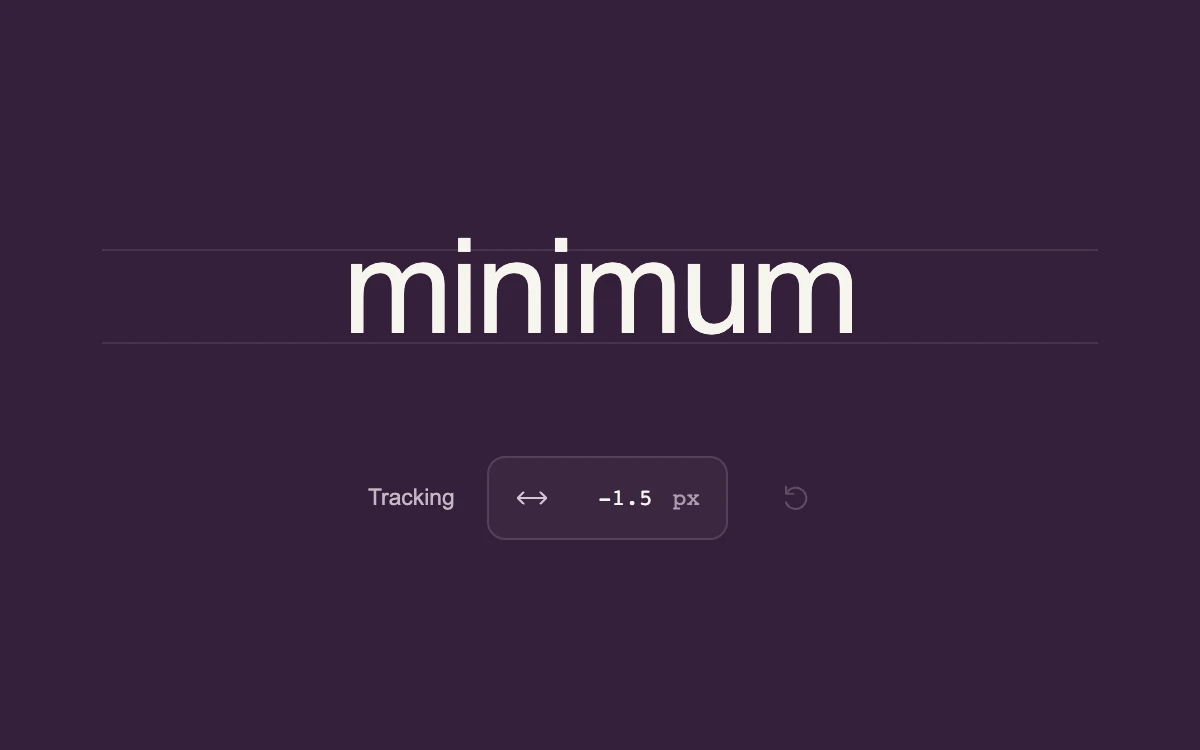
Drag the value, click to type, or use arrow keys; Shift accelerates and Alt refines
Subframe Original · MIT
Add to your project
Component source
Standalone React component. Styles are included.
React only. No additional packages.
Render the default export inside a container with a defined height. Its optional active prop stops movement when false. This example works with React 19; Next.js projects can use it as a client component.
View source code
/**
 * MIT License
 * Copyright (c) 2026 Subframe
 *
 * Permission is hereby granted, free of charge, to any person obtaining a copy
 * of this software and associated documentation files (the "Software"), to deal
 * in the Software without restriction, including without limitation the rights
 * to use, copy, modify, merge, publish, distribute, sublicense, and/or sell
 * copies of the Software, and to permit persons to whom the Software is
 * furnished to do so, subject to the following conditions:
 *
 * The above copyright notice and this permission notice shall be included in all
 * copies or substantial portions of the Software.
 *
 * THE SOFTWARE IS PROVIDED "AS IS", WITHOUT WARRANTY OF ANY KIND, EXPRESS OR
 * IMPLIED, INCLUDING BUT NOT LIMITED TO THE WARRANTIES OF MERCHANTABILITY,
 * FITNESS FOR A PARTICULAR PURPOSE AND NONINFRINGEMENT. IN NO EVENT SHALL THE
 * AUTHORS OR COPYRIGHT HOLDERS BE LIABLE FOR ANY CLAIM, DAMAGES OR OTHER
 * LIABILITY, WHETHER IN AN ACTION OF CONTRACT, TORT OR OTHERWISE, ARISING FROM,
 * OUT OF OR IN CONNECTION WITH THE SOFTWARE OR THE USE OR OTHER DEALINGS IN THE
 * SOFTWARE.
 */
"use client"

import * as React from "react"

const clamp = (value: number) => Math.round(Math.max(-3, Math.min(12, value)) * 10) / 10

export default function Example({ active = true }: { active?: boolean }) {
  const [tracking, setTracking] = React.useState(-1.5)
  const [editing, setEditing] = React.useState(false)
  const [draft, setDraft] = React.useState("")
  const [dragging, setDragging] = React.useState(false)
  const [nudge, setNudge] = React.useState(0)
  const [fine, setFine] = React.useState(false)
  const chip = React.useRef<HTMLDivElement>(null)
  const input = React.useRef<HTMLInputElement>(null)
  const value = React.useRef(tracking)
  const finishing = React.useRef(false)
  const drag = React.useRef<{
    id: number
    start: number
    last: number
    before: number
    amount: number
    moved: boolean
  } | null>(null)
  const descriptionId = React.useId()

  const change = React.useCallback((next: number) => {
    value.current = clamp(next)
    setTracking(value.current)
  }, [])
  const finishDrag = React.useCallback(
    (cancel: boolean) => {
      const current = drag.current
      if (!current) return
      if (cancel) change(current.before)
      drag.current = null
      setDragging(false)
      setNudge(0)
      setFine(false)
    },
    [change],
  )
  React.useEffect(() => {
    const escape = (event: KeyboardEvent) => {
      if (event.key === "Escape") finishDrag(true)
    }
    const cancel = () => finishDrag(true)
    window.addEventListener("keydown", escape)
    window.addEventListener("blur", cancel)
    return () => {
      window.removeEventListener("keydown", escape)
      window.removeEventListener("blur", cancel)
    }
  }, [finishDrag])
  React.useEffect(() => {
    if (!active) finishDrag(true)
  }, [active, finishDrag])
  React.useEffect(() => {
    if (editing) {
      input.current?.focus()
      input.current?.select()
    }
  }, [editing])

  function startEditing() {
    finishing.current = false
    setDraft(value.current.toFixed(1))
    setEditing(true)
  }
  function finishEditing(cancel = false, restoreFocus = false) {
    if (finishing.current) return
    finishing.current = true
    const number = Number(draft)
    if (!cancel && draft.trim() && Number.isFinite(number)) change(number)
    setEditing(false)
    if (restoreFocus) chip.current?.focus()
  }

  return (
    <div className="sf-precision-scrub" data-dragging={dragging} data-paused={!active}>
      <div className="tracking-specimen" aria-label="Typesetting preview">
        <div className="tracking-guide" />
        <span style={{ letterSpacing: `${tracking}px` }}>minimum</span>
        <div className="tracking-baseline" />
      </div>
      <div className="tracking-inspector">
        <span className="tracking-label">Tracking</span>
        <div
          className="tracking-chip"
          ref={chip}
          role={editing ? undefined : "spinbutton"}
          tabIndex={editing ? -1 : 0}
          aria-label={editing ? undefined : "Tracking in pixels"}
          aria-valuemin={editing ? undefined : -3}
          aria-valuemax={editing ? undefined : 12}
          aria-valuenow={editing ? undefined : tracking}
          aria-describedby={descriptionId}
          style={{ transform: `translateX(${nudge}px)` }}
          onPointerDown={(event) => {
            if (editing || event.button !== 0) return
            event.preventDefault()
            event.currentTarget.focus()
            drag.current = {
              id: event.pointerId,
              start: event.clientX,
              last: event.clientX,
              before: value.current,
              amount: value.current,
              moved: false,
            }
            event.currentTarget.setPointerCapture(event.pointerId)
          }}
          onPointerMove={(event) => {
            const current = drag.current
            if (!current || current.id !== event.pointerId) return
            if (!current.moved && Math.abs(event.clientX - current.start) < 4) return
            current.moved = true
            setDragging(true)
            setFine(event.altKey)
            const multiplier = event.altKey ? 0.025 : event.shiftKey ? 0.5 : 0.1
            const next = current.amount + (event.clientX - current.last) * multiplier
            current.last = event.clientX
            current.amount = Math.max(-3, Math.min(12, next))
            setNudge(Math.max(-4, Math.min(4, (next - current.amount) * 2)))
            change(current.amount)
          }}
          onPointerUp={(event) => {
            if (drag.current?.id !== event.pointerId) return
            const click = !drag.current.moved
            finishDrag(false)
            if (click) startEditing()
          }}
          onPointerCancel={() => finishDrag(true)}
          onLostPointerCapture={() => finishDrag(true)}
          onKeyDown={(event) => {
            if (editing) return
            if (event.key === "Enter" || event.key === " ") {
              event.preventDefault()
              startEditing()
              return
            }
            if (["ArrowUp", "ArrowRight", "ArrowDown", "ArrowLeft", "Home", "End"].includes(event.key)) {
              event.preventDefault()
              const step = event.shiftKey ? 1 : 0.1
              change(
                event.key === "Home"
                  ? -3
                  : event.key === "End"
                  ? 12
                  : value.current + (["ArrowUp", "ArrowRight"].includes(event.key) ? step : -step),
              )
            }
          }}
        >
          <svg viewBox="0 0 24 24" className="tracking-arrow" aria-hidden="true">
            <path d="m6 8-4 4 4 4m12-8 4 4-4 4M2 12h20" />
          </svg>
          {editing ? (
            <input
              ref={input}
              type="text"
              inputMode="decimal"
              value={draft}
              aria-label="Edit tracking in pixels"
              onChange={(event) => setDraft(event.target.value)}
              onBlur={() => finishEditing()}
              onKeyDown={(event) => {
                if (event.key === "Enter") {
                  event.preventDefault()
                  finishEditing(false, true)
                }
                if (event.key === "Escape") {
                  event.preventDefault()
                  event.stopPropagation()
                  finishEditing(true, true)
                }
              }}
            />
          ) : (
            <output>{tracking.toFixed(1)}</output>
          )}
          <span className="tracking-unit">px</span>
        </div>
        <button
          className="tracking-reset"
          aria-label="Reset tracking"
          onClick={() => change(-1.5)}
          disabled={tracking === -1.5}
        >
          <svg viewBox="0 0 24 24" aria-hidden="true">
            <path d="M5 9a7.5 7.5 0 1 1-.2 6M5 4v5h5" />
          </svg>
        </button>
      </div>
      <span id={descriptionId} className="tracking-help">
        Drag horizontally or press Enter to type. Arrow keys adjust by 0.1 pixel. Shift increases the step; Alt makes
        dragging finer. Escape cancels.
      </span>
      {dragging && (
        <output className="tracking-delta" aria-live="off">
          {fine ? "Fine · " : ""}
          {tracking - (drag.current?.before ?? tracking) >= 0 ? "+" : ""}
          {(tracking - (drag.current?.before ?? tracking)).toFixed(1)} px
        </output>
      )}
      <style>{`
.sf-precision-scrub{height:100%;width:100%;min-height:0;position:relative;overflow:hidden;display:flex;flex-direction:column;align-items:center;justify-content:center;gap:12%;background:#341f39;color:#f6f4ed;container-type:size;font-family:Arial,sans-serif}.sf-precision-scrub *{box-sizing:border-box}.sf-precision-scrub .tracking-specimen{position:relative;width:83%;display:flex;align-items:baseline;justify-content:center;white-space:nowrap;font-family:Arial,Helvetica,sans-serif;font-size:11cqw;font-weight:500;line-height:1.18;letter-spacing:-.04em}.sf-precision-scrub .tracking-specimen>span{position:relative;padding-right:0}.sf-precision-scrub .tracking-guide,.sf-precision-scrub .tracking-baseline{position:absolute;left:0;right:0;height:1px;background:#ffffff18}.sf-precision-scrub .tracking-guide{top:25%}.sf-precision-scrub .tracking-baseline{bottom:14%}.sf-precision-scrub .tracking-inspector{display:flex;align-items:center;gap:16px;font-size:clamp(10px,1.9cqw,14px)}.sf-precision-scrub .tracking-label{color:#c5b6c6}.sf-precision-scrub .tracking-chip{position:relative;display:flex;align-items:center;gap:10px;height:44px;padding:0 13px;border:1px solid #ffffff20;border-radius:9px;background:#ffffff09;cursor:ew-resize;touch-action:none;user-select:none;font-family:monospace;transition:transform 180ms cubic-bezier(.2,.8,.2,1);font-variant-numeric:tabular-nums}.sf-precision-scrub .tracking-chip:hover{background:#ffffff12;border-color:#ffffff40}.sf-precision-scrub .tracking-chip:focus-visible{outline:2px solid #e5a9e2;outline-offset:4px}.sf-precision-scrub .tracking-chip output,.sf-precision-scrub .tracking-chip input{display:block;width:42px;text-align:right;font:inherit;color:inherit}.sf-precision-scrub .tracking-chip input{background:none;border:0;padding:0;outline:none;user-select:text}.sf-precision-scrub .tracking-unit{color:#ae9cae}.sf-precision-scrub .tracking-arrow{width:17px;height:17px;fill:none;stroke:#d5c3d4;stroke-width:1.5;stroke-linecap:round;stroke-linejoin:round}.sf-precision-scrub .tracking-reset{display:grid;place-items:center;width:44px;height:44px;background:transparent;border:0;border-radius:6px;color:#c5b6c6;cursor:pointer}.sf-precision-scrub .tracking-reset svg{width:17px;fill:none;stroke:currentColor;stroke-width:1.5;stroke-linecap:round;stroke-linejoin:round}.sf-precision-scrub .tracking-reset:hover{background:#ffffff0b;color:white}.sf-precision-scrub .tracking-reset:disabled{opacity:.3;cursor:default}.sf-precision-scrub .tracking-reset:focus-visible{outline:2px solid #e5a9e2;outline-offset:2px}.sf-precision-scrub .tracking-help{position:absolute;width:1px;height:1px;clip-path:inset(50%);overflow:hidden;white-space:nowrap}.sf-precision-scrub .tracking-delta{position:absolute;bottom:12%;font:11px monospace;color:#d6c4d4}.sf-precision-scrub[data-dragging=true] .tracking-chip,.sf-precision-scrub[data-paused=true] .tracking-chip{transition:none}@media(prefers-reduced-motion:reduce){.sf-precision-scrub .tracking-chip{transition:none}}
`}</style>
    </div>
  )
}
Where it works well
Space-efficient numerical editing with direct scrubbing, precise entry, and reversible gestures.
Reduced motion
Values and typesetting update directly; the small boundary response settles immediately.
Things to know
A local letter-spacing control bounded from -3 to 12 pixels; no pointer lock or document editor integration.