
Inside the image
Image markers and a compact index share one selection, revealing details without losing the whole picture.
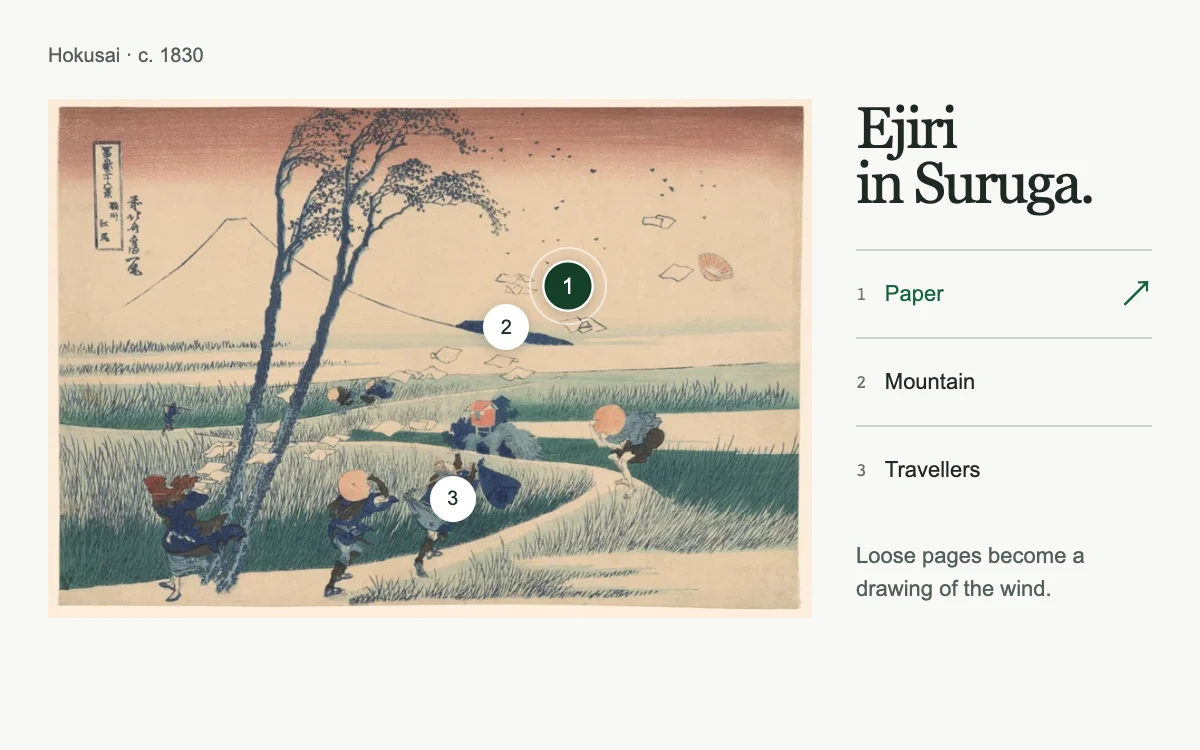
Choose a point on the print or a detail in the index
Subframe Original · MIT
Add to your project
Component source
Standalone React component. Styles are included.
React only. No additional packages.
Download images (1)
Save these files in your static assets folder at /motion/assets/, or update their paths in the component.
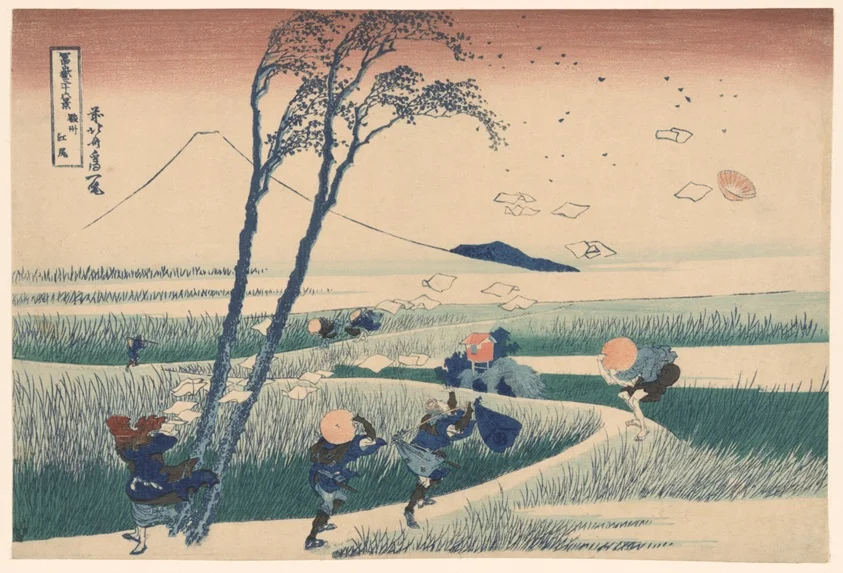
Render the default export inside a container with a defined height. Its optional active prop stops movement when false. This example works with React 19; Next.js projects can use it as a client component.
View source code
/**
 * MIT License
 *
 * Copyright (c) 2026 Subframe
 *
 * Permission is hereby granted, free of charge, to any person obtaining a copy
 * of this software and associated documentation files (the "Software"), to deal
 * in the Software without restriction, including without limitation the rights
 * to use, copy, modify, merge, publish, distribute, sublicense, and/or sell
 * copies of the Software, and to permit persons to whom the Software is
 * furnished to do so, subject to the following conditions:
 *
 * The above copyright notice and this permission notice shall be included in all
 * copies or substantial portions of the Software.
 *
 * THE SOFTWARE IS PROVIDED "AS IS", WITHOUT WARRANTY OF ANY KIND, EXPRESS OR
 * IMPLIED, INCLUDING BUT NOT LIMITED TO THE WARRANTIES OF MERCHANTABILITY,
 * FITNESS FOR A PARTICULAR PURPOSE AND NONINFRINGEMENT. IN NO EVENT SHALL THE
 * AUTHORS OR COPYRIGHT HOLDERS BE LIABLE FOR ANY CLAIM, DAMAGES OR OTHER
 * LIABILITY, WHETHER IN AN ACTION OF CONTRACT, TORT OR OTHERWISE, ARISING FROM,
 * OUT OF OR IN CONNECTION WITH THE SOFTWARE OR THE USE OR OTHER DEALINGS IN THE
 * SOFTWARE.
 */

"use client"

import { useId, useState } from "react"

const details = [
  { name: "Paper", x: 68, y: 36, text: "Loose pages become a drawing of the wind." },
  { name: "Mountain", x: 60, y: 44, text: "Fuji stays perfectly still beyond the gust." },
  { name: "Travellers", x: 53, y: 77, text: "Bodies lean into a force we cannot see." },
]

export default function AtlasHotspots({ active = true }: { active?: boolean }) {
  const [selected, setSelected] = useState(0)
  const [failed, setFailed] = useState(false)
  const id = useId()
  const choose = (index: number) => {
    if (active) setSelected(index)
  }
  return (
    <section className="sf-atlas-hotspots" data-active={active} aria-label="Explore details in Ejiri">
      <header>
        <span>Hokusai · c. 1830</span>
      </header>
      <div className="composition">
        <div className="artwork">
          {failed ? (
            <div className="missing">Image unavailable</div>
          ) : (
            <img
              src="/motion/assets/suruga-wind.webp"
              alt="Travellers and loose papers swept by wind beneath a still Mount Fuji"
              onError={() => setFailed(true)}
              draggable={false}
            />
          )}
          {!failed &&
            details.map((item, index) => (
              <button
                key={item.name}
                type="button"
                className="pin"
                style={{ left: `${item.x}%`, top: `${item.y}%` }}
                aria-label={`Explore ${item.name.toLowerCase()}`}
                aria-pressed={selected === index}
                aria-controls={`${id}-detail`}
                disabled={!active}
                onClick={() => choose(index)}
              >
                <span>{index + 1}</span>
              </button>
            ))}
          {!failed && (
            <span
              className="crosshair"
              aria-hidden="true"
              style={{ left: `${details[selected].x}%`, top: `${details[selected].y}%` }}
            />
          )}
        </div>
        <div className="index">
          <p className="work-title">
            Ejiri
            <br />
            in Suruga.
          </p>
          <div
            className="choices"
            aria-label="Image details"
            onKeyDown={(event) => {
              if (!active || !["ArrowDown", "ArrowUp", "ArrowLeft", "ArrowRight", "Home", "End"].includes(event.key))
                return
              event.preventDefault()
              const next =
                event.key === "Home"
                  ? 0
                  : event.key === "End"
                  ? 2
                  : (selected + (["ArrowDown", "ArrowRight"].includes(event.key) ? 1 : 2)) % 3
              choose(next)
              event.currentTarget.querySelectorAll<HTMLButtonElement>("button")[next]?.focus()
            }}
          >
            {details.map((item, index) => (
              <button
                key={item.name}
                type="button"
                onClick={() => choose(index)}
                onFocus={() => choose(index)}
                disabled={!active}
                aria-pressed={selected === index}
                aria-controls={`${id}-detail`}
              >
                <span>{index + 1}</span>
                {item.name}
                <i aria-hidden="true">↗</i>
              </button>
            ))}
          </div>
          <p id={`${id}-detail`} className="detail" aria-live="polite">
            {details[selected].text}
          </p>
        </div>
      </div>
      <style>{`
        .sf-atlas-hotspots{height:100%;width:100%;box-sizing:border-box;container-type:inline-size;background:#f7f8f5;color:#202923;font-family:Arial,sans-serif;padding:22px 24px;overflow:hidden}
        .sf-atlas-hotspots *{box-sizing:border-box}.sf-atlas-hotspots header{display:flex;align-items:baseline;justify-content:space-between;gap:12px;margin-bottom:16px}.sf-atlas-hotspots header>span{font-size:10px;color:#546057}.sf-atlas-hotspots .composition{display:grid;grid-template-columns:minmax(0,1fr) 148px;gap:22px;align-items:center}.sf-atlas-hotspots .artwork{position:relative;aspect-ratio:843/573;background:#e6e7df}.sf-atlas-hotspots img{display:block;width:100%;height:100%;object-fit:contain}.sf-atlas-hotspots .missing{height:100%;display:grid;place-items:center;font-size:12px}.sf-atlas-hotspots button{font:inherit;cursor:pointer;touch-action:manipulation;color:inherit}.sf-atlas-hotspots button:disabled{cursor:default}.sf-atlas-hotspots button:focus-visible{outline:2px solid #1d663d;outline-offset:3px}.sf-atlas-hotspots .pin{position:absolute;transform:translate(-50%,-50%);width:44px;height:44px;border:0;background:none;display:grid;place-items:center;z-index:2}.sf-atlas-hotspots .pin>span{display:grid;place-items:center;width:23px;height:23px;background:#fff;color:#1e3025;border:1px solid #fff;border-radius:50%;font-size:10px;box-shadow:0 1px 7px #162f3744;transition:background .18s ease,color .18s ease,transform .18s ease}.sf-atlas-hotspots .pin[aria-pressed=true]>span{background:#163f29;color:#fff;transform:scale(1.12)}.sf-atlas-hotspots .crosshair{position:absolute;width:39px;height:39px;border:1px solid #fff9;border-radius:50%;transform:translate(-50%,-50%);pointer-events:none;transition:left .25s cubic-bezier(.2,.8,.2,1),top .25s cubic-bezier(.2,.8,.2,1)}.sf-atlas-hotspots .work-title{font:29px/.95 Georgia,serif;letter-spacing:-1.3px;margin:0 0 19px}.sf-atlas-hotspots .choices{display:grid}.sf-atlas-hotspots .choices button{display:flex;align-items:center;gap:9px;padding:0;border:0;border-top:1px solid #cdd4cc;height:44px;background:none;text-align:left;font-size:11px}.sf-atlas-hotspots .choices button>span{font:9px ui-monospace,monospace;color:#667368}.sf-atlas-hotspots .choices button>i{margin-left:auto;font-size:16px;opacity:0;font-style:normal}.sf-atlas-hotspots .choices button[aria-pressed=true]{color:#17613d}.sf-atlas-hotspots .choices button[aria-pressed=true]>i{opacity:1}.sf-atlas-hotspots .detail{margin:13px 0 0;min-height:39px;font-size:11px;line-height:1.5;color:#526056}.sf-atlas-hotspots[data-active=false] *{transition:none!important}@media(prefers-reduced-motion:reduce){.sf-atlas-hotspots *{transition:none!important}}
        @container(max-width:420px){.sf-atlas-hotspots header{margin-bottom:12px}.sf-atlas-hotspots header>span{font-size:9px}.sf-atlas-hotspots .composition{display:block}.sf-atlas-hotspots .artwork{width:min(100%,240px);max-height:none;aspect-ratio:843/573;margin-inline:auto}.sf-atlas-hotspots .work-title{display:none}.sf-atlas-hotspots .choices{grid-template-columns:repeat(3,minmax(0,1fr));gap:8px;margin-top:10px}.sf-atlas-hotspots .choices button{font-size:10px;gap:5px;height:44px}.sf-atlas-hotspots .choices button>i{display:none}.sf-atlas-hotspots .detail{margin:3px 0 0;min-height:0;font-size:10px;line-height:1.35}}
      `}</style>
    </section>
  )
}
Where it works well
Explain an artwork, product detail or architectural feature through precisely placed points and a linked list.
Reduced motion
Selection changes immediately; the connecting ring does not travel between points.
Things to know
Hotspot coordinates assume the supplied uncropped image. Replace coordinates when replacing the image. Host pause disables selection.