
Fluid tab rail
A deep-blue navigation rail swells around the focused control while a pale disc follows its silhouette.
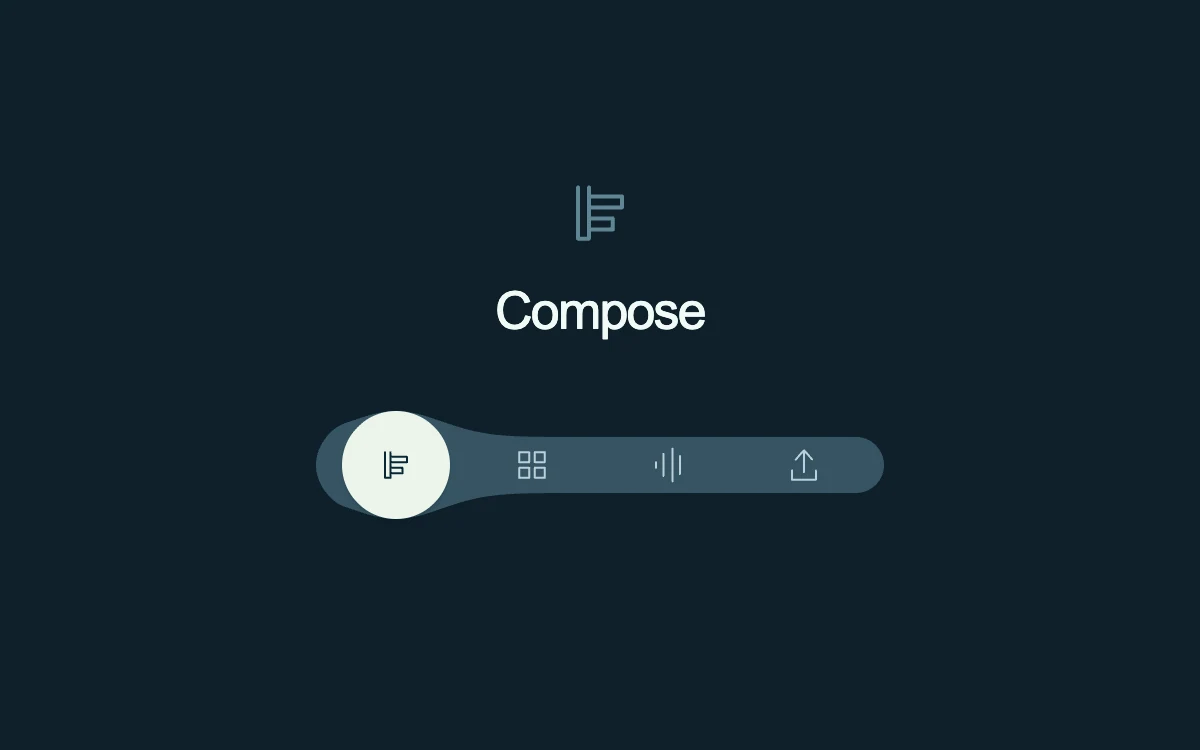
Hover or select a mode. Arrow keys, Home and End select immediately.
Subframe Original · MIT
Add to your project
Component source
Standalone React component. Styles are included.
React only. No additional packages.
Render the default export inside a container with a defined height. Its optional active prop stops movement when false. This example works with React 19; Next.js projects can use it as a client component.
View source code
/**
 * MIT License
 * Copyright (c) 2026 Subframe
 *
 * Permission is hereby granted, free of charge, to any person obtaining a copy
 * of this software and associated documentation files (the "Software"), to deal
 * in the Software without restriction, including without limitation the rights
 * to use, copy, modify, merge, publish, distribute, sublicense, and/or sell
 * copies of the Software, and to permit persons to whom the Software is
 * furnished to do so, subject to the following conditions:
 *
 * The above copyright notice and this permission notice shall be included in all
 * copies or substantial portions of the Software.
 *
 * THE SOFTWARE IS PROVIDED "AS IS", WITHOUT WARRANTY OF ANY KIND, EXPRESS OR
 * IMPLIED, INCLUDING BUT NOT LIMITED TO THE WARRANTIES OF MERCHANTABILITY,
 * FITNESS FOR A PARTICULAR PURPOSE AND NONINFRINGEMENT. IN NO EVENT SHALL THE
 * AUTHORS OR COPYRIGHT HOLDERS BE LIABLE FOR ANY CLAIM, DAMAGES OR OTHER
 * LIABILITY, WHETHER IN AN ACTION OF CONTRACT, TORT OR OTHERWISE, ARISING FROM,
 * OUT OF OR IN CONNECTION WITH THE SOFTWARE OR THE USE OR OTHER DEALINGS IN THE
 * SOFTWARE.
 */
"use client"
import * as React from "react"

const LABELS = ["Compose", "Arrange", "Listen", "Export"]
const SYMBOLS = [
  "M18 10v28h-6V10m6 5h18v6H18m0 6h13v6H18",
  "M10 10h11v11H10zm17 0h11v11H27zM10 27h11v11H10zm17 0h11v11H27z",
  "M11 27v-6m8 15V12m10 30V6m8 28V14",
  "M24 8v24m-9-14 9-10 9 10M11 30v10h26V30",
]
export default function Example({ active = true }: { active?: boolean }) {
  const [selected, setSelected] = React.useState(0),
    [focus, setFocus] = React.useState<number | null>(null)
  const [point, setPoint] = React.useState(0),
    [quiet, setQuiet] = React.useState(false)
  const refs = React.useRef<(HTMLButtonElement | null)[]>([]),
    current = React.useRef(0),
    frame = React.useRef(0)
  const id = React.useId()
  const target = focus ?? selected
  React.useEffect(() => {
    const q = matchMedia("(prefers-reduced-motion: reduce)")
    const f = () => setQuiet(q.matches)
    f()
    q.addEventListener("change", f)
    return () => q.removeEventListener("change", f)
  }, [])
  React.useEffect(() => {
    cancelAnimationFrame(frame.current)
    if (!active || quiet) {
      current.current = target
      setPoint(target)
      return
    }
    let previous = 0
    const tick = (now: number) => {
      const dt = previous ? Math.min(32, now - previous) : 16
      previous = now
      current.current += (target - current.current) * (1 - Math.exp(-dt / 65))
      if (Math.abs(target - current.current) < 0.002) {
        current.current = target
        setPoint(target)
        return
      }
      setPoint(current.current)
      frame.current = requestAnimationFrame(tick)
    }
    frame.current = requestAnimationFrame(tick)
    return () => cancelAnimationFrame(frame.current)
  }, [target, active, quiet])
  function immediate(i: number) {
    cancelAnimationFrame(frame.current)
    current.current = i
    setPoint(i)
    setFocus(i)
  }
  const cx = 39 + point * 68
  const profile = (x: number) => Math.exp(-(((x - cx) / 32) ** 2)) * 13
  // Deform the rounded ends with the same profile as the straight edges.
  // Fixed caps leave a visible step where the moving bulge meets either end.
  let hull = `M 13 ${31 - profile(13)}`
  for (let x = 17; x <= 269; x += 4) hull += ` L ${x} ${31 - profile(x)}`
  for (let step = 1; step <= 32; step++) {
    const angle = -Math.PI / 2 + (step * Math.PI) / 32
    const x = 269 + Math.cos(angle) * 14
    hull += ` L ${x} ${45 + Math.sin(angle) * (14 + profile(x))}`
  }
  for (let x = 265; x >= 13; x -= 4) hull += ` L ${x} ${59 + profile(x)}`
  for (let step = 1; step <= 32; step++) {
    const angle = Math.PI / 2 + (step * Math.PI) / 32
    const x = 13 + Math.cos(angle) * 14
    hull += ` L ${x} ${45 + Math.sin(angle) * (14 + profile(x))}`
  }
  hull += " Z"
  return (
    <div className="sf-fluid-tab-rail" data-quiet={!active || quiet}>
      <div className="ft-symbol" role="tabpanel" id={id + "-panel"} aria-labelledby={id + "-tab-" + selected}>
        <svg viewBox="0 0 48 48">
          <path d={SYMBOLS[selected]} />
        </svg>
      </div>
      <p>{LABELS[selected]}</p>
      <div
        className="ft-nav"
        role="tablist"
        aria-label="Audio workspace"
        onPointerLeave={() => setFocus(null)}
        onBlur={(e) => {
          if (!e.currentTarget.contains(e.relatedTarget)) setFocus(null)
        }}
      >
        <svg className="ft-shell" viewBox="-6 0 294 90" aria-hidden="true">
          <path d={hull} />
        </svg>
        <div className="ft-disc" style={{ transform: `translateX(${point * 68}px)` }} />
        {LABELS.map((label, i) => (
          <button
            key={label}
            ref={(e) => {
              refs.current[i] = e
            }}
            id={id + "-tab-" + i}
            aria-controls={id + "-panel"}
            style={{ color: Math.abs(point - i) < 0.5 ? "#092735" : "#b9d0d8" }}
            role="tab"
            aria-selected={selected === i}
            aria-label={label}
            tabIndex={selected === i ? 0 : -1}
            onPointerEnter={(e) => {
              if (e.pointerType === "mouse") setFocus(i)
            }}
            onFocus={() => immediate(i)}
            onClick={() => {
              setSelected(i)
              setFocus(null)
            }}
            onKeyDown={(e) => {
              let next = i
              if (e.key === "ArrowRight") next = (i + 1) % 4
              else if (e.key === "ArrowLeft") next = (i + 3) % 4
              else if (e.key === "Home") next = 0
              else if (e.key === "End") next = 3
              else return
              e.preventDefault()
              setSelected(next)
              immediate(next)
              refs.current[next]?.focus()
            }}
          >
            <svg viewBox="0 0 48 48" aria-hidden="true">
              <path d={SYMBOLS[i]} />
            </svg>
          </button>
        ))}
      </div>
      <span className="ft-mode" role="status">
        {focus !== null && focus !== selected ? LABELS[target] : ""}
      </span>
      <style>{`.sf-fluid-tab-rail{width:100%;height:100%;min-height:280px;position:relative;overflow:hidden;display:flex;align-items:center;justify-content:center;flex-direction:column;background:#0e2029;color:#f0faf7;font-family:Arial,sans-serif}.sf-fluid-tab-rail *{box-sizing:border-box}.sf-fluid-tab-rail .ft-symbol{width:44px;height:44px;color:#82b1c2;opacity:.7}.sf-fluid-tab-rail svg path{fill:none;stroke:currentColor;stroke-width:2.2;stroke-linecap:round;stroke-linejoin:round}.sf-fluid-tab-rail p{margin:12px 0 28px;font-size:26px;font-weight:400;letter-spacing:-.035em}.sf-fluid-tab-rail .ft-nav{position:relative;display:flex;width:272px;height:68px;isolation:isolate}.sf-fluid-tab-rail .ft-shell{position:absolute;inset:-11px -11px;width:294px;height:90px;overflow:visible;z-index:-2;color:#365464}.sf-fluid-tab-rail .ft-shell path{fill:currentColor;stroke:none}.sf-fluid-tab-rail .ft-disc{position:absolute;left:7px;top:7px;width:54px;height:54px;border-radius:50%;background:#ecf5eb;box-shadow:0 2px 2px #00121a30;z-index:-1}.sf-fluid-tab-rail button{appearance:none;width:68px;height:68px;padding:23px;border:0;background:transparent;color:#b9d0d8;cursor:pointer;touch-action:manipulation;border-radius:50%;flex-shrink:0}.sf-fluid-tab-rail button svg{width:22px;height:22px}.sf-fluid-tab-rail button:focus-visible{outline:2px solid #eabc83;outline-offset:3px}.sf-fluid-tab-rail .ft-mode{font:11px monospace;color:#b9c9cd;height:16px;margin-top:8px}.sf-fluid-tab-rail[data-quiet=true] *{transition:none!important}@media(prefers-reduced-motion:reduce){.sf-fluid-tab-rail *{transition:none!important}}`}</style>
    </div>
  )
}
Where it works well
Connect hover preview, keyboard focus and selected workspace state with one coherent navigation shape.
Reduced motion
The rail and disc move directly to the target with no interpolated motion.
Things to know
Four local modes with symbolic previews; connect the selected index to real panels in a product.