
Spoken article
A cobalt reading card follows a short essay sentence by sentence using the browser’s own voice.
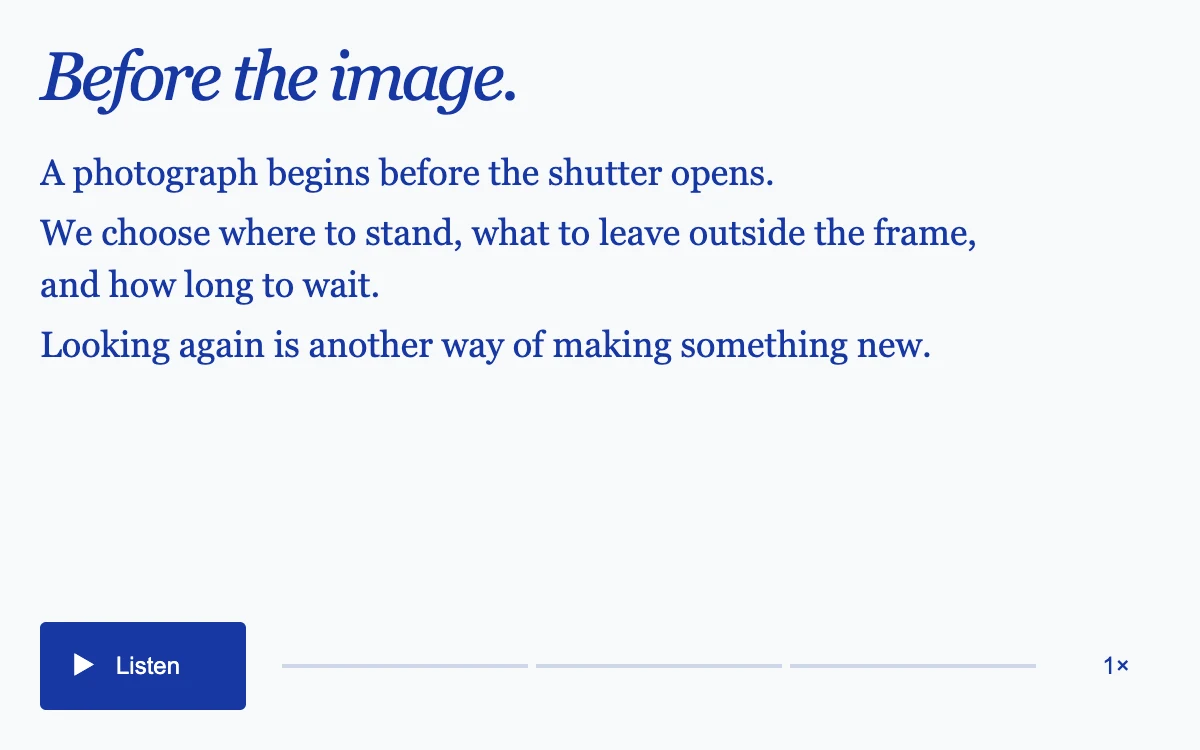
Listen, pause, select a sentence or change the speaking rate.
Subframe Original · MIT
Add to your project
Component source
Standalone React component. Styles are included.
React only. No additional packages.
Render the default export inside a container with a defined height. Its optional active prop stops movement when false. This example works with React 19; Next.js projects can use it as a client component.
View source code
/**
 * MIT License
 * Copyright (c) 2026 Subframe
 *
 * Permission is hereby granted, free of charge, to any person obtaining a copy
 * of this software and associated documentation files (the "Software"), to deal
 * in the Software without restriction, including without limitation the rights
 * to use, copy, modify, merge, publish, distribute, sublicense, and/or sell
 * copies of the Software, and to permit persons to whom the Software is
 * furnished to do so, subject to the following conditions:
 *
 * The above copyright notice and this permission notice shall be included in all
 * copies or substantial portions of the Software.
 *
 * THE SOFTWARE IS PROVIDED "AS IS", WITHOUT WARRANTY OF ANY KIND, EXPRESS OR
 * IMPLIED, INCLUDING BUT NOT LIMITED TO THE WARRANTIES OF MERCHANTABILITY,
 * FITNESS FOR A PARTICULAR PURPOSE AND NONINFRINGEMENT. IN NO EVENT SHALL THE
 * AUTHORS OR COPYRIGHT HOLDERS BE LIABLE FOR ANY CLAIM, DAMAGES OR OTHER
 * LIABILITY, WHETHER IN AN ACTION OF CONTRACT, TORT OR OTHERWISE, ARISING FROM,
 * OUT OF OR IN CONNECTION WITH THE SOFTWARE OR THE USE OR OTHER DEALINGS IN THE
 * SOFTWARE.
 */
"use client"
import * as React from "react"

const SENTENCES = [
  "A photograph begins before the shutter opens.",
  "We choose where to stand, what to leave outside the frame, and how long to wait.",
  "Looking again is another way of making something new.",
]
export default function Example({ active = true }: { active?: boolean }) {
  const [current, setCurrent] = React.useState(0),
    [status, setStatus] = React.useState<"idle" | "playing" | "paused" | "complete">("idle"),
    [rate, setRate] = React.useState(1),
    [notice, setNotice] = React.useState(""),
    [available, setAvailable] = React.useState(true)
  const owned = React.useRef<SpeechSynthesisUtterance | null>(null),
    run = React.useRef(0),
    sentence = React.useRef(0),
    offset = React.useRef(0),
    voice = React.useRef<SpeechSynthesisVoice | null>(null)
  const speed = React.useRef(rate)
  speed.current = rate
  const stop = React.useCallback(() => {
    run.current++
    if (owned.current) {
      owned.current = null
      window.speechSynthesis.cancel()
    }
  }, [])
  React.useEffect(() => {
    if (!("speechSynthesis" in window) || !("SpeechSynthesisUtterance" in window)) {
      setAvailable(false)
      setNotice("A reading voice is unavailable in this browser.")
      return
    }
    const sync = () => {
      voice.current = speechSynthesis.getVoices().find((v) => v.lang.startsWith("en")) ?? null
    }
    sync()
    speechSynthesis.addEventListener("voiceschanged", sync)
    const visibility = () => {
      if (document.hidden && owned.current) {
        stop()
        setStatus("paused")
      }
    }
    document.addEventListener("visibilitychange", visibility)
    return () => {
      speechSynthesis.removeEventListener("voiceschanged", sync)
      document.removeEventListener("visibilitychange", visibility)
      stop()
    }
  }, [stop])
  React.useEffect(() => {
    if (!active && owned.current) {
      stop()
      setStatus("paused")
    }
  }, [active, stop])
  function speak(index: number, start = 0) {
    if (!active || !available) return
    if (!owned.current && speechSynthesis.speaking) {
      setNotice("Another voice is playing. Pause it first.")
      return
    }
    stop()
    setNotice("")
    sentence.current = index
    offset.current = start
    setCurrent(index)
    const id = run.current,
      u = new SpeechSynthesisUtterance(SENTENCES[index].slice(start))
    owned.current = u
    u.lang = "en-US"
    u.rate = speed.current
    if (voice.current) u.voice = voice.current
    u.onboundary = (e) => {
      if (run.current === id) offset.current = Math.min(SENTENCES[index].length, start + e.charIndex)
    }
    u.onend = () => {
      if (run.current !== id) return
      owned.current = null
      if (index < SENTENCES.length - 1) {
        offset.current = 0
        speak(index + 1)
      } else {
        setStatus("complete")
        offset.current = 0
      }
    }
    u.onerror = (e) => {
      if (run.current !== id) return
      owned.current = null
      setStatus("paused")
      if (e.error !== "canceled" && e.error !== "interrupted")
        setNotice("The reading voice could not start. Try again.")
    }
    setStatus("playing")
    speechSynthesis.speak(u)
  }
  function toggle() {
    if (status === "playing") {
      stop()
      setStatus("paused")
    } else speak(status === "complete" ? 0 : sentence.current, status === "complete" ? 0 : offset.current)
  }
  function choose(i: number) {
    sentence.current = i
    offset.current = 0
    setCurrent(i)
    if (status === "playing") speak(i)
    else setStatus("paused")
  }
  return (
    <div className="sf-spoken-article">
      <h2>Before the image.</h2>
      <div className="sa-copy" aria-label="Article text">
        {SENTENCES.map((s, i) => (
          <button
            key={s}
            onClick={() => choose(i)}
            aria-label={`Read from sentence ${i + 1}: ${s}`}
            aria-current={i === current && status !== "idle" ? "true" : undefined}
          >
            {s}
          </button>
        ))}
      </div>
      <footer>
        <button
          className="sa-play"
          disabled={!available || !active}
          onClick={toggle}
          aria-label={status === "playing" ? "Pause reading" : status === "complete" ? "Read again" : "Read article"}
        >
          <span aria-hidden="true">{status === "playing" ? "Ⅱ" : "▶"}</span>
          {status === "playing"
            ? "Pause"
            : status === "paused"
            ? "Continue"
            : status === "complete"
            ? "Again"
            : "Listen"}
        </button>
        <span className="sa-progress" aria-label={`Sentence ${current + 1} of 3`}>
          {SENTENCES.map((_, i) => (
            <i key={i} data-on={i <= current && status !== "idle"} />
          ))}
        </span>
        <button
          className="sa-rate"
          disabled={!available}
          onClick={() => {
            const next = rate === 1 ? 1.25 : rate === 1.25 ? 1.5 : 1
            setRate(next)
            speed.current = next
            if (status === "playing") speak(sentence.current, offset.current)
          }}
          aria-label={`Reading speed ${rate} times. Change speed.`}
        >
          {rate}×
        </button>
      </footer>
      {notice && (
        <p role="status" className="sa-notice">
          {notice}
        </p>
      )}
      <style>{`.sf-spoken-article{width:100%;height:100%;min-height:280px;position:relative;overflow:hidden;container-type:size;background:#f8f9fc;color:#1838a3;font-family:Arial,sans-serif;display:flex;flex-direction:column;padding:20px;box-sizing:border-box}.sf-spoken-article *{box-sizing:border-box}.sf-spoken-article h2{font:italic 34px/1.1 Georgia,serif;font-weight:400;letter-spacing:-.05em;margin:0 0 14px}.sf-spoken-article .sa-copy{flex:1;min-height:0;overflow:auto;max-width:490px;scrollbar-width:thin}.sf-spoken-article .sa-copy button{appearance:none;display:inline;padding:2px 0;margin:0 5px 0 0;border:0;background:none;color:inherit;text-align:left;font:18px/1.45 Georgia,serif;cursor:pointer;border-radius:2px;text-decoration-thickness:1px;text-underline-offset:4px}.sf-spoken-article .sa-copy button[aria-current=true]{background:#dbe4ff;text-decoration:underline}.sf-spoken-article button:focus-visible{outline:2px solid #1838a3;outline-offset:3px}.sf-spoken-article footer{display:flex;align-items:center;gap:18px;flex-shrink:0;padding-top:14px}.sf-spoken-article footer button{height:44px;min-width:44px;border:0;cursor:pointer;font:12px Arial,sans-serif;touch-action:manipulation}.sf-spoken-article .sa-play{background:#1838a3;color:white;padding:0 16px;border-radius:3px;display:flex;gap:10px;align-items:center;min-width:103px}.sf-spoken-article .sa-play span{font-size:13px;width:12px}.sf-spoken-article .sa-progress{display:flex;gap:4px;flex:1}.sf-spoken-article .sa-progress i{height:2px;flex:1;background:#cfd6e9}.sf-spoken-article .sa-progress i[data-on=true]{background:#1838a3}.sf-spoken-article .sa-rate{background:none;color:#1838a3}.sf-spoken-article button:disabled{opacity:.5;cursor:default}.sf-spoken-article .sa-notice{position:absolute;left:32px;right:32px;bottom:71px;margin:0;background:#f8f9fc;padding:6px 0;font:11px/1.35 Arial,sans-serif}@container(max-width:400px){.sf-spoken-article{padding:20px}.sf-spoken-article h2{font-size:28px;margin:0 0 10px}.sf-spoken-article .sa-copy button{font-size:15px;line-height:1.35}.sf-spoken-article footer{gap:10px;padding-top:10px}.sf-spoken-article .sa-notice{left:20px;right:20px}}`}</style>
    </div>
  )
}
Where it works well
Offer a spoken version of editorial content with visible position and intentional playback.
Reduced motion
Sentence state changes are immediate; speech plays only after an explicit request.
Things to know
Available voices and boundary events vary by browser and device. Resume uses the last reported word boundary; speech is not a rendered audio asset.