
Night signal
An acid-yellow playhead scrubs a nocturnal scene one frame at a time.
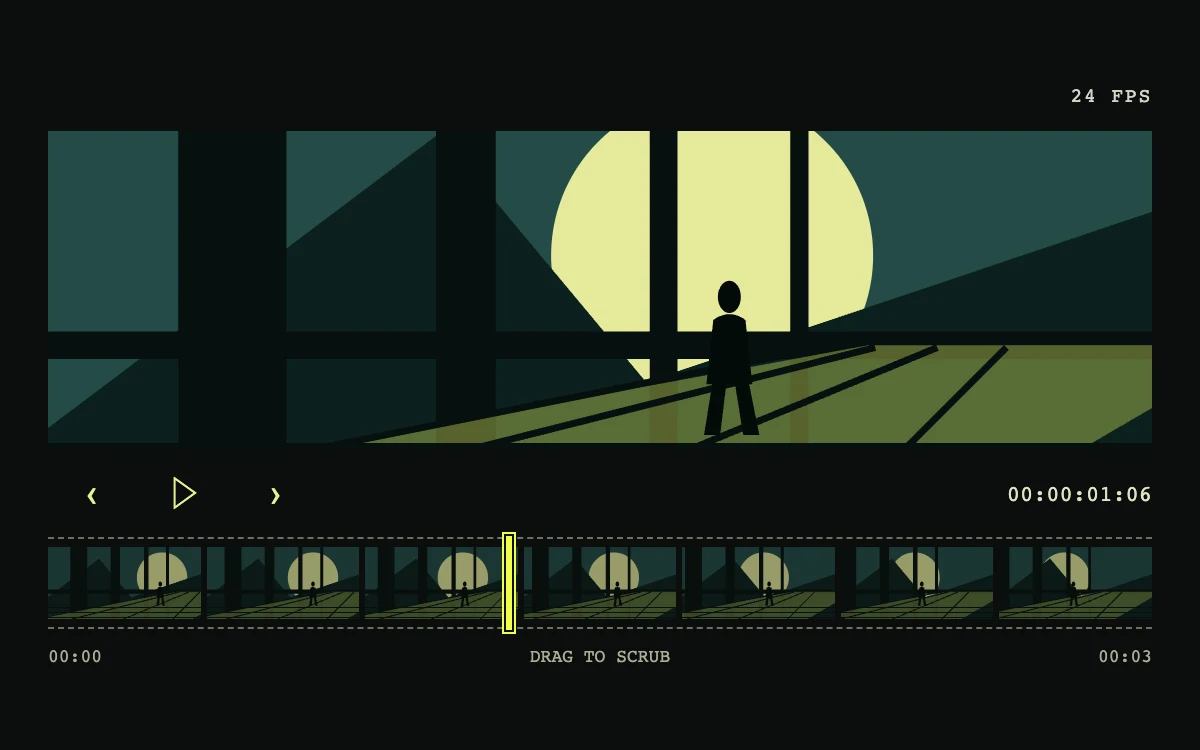
Drag the filmstrip, step frames, or play the sequence
Subframe Original · MIT
Add to your project
Component source
Standalone React component. Styles are included.
React only. No additional packages.
Render the default export inside a container with a defined height. Its optional active prop stops movement when false. This example works with React 19; Next.js projects can use it as a client component.
View source code
/**
 * MIT License
 *
 * Copyright (c) 2026 Subframe
 *
 * Permission is hereby granted, free of charge, to any person obtaining a copy
 * of this software and associated documentation files (the "Software"), to deal
 * in the Software without restriction, including without limitation the rights
 * to use, copy, modify, merge, publish, distribute, sublicense, and/or sell
 * copies of the Software, and to permit persons to whom the Software is
 * furnished to do so, subject to the following conditions:
 *
 * The above copyright notice and this permission notice shall be included in all
 * copies or substantial portions of the Software.
 *
 * THE SOFTWARE IS PROVIDED "AS IS", WITHOUT WARRANTY OF ANY KIND, EXPRESS OR
 * IMPLIED, INCLUDING BUT NOT LIMITED TO THE WARRANTIES OF MERCHANTABILITY,
 * FITNESS FOR A PARTICULAR PURPOSE AND NONINFRINGEMENT. IN NO EVENT SHALL THE
 * AUTHORS OR COPYRIGHT HOLDERS BE LIABLE FOR ANY CLAIM, DAMAGES OR OTHER
 * LIABILITY, WHETHER IN AN ACTION OF CONTRACT, TORT OR OTHERWISE, ARISING FROM,
 * OUT OF OR IN CONNECTION WITH THE SOFTWARE OR THE USE OR OTHER DEALINGS IN THE
 * SOFTWARE.
 */

"use client"

import { useEffect, useState } from "react"

function NightScene({ frame }: { frame: number }) {
  const travel = frame / 72
  return (
    <svg viewBox="0 0 480 200" preserveAspectRatio="xMidYMid slice" aria-hidden="true">
      <rect width="480" height="200" fill="#244b47" />
      <circle cx={345 - travel * 135} cy="85" r="70" fill="#e5e99b" />
      <path d="M0 160 170 32 260 140 480 66V200H0Z" fill="#0b211e" />
      <g transform={`translate(${-travel * 80} 0)`}>
        <path
          d="M90 0H137V200H90Z M202 0H228V200H202Z M295 0H307V200H295Z M356 0H364V200H356Z M0 118H560V130H0Z"
          fill="#07100f"
        />
        <path d="M-20 200 390 124 560 124 430 200Z" fill="#ccde5b" opacity=".4" />
        <path d="M0 168H560M0 182H560M0 196H560" stroke="#07100f" strokeWidth="3" />
        <path d="M0 199 370 125M95 200 393 125M238 200 420 125M375 200 450 125" stroke="#07100f" strokeWidth="3" />
      </g>
      <g transform={`translate(${340 - travel * 105} 0)`} fill="#030b09">
        <ellipse cx="0" cy="103" rx="5" ry="7" />
        <path d="M-7 113Q0 108 7 113L10 141H-10Z M-7 138H-1L-4 163H-11Z M2 138H8L13 163H6Z" />
      </g>
    </svg>
  )
}

export default function FilmstripScrubber({ active = true }: { active?: boolean }) {
  const [frame, setFrame] = useState(30)
  const [playing, setPlaying] = useState(false)
  const [reduced, setReduced] = useState(true)
  useEffect(() => {
    const media = matchMedia("(prefers-reduced-motion: reduce)")
    const sync = () => setReduced(media.matches)
    sync()
    media.addEventListener("change", sync)
    return () => media.removeEventListener("change", sync)
  }, [])
  useEffect(() => {
    if (!active || reduced || !playing) return
    let handle = 0
    let last = performance.now()
    const tick = (now: number) => {
      if (now - last >= 1000 / 24) {
        const steps = Math.floor((now - last) / (1000 / 24))
        setFrame((value) => (value + steps) % 73)
        last += steps * (1000 / 24)
      }
      handle = requestAnimationFrame(tick)
    }
    handle = requestAnimationFrame(tick)
    return () => cancelAnimationFrame(handle)
  }, [active, reduced, playing])
  const step = (amount: number) => {
    setPlaying(false)
    setFrame((value) => Math.max(0, Math.min(72, value + amount)))
  }
  const timecode = `00:00:${String(Math.floor(frame / 24)).padStart(2, "0")}:${String(frame % 24).padStart(2, "0")}`
  return (
    <div className="sf-film" data-active={active}>
      <style>{`
        .sf-film{container-type:inline-size;width:100%;height:100%;min-height:300px;background:#0b0e0d;color:#e8ee90;font-family:Arial,sans-serif;display:flex;flex-direction:column;justify-content:center;padding:22px 24px;box-sizing:border-box;overflow:hidden}
        .sf-film *{box-sizing:border-box}.sf-film-header{display:flex;align-items:center;justify-content:flex-end;margin-bottom:12px;font:10px monospace;letter-spacing:.08em}.sf-film-header span{color:#d1d6c8}.sf-film-view{position:relative;height:159px;overflow:hidden;background:#244b47}.sf-film-view svg{width:100%;height:100%;display:block}.sf-film-controls{height:44px;display:flex;align-items:center;gap:2px}.sf-film-controls button{height:44px;width:44px;border:0;color:#e8ee90;background:transparent;cursor:pointer;font-size:17px}.sf-film-controls button:disabled{opacity:.45;cursor:default}.sf-film-controls button:focus-visible,.sf-film input:focus-visible{outline:2px solid #e8ee90;outline-offset:2px}.sf-film-controls output{margin-left:auto;color:#dee3c5;font:11px monospace;font-variant-numeric:tabular-nums}.sf-film-strip{height:46px;flex-shrink:0;position:relative;display:grid;grid-template-columns:repeat(7,1fr);gap:3px;padding:4px 0;border-block:1px dashed #6b7160}.sf-film-thumb{overflow:hidden;opacity:.65}.sf-film-thumb svg{width:100%;height:100%;display:block}.sf-film input{appearance:none;position:absolute;inset:0;width:100%;height:100%;margin:0;background:transparent;cursor:ew-resize}.sf-film input::-webkit-slider-thumb{appearance:none;width:5px;height:49px;border:1px solid #0b0e0d;background:#eeff45;box-shadow:0 0 0 1px #eeff45}.sf-film input::-moz-range-thumb{width:4px;height:49px;border:1px solid #0b0e0d;border-radius:0;background:#eeff45}.sf-film-ticks{display:flex;justify-content:space-between;margin-top:8px;font:9px monospace;color:#a8ae96}.sf-film-controls button:active{background:#252b20}@container (max-width:380px){.sf-film{padding:18px}.sf-film-header span{font-size:9px}}
      `}</style>
      <div className="sf-film-header">
        <span>24 FPS</span>
      </div>
      <div className="sf-film-view">
        <NightScene frame={frame} />
      </div>
      <div className="sf-film-controls">
        <button type="button" aria-label="Previous frame" onClick={() => step(-1)}>
          ‹
        </button>
        <button
          type="button"
          aria-label={playing && !reduced ? "Pause sequence" : "Play sequence"}
          disabled={reduced || !active}
          onClick={() => setPlaying(!playing)}
        >
          {playing && !reduced ? "Ⅱ" : "▷"}
        </button>
        <button type="button" aria-label="Next frame" onClick={() => step(1)}>
          ›
        </button>
        <output aria-label="Current timecode">{timecode}</output>
      </div>
      <div className="sf-film-strip">
        {[0, 12, 24, 36, 48, 60, 72].map((value) => (
          <div className="sf-film-thumb" key={value}>
            <NightScene frame={value} />
          </div>
        ))}
        <input
          type="range"
          min="0"
          max="72"
          step="1"
          value={frame}
          aria-label="Sequence frame"
          aria-valuetext={`Frame ${frame}, ${timecode}`}
          onChange={(event) => {
            setPlaying(false)
            setFrame(Number(event.target.value))
          }}
        />
      </div>
      <div className="sf-film-ticks">
        <span>00:00</span>
        <span>{reduced ? "FRAME-BY-FRAME" : "DRAG TO SCRUB"}</span>
        <span>00:03</span>
      </div>
    </div>
  )
}
Where it works well
Give an editor or creative review tool a direct relationship between a thumbnail timeline and its current visual frame.
Reduced motion
Autoplay is unavailable; the scrubber and previous/next controls jump directly to the requested frame. The preference updates live.
Things to know
The 73-frame SVG composition is deterministic artwork, not a video decoder. Connect a media timeline and generated thumbnails for actual footage.