
Components & interactionsCopy to clipboard button
Copy, confirmed
A copy icon draws into a check, while its label quietly confirms the action.
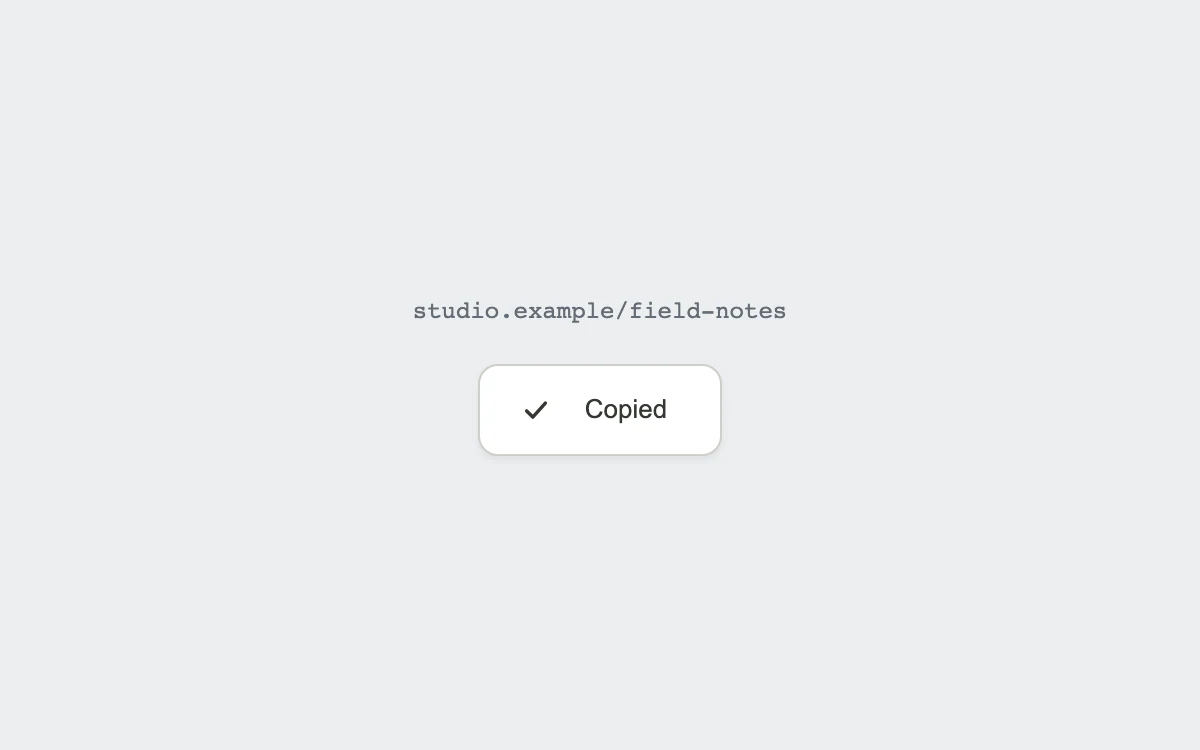
Copy the example link
Add to your project
Component source
Standalone React component. Styles are included.
npm install [email protected]Render the default export inside a container with a defined height. Its optional active prop stops movement when false. This example works with React 19; Next.js projects can use it as a client component.
View source code
/**
 * Adapted from https://github.com/ddoemonn/interior/blob/314800833bf01e23e6ae74c2a17fbdaac3688c84/components/interior/copy-button.tsx
 * Retains the clipboard API/fallback hook, overlaid label faces, and checkmark path drawing.
 * Standalone styles and original demo content; reduced-motion and preview controls.
 *
 * MIT License
 *
 * Copyright (c) 2026 ozzy
 *
 * Permission is hereby granted, free of charge, to any person obtaining a copy
 * of this software and associated documentation files (the "Software"), to deal
 * in the Software without restriction, including without limitation the rights
 * to use, copy, modify, merge, publish, distribute, sublicense, and/or sell
 * copies of the Software, and to permit persons to whom the Software is
 * furnished to do so, subject to the following conditions:
 *
 * The above copyright notice and this permission notice shall be included in all
 * copies or substantial portions of the Software.
 *
 * THE SOFTWARE IS PROVIDED "AS IS", WITHOUT WARRANTY OF ANY KIND, EXPRESS OR
 * IMPLIED, INCLUDING BUT NOT LIMITED TO THE WARRANTIES OF MERCHANTABILITY,
 * FITNESS FOR A PARTICULAR PURPOSE AND NONINFRINGEMENT. IN NO EVENT SHALL THE
 * AUTHORS OR COPYRIGHT HOLDERS BE LIABLE FOR ANY CLAIM, DAMAGES OR OTHER
 * LIABILITY, WHETHER IN AN ACTION OF CONTRACT, TORT OR OTHERWISE, ARISING FROM,
 * OUT OF OR IN CONNECTION WITH THE SOFTWARE OR THE USE OR OTHER DEALINGS IN THE
 * SOFTWARE.
 */

"use client"

import { motion } from "motion/react"
import { useCallback, useEffect, useRef, useState } from "react"

// Subscribe directly so a changed system preference also stops an active preview.
function useReducedMotion() {
  const [reduced, setReduced] = useState(true)
  useEffect(() => {
    const preference = window.matchMedia("(prefers-reduced-motion: reduce)")
    const update = () => setReduced(preference.matches)
    update()
    preference.addEventListener("change", update)
    return () => preference.removeEventListener("change", update)
  }, [])
  return reduced
}

const EASE = [0.23, 1, 0.32, 1] as const
const CELL = { type: "spring", stiffness: 520, damping: 34, mass: 0.45 } as const
const CROSSFADE = { type: "spring", stiffness: 260, damping: 34, mass: 0.8 } as const
const DRAW = { duration: 0.26, ease: EASE } as const
const INSTANT = { duration: 0 } as const

export type CopyStatus = "idle" | "copied" | "error"

export type UseCopyToClipboardOptions = {
  timeout?: number
  onCopy?: (value: string) => void
  onError?: (reason: unknown) => void
}

function writeFallback(text: string): boolean {
  const area = document.createElement("textarea")
  area.value = text
  area.setAttribute("readonly", "")
  area.style.position = "fixed"
  area.style.top = "0"
  area.style.left = "0"
  area.style.opacity = "0"
  document.body.appendChild(area)

  const focused = document.activeElement
  const selection = document.getSelection()
  const previous = selection && selection.rangeCount > 0 ? selection.getRangeAt(0) : null

  area.select()
  let ok = false
  try {
    ok = document.execCommand("copy")
  } catch {
    ok = false
  }

  document.body.removeChild(area)
  if (focused instanceof HTMLElement) focused.focus({ preventScroll: true })
  if (selection && previous) {
    selection.removeAllRanges()
    selection.addRange(previous)
  }
  return ok
}

export function useCopyToClipboard({ timeout = 2000, onCopy, onError }: UseCopyToClipboardOptions = {}) {
  const [status, setStatus] = useState<CopyStatus>("idle")
  const [ticket, setTicket] = useState(0)

  const mounted = useRef(true)
  const copied = useRef(onCopy)
  copied.current = onCopy
  const failed = useRef(onError)
  failed.current = onError

  useEffect(() => {
    mounted.current = true
    return () => {
      mounted.current = false
    }
  }, [])

  const reset = useCallback(() => {
    setStatus("idle")
    setTicket(0)
  }, [])

  const copy = useCallback(async (text: string) => {
    if (!text) return false

    let ok = false
    let reason: unknown = null

    try {
      if (typeof navigator !== "undefined" && navigator.clipboard?.writeText) {
        await navigator.clipboard.writeText(text)
        ok = true
      } else {
        ok = writeFallback(text)
      }
    } catch (error) {
      reason = error
      try {
        ok = writeFallback(text)
      } catch {
        ok = false
      }
    }

    if (!mounted.current) return ok

    setStatus(ok ? "copied" : "error")
    setTicket((t) => t + 1)

    if (ok) copied.current?.(text)
    else failed.current?.(reason)

    return ok
  }, [])

  useEffect(() => {
    if (ticket === 0 || status === "idle") return
    const id = setTimeout(() => setStatus("idle"), timeout)
    return () => clearTimeout(id)
  }, [ticket, status, timeout])

  return { copy, reset, status, copied: status === "copied" }
}

const stage: React.CSSProperties = {
  width: "100%",
  height: "100%",
  minHeight: 260,
  display: "grid",
  placeItems: "center",
  padding: 24,
  boxSizing: "border-box",
  background: "#eeede8",
  color: "#343832",
  fontFamily: "inherit",
}
const button: React.CSSProperties = {
  position: "relative",
  display: "inline-flex",
  alignItems: "center",
  justifyContent: "center",
  gap: 10,
  minHeight: 46,
  padding: "0 20px",
  border: "1px solid #cfcec7",
  borderRadius: 10,
  background: "#fff",
  color: "inherit",
  font: "inherit",
  fontSize: 13,
  fontWeight: 500,
  cursor: "pointer",
  outlineOffset: 4,
  touchAction: "manipulation",
  boxShadow: "0 2px 3px #252a2010",
}
const hidden: React.CSSProperties = {
  position: "absolute",
  width: 1,
  height: 1,
  padding: 0,
  margin: -1,
  overflow: "hidden",
  clipPath: "inset(50%)",
  whiteSpace: "nowrap",
  border: 0,
}

export default function CopyButtonExample({ active = true }: { active?: boolean }) {
  const { copy, status } = useCopyToClipboard()
  const reduced = useReducedMotion() !== false || !active
  const labels = { idle: "Copy link", copied: "Copied", error: "Try again" }
  return (
    <div style={{ ...stage, background: "#eceef0" }}>
      <div style={{ textAlign: "center" }}>
        <div style={{ marginBottom: 20, fontSize: 12, color: "#646d77", fontFamily: "monospace" }}>
          studio.example/field-notes
        </div>
        <motion.button
          type="button"
          aria-label="Copy example link"
          onClick={() => {
            void copy("https://studio.example/field-notes")
          }}
          whileTap={reduced ? undefined : { y: 1 }}
          transition={CELL}
          style={button}
        >
          <span aria-hidden style={{ display: "grid", width: 16, height: 16 }}>
            <motion.svg
              width="16"
              height="16"
              viewBox="0 0 14 14"
              fill="none"
              stroke="currentColor"
              strokeWidth="1.5"
              strokeLinecap="round"
              strokeLinejoin="round"
              style={{ gridArea: "1 / 1" }}
              initial={false}
              animate={{ opacity: status === "idle" ? 1 : 0, scale: reduced || status === "idle" ? 1 : 0.92 }}
              transition={reduced ? INSTANT : CROSSFADE}
            >
              <path d="M9.6 5.1V3.7A1.7 1.7 0 0 0 7.9 2H3.7A1.7 1.7 0 0 0 2 3.7v4.2a1.7 1.7 0 0 0 1.7 1.7h1.4" />
              <rect x="5.1" y="5.1" width="6.9" height="6.9" rx="1.7" />
            </motion.svg>
            <motion.svg
              width="16"
              height="16"
              viewBox="0 0 14 14"
              fill="none"
              stroke="currentColor"
              strokeWidth="1.5"
              strokeLinecap="round"
              strokeLinejoin="round"
              style={{ gridArea: "1 / 1" }}
              initial={false}
              animate={{ opacity: status === "copied" ? 1 : 0 }}
              transition={reduced ? INSTANT : CROSSFADE}
            >
              <motion.path
                d="M2.9 7.4 5.6 10.1 11.1 4"
                initial={false}
                animate={{ pathLength: status === "copied" ? 1 : 0 }}
                transition={reduced ? INSTANT : DRAW}
              />
            </motion.svg>
            <motion.svg
              width="16"
              height="16"
              viewBox="0 0 14 14"
              fill="none"
              stroke="currentColor"
              strokeWidth="1.5"
              style={{ gridArea: "1 / 1" }}
              initial={false}
              animate={{ opacity: status === "error" ? 1 : 0 }}
              transition={reduced ? INSTANT : CROSSFADE}
            >
              <path d="m3.6 3.6 6.8 6.8m0-6.8-6.8 6.8" />
            </motion.svg>
          </span>
          <span aria-hidden style={{ display: "grid" }}>
            {Object.entries(labels).map(([key, label]) => (
              <motion.span
                key={key}
                initial={false}
                animate={{
                  opacity: status === key ? 1 : 0,
                  y: reduced || status === key ? 0 : 3,
                  filter: reduced || status === key ? "blur(0px)" : "blur(3px)",
                }}
                transition={reduced ? INSTANT : CROSSFADE}
                style={{ gridArea: "1 / 1", whiteSpace: "nowrap" }}
              >
                {label}
              </motion.span>
            ))}
          </span>
        </motion.button>
        <span role="status" style={hidden}>
          {status === "copied"
            ? "Link copied to clipboard"
            : status === "error"
            ? "Clipboard unavailable. Select and copy the link above."
            : ""}
        </span>
      </div>
    </div>
  )
}
Where it works well
Confirm that a share link, token or command has actually reached the clipboard.
Reduced motion
The checkmark and status appear immediately, with no scaling, travel or blur.
Things to know
Clipboard permissions can be denied; the component reports failure and keeps the example link visible.