
Botanical focus pull
Three sculptural calla lilies resolve at different depths as the focal plane moves through an oxblood still life.
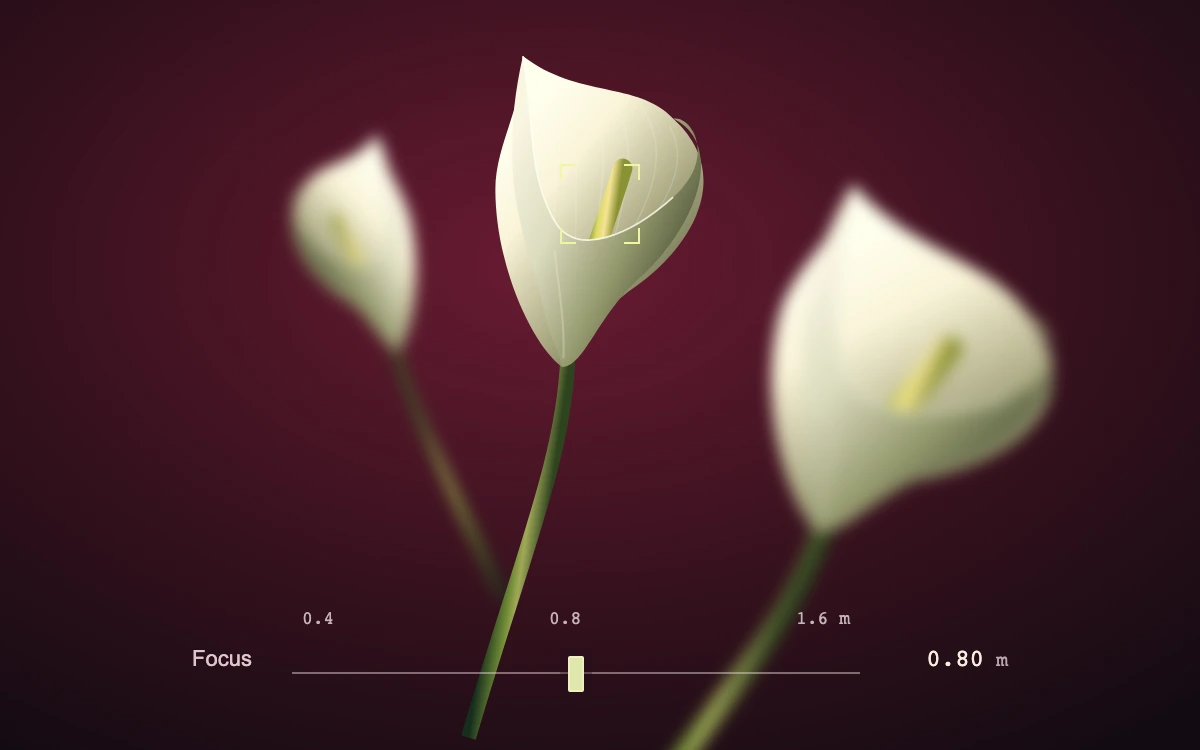
Select a flower or move the focus rail.
Subframe Original · MIT
Add to your project
Component source
Standalone React component. Styles are included.
React only. No additional packages.
Render the default export inside a container with a defined height. Its optional active prop stops movement when false. This example works with React 19; Next.js projects can use it as a client component.
View source code
/**
 * MIT License
 *
 * Copyright (c) 2026 Subframe
 *
 * Permission is hereby granted, free of charge, to any person obtaining a copy
 * of this software and associated documentation files (the "Software"), to deal
 * in the Software without restriction, including without limitation the rights
 * to use, copy, modify, merge, publish, distribute, sublicense, and/or sell
 * copies of the Software, and to permit persons to whom the Software is
 * furnished to do so, subject to the following conditions:
 *
 * The above copyright notice and this permission notice shall be included in all
 * copies or substantial portions of the Software.
 *
 * THE SOFTWARE IS PROVIDED "AS IS", WITHOUT WARRANTY OF ANY KIND, EXPRESS OR
 * IMPLIED, INCLUDING BUT NOT LIMITED TO THE WARRANTIES OF MERCHANTABILITY,
 * FITNESS FOR A PARTICULAR PURPOSE AND NONINFRINGEMENT. IN NO EVENT SHALL THE
 * AUTHORS OR COPYRIGHT HOLDERS BE LIABLE FOR ANY CLAIM, DAMAGES OR OTHER
 * LIABILITY, WHETHER IN AN ACTION OF CONTRACT, TORT OR OTHERWISE, ARISING FROM,
 * OUT OF OR IN CONNECTION WITH THE SOFTWARE OR THE USE OR OTHER DEALINGS IN THE
 * SOFTWARE.
 */

"use client"

import { useId, useState } from "react"

const subjects = [
  { x: 172, y: 95, size: 0.76, angle: -18, depth: 100, name: "Back flower" },
  { x: 300, y: 64, size: 1.08, angle: 8, depth: 50, name: "Center flower" },
  { x: 466, y: 147, size: 1.34, angle: 25, depth: 0, name: "Front flower" },
]

export default function FocusStack({ active = true }: { active?: boolean }) {
  const id = useId()
  const [depth, setDepth] = useState(50)
  const [direct, setDirect] = useState(false)
  const distance = 0.4 * 2 ** (depth / 50)
  const selected = subjects.reduce(
    (best, flower, i) => (Math.abs(flower.depth - depth) < Math.abs(subjects[best].depth - depth) ? i : best),
    0,
  )
  return (
    <div className="sf-botanical-focus" data-active={active} data-direct={direct}>
      <svg
        viewBox="0 0 600 375"
        className="sf-botanical-focus-art"
        role="img"
        aria-label="Three ivory calla lilies at different focal distances"
      >
        <defs>
          <radialGradient id={`${id}-back`} cx=".46" cy=".35" r=".8">
            <stop stopColor="#6a1b32" />
            <stop offset=".6" stopColor="#32101c" />
            <stop offset="1" stopColor="#130b12" />
          </radialGradient>
          <linearGradient id={`${id}-stem`}>
            <stop stopColor="#162e1c" />
            <stop offset=".43" stopColor="#708b36" />
            <stop offset=".6" stopColor="#a1a958" />
            <stop offset="1" stopColor="#2e431f" />
          </linearGradient>
          <linearGradient id={`${id}-petal`} x1=".08" y1=".2" x2=".85" y2=".9">
            <stop stopColor="#ffffee" />
            <stop offset=".28" stopColor="#f9f3d8" />
            <stop offset=".6" stopColor="#b7b48f" />
            <stop offset="1" stopColor="#5f633f" />
          </linearGradient>
          <linearGradient id={`${id}-fold`} x1="0" y1=".3" x2="1" y2=".8">
            <stop stopColor="#f9f5e2" />
            <stop offset=".32" stopColor="#dcdcc0" />
            <stop offset=".65" stopColor="#93976c" />
            <stop offset="1" stopColor="#363f28" />
          </linearGradient>
          <linearGradient id={`${id}-heart`}>
            <stop stopColor="#6a7c23" />
            <stop offset=".4" stopColor="#dddb69" />
            <stop offset=".65" stopColor="#f5e393" />
            <stop offset="1" stopColor="#8a9235" />
          </linearGradient>
        </defs>
        <rect width="600" height="375" fill={`url(#${id}-back)`} />
        {subjects.map((flower, i) => (
          <g
            key={flower.name}
            className="sf-botanical-focus-plane"
            style={{ filter: `blur(${Math.abs(flower.depth - depth) * 0.075}px)` }}
          >
            <g
              transform={`translate(${flower.x} ${flower.y}) rotate(${flower.angle}) scale(${
                flower.size * (i === 0 ? -0.8 : i === 2 ? 1.1 : 1)
              } ${flower.size * (i === 2 ? 0.88 : 1)})`}
            >
              <path d="M0 107C5 155-9 204-21 288" fill="none" stroke={`url(#${id}-stem)`} strokeWidth="7" />
              <path
                d="M-2 112C-17 104-39 70-44 35-47 14-36-7-40-28-12-12 14-24 33-9 64 12 51 47 27 70 8 87 6 104-2 112Z"
                fill={`url(#${id}-petal)`}
              />
              <path
                d="M-38-23C-21 5-30 38-14 73M-30-15C-10 5-22 42-7 86M-20-12C-4 8-9 41 0 71M-8-13C9 5 3 34 6 63M3-15C20 3 16 33 13 54M17-13C36 7 26 32 19 52M32-5C46 14 30 35 27 47"
                stroke="#fffff5"
                strokeOpacity=".18"
                strokeWidth=".65"
                fill="none"
              />
              <path
                d="M0 90C3 69 10 37 13 17"
                stroke={`url(#${id}-heart)`}
                strokeWidth="9"
                strokeLinecap="round"
                fill="none"
              />
              <path
                d="M-40-28C-30 4-30 25-16 44-3 63 22 46 38 27 56 6 41-12 33-9 58-1 52 37 28 66 11 86 8 111-2 112-5 103-10 99-14 87-23 61-45 35-40-28Z"
                fill={`url(#${id}-fold)`}
              />
              <path
                d="M-40-28C-30 4-30 25-16 44-3 63 22 46 38 27"
                stroke="#fffff0"
                strokeOpacity=".8"
                fill="none"
                strokeWidth=".8"
              />
              <path d="M-13 59C-8 78-3 94-2 108" stroke="#eeeed4" strokeOpacity=".3" fill="none" strokeWidth="1" />
            </g>
          </g>
        ))}
      </svg>
      {subjects.map((flower, i) => (
        <button
          key={flower.name}
          type="button"
          className="sf-botanical-focus-target"
          aria-label={`Focus ${flower.name.toLowerCase()}`}
          aria-pressed={selected === i}
          style={{ left: `${flower.x / 6}%`, top: `${(flower.y + 35 * flower.size) / 3.75}%` }}
          onPointerDown={() => setDirect(false)}
          onKeyDown={() => setDirect(true)}
          onClick={() => setDepth(flower.depth)}
        >
          <span aria-hidden="true" />
        </button>
      ))}
      <div className="sf-botanical-focus-controls">
        <label htmlFor={`${id}-distance`}>Focus</label>
        <div className="sf-botanical-focus-scale">
          <div aria-hidden="true">
            <span>1.6 m</span>
            <span>0.8</span>
            <span>0.4</span>
          </div>
          <input
            id={`${id}-distance`}
            type="range"
            min="0"
            max="100"
            step="1"
            value={100 - depth}
            aria-label="Focus distance"
            aria-valuetext={`${distance.toFixed(2)} meters`}
            onChange={(e) => {
              setDirect(true)
              setDepth(100 - Number(e.target.value))
            }}
          />
        </div>
        <output htmlFor={`${id}-distance`}>
          {distance.toFixed(2)}
          <small> m</small>
        </output>
      </div>
      <style>{`
.sf-botanical-focus{width:100%;height:100%;position:relative;overflow:hidden;background:#32101c;color:#f7eddf;font-family:Arial,sans-serif;isolation:isolate}.sf-botanical-focus *{box-sizing:border-box}.sf-botanical-focus-art{display:block;position:absolute;inset:0;width:100%;height:100%}.sf-botanical-focus-plane{transition:filter 260ms cubic-bezier(.25,1,.5,1)}.sf-botanical-focus-target{position:absolute;width:86px;height:86px;transform:translate(-50%,-50%);padding:0;border:0;background:transparent;color:#eff6a3;cursor:crosshair;touch-action:manipulation}.sf-botanical-focus-target span{position:absolute;inset:23px;background:linear-gradient(currentColor,currentColor) top left/8px 1px no-repeat,linear-gradient(currentColor,currentColor) top left/1px 8px no-repeat,linear-gradient(currentColor,currentColor) top right/8px 1px no-repeat,linear-gradient(currentColor,currentColor) top right/1px 8px no-repeat,linear-gradient(currentColor,currentColor) bottom left/8px 1px no-repeat,linear-gradient(currentColor,currentColor) bottom left/1px 8px no-repeat,linear-gradient(currentColor,currentColor) bottom right/8px 1px no-repeat,linear-gradient(currentColor,currentColor) bottom right/1px 8px no-repeat;opacity:0;transition:opacity 120ms ease}.sf-botanical-focus-target[aria-pressed=true] span{opacity:1}.sf-botanical-focus-target:focus-visible{outline:1px solid #f2f6a9;outline-offset:2px;border-radius:5px}.sf-botanical-focus-controls{position:absolute;left:16%;right:16%;bottom:17px;display:flex;align-items:center;gap:20px;padding:8px 0 0;font-size:11px}.sf-botanical-focus-controls>label{color:#dfc5cb}.sf-botanical-focus-scale{flex:1;position:relative;padding-top:5px}.sf-botanical-focus-scale>div{display:flex;justify-content:space-between;font:9px ui-monospace,monospace;color:#c6b2b8;padding:0 5px}.sf-botanical-focus-scale input{display:block;width:100%;height:44px;appearance:none;-webkit-appearance:none;background:transparent;margin:0;cursor:ew-resize}.sf-botanical-focus-scale input::-webkit-slider-runnable-track{height:1px;background:#e4d4d079}.sf-botanical-focus-scale input::-moz-range-track{height:1px;background:#e4d4d079}.sf-botanical-focus-scale input::-webkit-slider-thumb{appearance:none;-webkit-appearance:none;width:8px;height:18px;margin-top:-8px;border:1px solid #eeefc1;border-radius:1px;background:#e0e7ac;box-shadow:0 0 0 4px #250e1855}.sf-botanical-focus-scale input::-moz-range-thumb{width:8px;height:18px;border:1px solid #eeefc1;border-radius:1px;background:#e0e7ac}.sf-botanical-focus-controls:before{content:"";position:absolute;z-index:-1;left:-96px;right:-96px;top:-34px;bottom:-20px;background:linear-gradient(transparent,#130b12cc);pointer-events:none}.sf-botanical-focus-controls output{width:54px;white-space:nowrap;text-align:right;font:12px ui-monospace,monospace;font-variant-numeric:tabular-nums}.sf-botanical-focus-controls small{font-size:10px;color:#b9a5ac}.sf-botanical-focus-controls input:focus-visible{outline:1px solid #e3eaa6;outline-offset:2px}.sf-botanical-focus[data-active=false] *,.sf-botanical-focus[data-direct=true] *{transition:none}@media(hover:hover){.sf-botanical-focus-target:hover span{opacity:.55}.sf-botanical-focus-target[aria-pressed=true]:hover span{opacity:1}}@media(prefers-reduced-motion:reduce){.sf-botanical-focus *{transition:none}}
`}</style>
    </div>
  )
}
Where it works well
Direct attention through a layered editorial scene or preview a camera's focus control with recognizable subjects.
Reduced motion
Subject selection and manual focus changes are immediate. The normal 260 ms focus pull is removed; there is no idle animation.
Things to know
Original vector botanical artwork at three authored depth planes. CSS Gaussian blur approximates defocus; this is not a thin-lens solver or aperture-shaped bokeh renderer. The distance scale is illustrative.