
Animation & motionBrush reveal image effect
Afterimage reveal
A monochrome textile develops its original color under a soft brush, then slowly returns to grey.
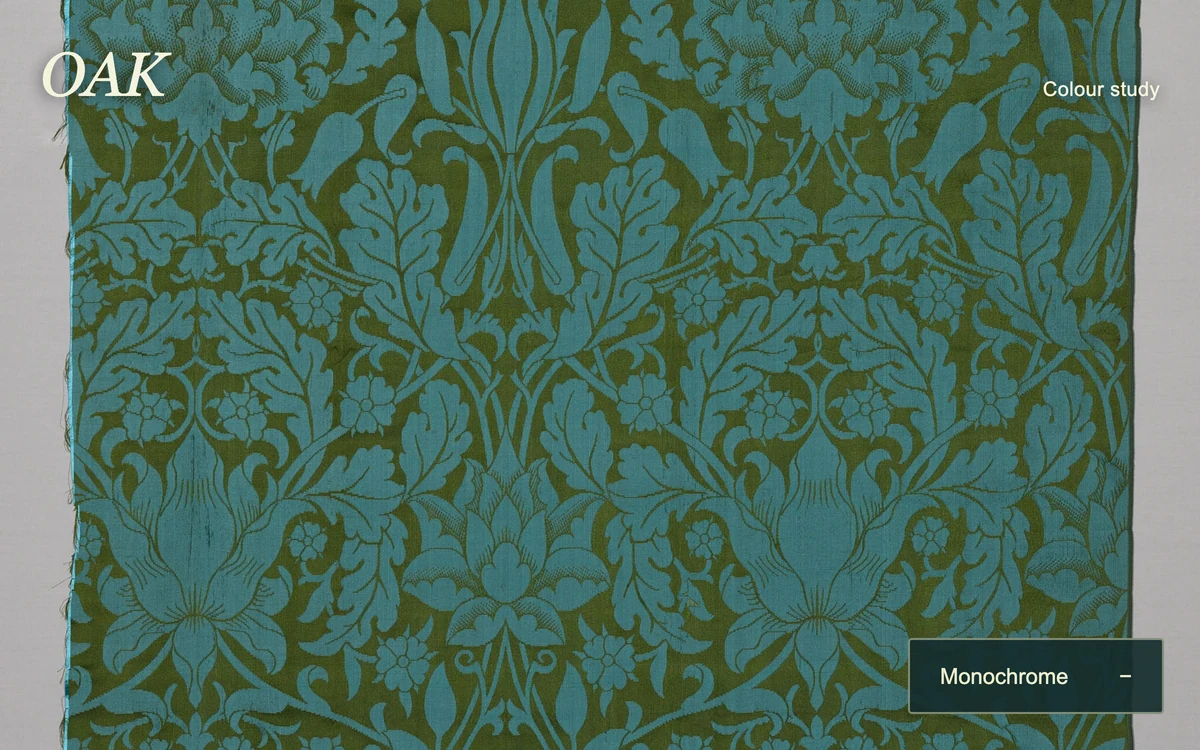
Paint across the textile or develop all its color.
Subframe Original · MIT
Add to your project
Component source
Standalone React component. Styles are included.
React only. No additional packages.
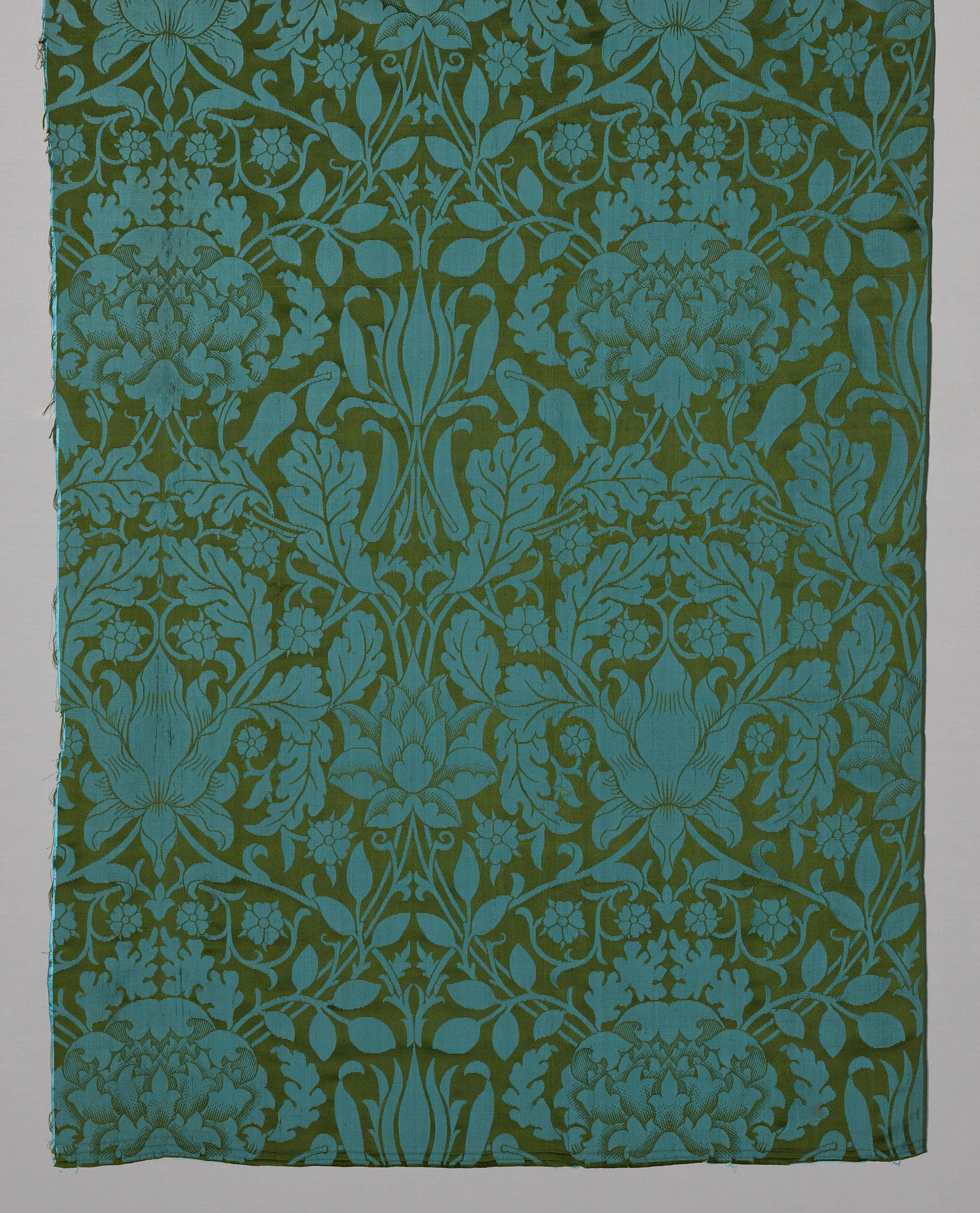
Download images (1)
Render the default export inside a container with a defined height. Its optional active prop stops movement when false. This example works with React 19; Next.js projects can use it as a client component.
View source code
/**
 * MIT License
 *
 * Copyright (c) 2026 Subframe
 *
 * Permission is hereby granted, free of charge, to any person obtaining a copy
 * of this software and associated documentation files (the "Software"), to deal
 * in the Software without restriction, including without limitation the rights
 * to use, copy, modify, merge, publish, distribute, sublicense, and/or sell
 * copies of the Software, and to permit persons to whom the Software is
 * furnished to do so, subject to the following conditions:
 *
 * The above copyright notice and this permission notice shall be included in all
 * copies or substantial portions of the Software.
 *
 * THE SOFTWARE IS PROVIDED "AS IS", WITHOUT WARRANTY OF ANY KIND, EXPRESS OR
 * IMPLIED, INCLUDING BUT NOT LIMITED TO THE WARRANTIES OF MERCHANTABILITY,
 * FITNESS FOR A PARTICULAR PURPOSE AND NONINFRINGEMENT. IN NO EVENT SHALL THE
 * AUTHORS OR COPYRIGHT HOLDERS BE LIABLE FOR ANY CLAIM, DAMAGES OR OTHER
 * LIABILITY, WHETHER IN AN ACTION OF CONTRACT, TORT OR OTHERWISE, ARISING FROM,
 * OUT OF OR IN CONNECTION WITH THE SOFTWARE OR THE USE OR OTHER DEALINGS IN THE
 * SOFTWARE.
 */

"use client"

import { useEffect, useRef, useState } from "react"

function useReduced() {
  const [reduced, setReduced] = useState(false)
  useEffect(() => {
    const q = matchMedia("(prefers-reduced-motion: reduce)")
    const sync = () => setReduced(q.matches)
    sync()
    q.addEventListener("change", sync)
    return () => q.removeEventListener("change", sync)
  }, [])
  return reduced
}

export default function AfterimageReveal({ active = true }: { active?: boolean }) {
  const canvas = useRef<HTMLCanvasElement>(null),
    [full, setFull] = useState(false),
    [failed, setFailed] = useState(false),
    reduced = useReduced(),
    live = useRef({ active, reduced, full }),
    control = useRef<{ draw: () => void; wake: () => void; stop: () => void } | null>(null)
  live.current = { active, reduced, full }
  useEffect(() => {
    const c = canvas.current!,
      ctx = c.getContext("2d")
    if (!ctx) return
    const photo = new Image(),
      base = document.createElement("canvas"),
      mask = document.createElement("canvas"),
      layer = document.createElement("canvas"),
      b = base.getContext("2d")!,
      m = mask.getContext("2d")!,
      l = layer.getContext("2d")!
    let w = 0,
      h = 0,
      raf = 0,
      last = 0,
      energy = 0,
      loaded = false,
      dead = false,
      lastPoint: { x: number; y: number } | null = null
    const draw = () => {
      if (!loaded) return
      ctx.clearRect(0, 0, w, h)
      ctx.filter = "grayscale(1) contrast(1.1)"
      ctx.drawImage(base, 0, 0)
      ctx.filter = "none"
      if (live.current.full) {
        ctx.drawImage(base, 0, 0)
        return
      }
      l.clearRect(0, 0, w, h)
      l.globalCompositeOperation = "source-over"
      l.drawImage(base, 0, 0)
      l.globalCompositeOperation = "destination-in"
      l.drawImage(mask, 0, 0)
      l.globalCompositeOperation = "source-over"
      ctx.drawImage(layer, 0, 0)
    }
    const size = () => {
      const rect = c.getBoundingClientRect()
      w = Math.round(rect.width * Math.min(devicePixelRatio || 1, 2))
      h = Math.round(rect.height * Math.min(devicePixelRatio || 1, 2))
      for (const x of [c, base, mask, layer]) {
        x.width = w
        x.height = h
      }
      if (!loaded) return
      const scale = Math.max(w / photo.width, h / photo.height)
      b.drawImage(
        photo,
        (w - photo.width * scale) / 2,
        (h - photo.height * scale) / 2,
        photo.width * scale,
        photo.height * scale,
      )
      energy = 0
      draw()
    }
    const tick = (time: number) => {
      raf = 0
      if (!live.current.active || live.current.reduced || document.hidden) return
      const dt = Math.min(time - last || 16, 40)
      last = time
      m.globalCompositeOperation = "destination-out"
      m.fillStyle = `rgba(0,0,0,${1 - Math.exp(-dt / 620)})`
      m.fillRect(0, 0, w, h)
      m.globalCompositeOperation = "source-over"
      energy -= dt
      draw()
      if (energy > 0) raf = requestAnimationFrame(tick)
    }
    const wake = () => {
      if (!raf && energy > 0 && live.current.active && !live.current.reduced && !document.hidden) {
        last = 0
        raf = requestAnimationFrame(tick)
      }
    }
    const stamp = (x: number, y: number) => {
      const r = w * 0.105,
        g = m.createRadialGradient(x, y, r * 0.3, x, y, r)
      g.addColorStop(0, "#fff")
      g.addColorStop(1, "#fff0")
      m.fillStyle = g
      m.beginPath()
      m.arc(x, y, r, 0, Math.PI * 2)
      m.fill()
      energy = 3500
    }
    const move = (e: PointerEvent) => {
      if (!loaded || live.current.full || live.current.reduced) return
      if (e.pointerType !== "mouse" && !e.buttons) return
      const rect = c.getBoundingClientRect(),
        p = { x: ((e.clientX - rect.left) / rect.width) * w, y: ((e.clientY - rect.top) / rect.height) * h }
      if (lastPoint) {
        const n = Math.min(30, Math.ceil(Math.hypot(p.x - lastPoint.x, p.y - lastPoint.y) / 8))
        for (let i = 1; i <= n; i++)
          stamp(lastPoint.x + ((p.x - lastPoint.x) * i) / n, lastPoint.y + ((p.y - lastPoint.y) * i) / n)
      } else stamp(p.x, p.y)
      lastPoint = p
      draw()
      wake()
    }
    const leave = () => {
      lastPoint = null
    }
    const stop = () => {
      cancelAnimationFrame(raf)
      raf = 0
      last = 0
    }
    control.current = { draw, wake, stop }
    photo.onload = () => {
      if (dead) return
      loaded = true
      size()
    }
    photo.onerror = () => {
      if (!dead) setFailed(true)
    }
    photo.src = "/motion/assets/oak-damask.webp"
    let resizeFrame = 0
    const scheduleResize = () => {
      cancelAnimationFrame(resizeFrame)
      resizeFrame = requestAnimationFrame(() => {
        resizeFrame = requestAnimationFrame(size)
      })
    }
    // CSS transforms change the displayed resolution without changing the layout box.
    const transforms = new MutationObserver(scheduleResize)
    for (let ancestor = c.parentElement; ancestor; ancestor = ancestor.parentElement)
      transforms.observe(ancestor, { attributes: true, attributeFilter: ["style", "class"] })
    window.addEventListener("resize", scheduleResize)
    const ro = new ResizeObserver(size)
    ro.observe(c)
    c.addEventListener("pointermove", move)
    c.addEventListener("pointerdown", move)
    c.addEventListener("pointerleave", leave)
    c.addEventListener("pointerup", leave)
    const visibility = () => (document.hidden ? stop() : wake())
    document.addEventListener("visibilitychange", visibility)
    return () => {
      dead = true
      control.current = null
      stop()
      ro.disconnect()
      transforms.disconnect()
      cancelAnimationFrame(resizeFrame)
      window.removeEventListener("resize", scheduleResize)
      c.removeEventListener("pointermove", move)
      c.removeEventListener("pointerdown", move)
      c.removeEventListener("pointerleave", leave)
      c.removeEventListener("pointerup", leave)
      document.removeEventListener("visibilitychange", visibility)
      for (const x of [base, mask, layer]) {
        x.width = 0
        x.height = 0
      }
    }
  }, [])
  useEffect(() => {
    control.current?.draw()
    if (active && !reduced) control.current?.wake()
    else control.current?.stop()
  }, [active, reduced, full])
  return (
    <section className="sf-afterimage-reveal" inert={!active}>
      <canvas
        ref={canvas}
        role="img"
        aria-label="An oak textile print developing from monochrome into turquoise and olive"
      />
      {failed && <p className="ar-error">Image unavailable</p>}
      <header>
        <b>OAK</b>
        <span>Colour study</span>
      </header>
      <button type="button" aria-pressed={full} onClick={() => setFull(!full)}>
        {full ? "Monochrome" : "Develop colour"}
        <span>{full ? "−" : "+"}</span>
      </button>
      <style>{`.sf-afterimage-reveal{width:100%;height:100%;position:relative;overflow:hidden;background:#112827;color:#f5f3dd;font-family:Arial,sans-serif}.sf-afterimage-reveal canvas{display:block;position:absolute;inset:0;width:100%;height:100%;touch-action:pan-y;cursor:crosshair}.sf-afterimage-reveal header{position:absolute;top:20px;left:20px;right:20px;display:flex;align-items:baseline;justify-content:space-between;pointer-events:none;text-shadow:0 1px 8px #0009}.sf-afterimage-reveal header b{font:italic 31px Georgia,serif;letter-spacing:-.03em}.sf-afterimage-reveal header span{font:10px Arial;letter-spacing:.02em}.sf-afterimage-reveal button{position:absolute;bottom:18px;right:18px;padding:0 15px;height:38px;min-width:128px;display:flex;gap:20px;align-items:center;justify-content:space-between;border:1px solid #e6e7bd80;border-radius:2px;background:#142c2de8;color:#eeeeca;font:11px Arial;cursor:pointer}.sf-afterimage-reveal button:before{content:'';position:absolute;inset:-3px}.sf-afterimage-reveal button:focus-visible{outline:2px solid #fff;outline-offset:3px}.sf-afterimage-reveal button:active{transform:translateY(1px)}.ar-error{position:absolute;inset:40%;font-size:12px;white-space:nowrap}`}</style>
    </section>
  )
}
Where it works well
Reveal a second material or image through a persistent, fading pointer trail.
Reduced motion
The brush is disabled; the Develop color control reveals the complete image instantly.
Things to know
One same-size image is used for both layers. The fading mask resets when the container resizes.