
Components & interactionsSliding content panel
A change of chapter
A directional crossfade connects one small piece of content to the next.
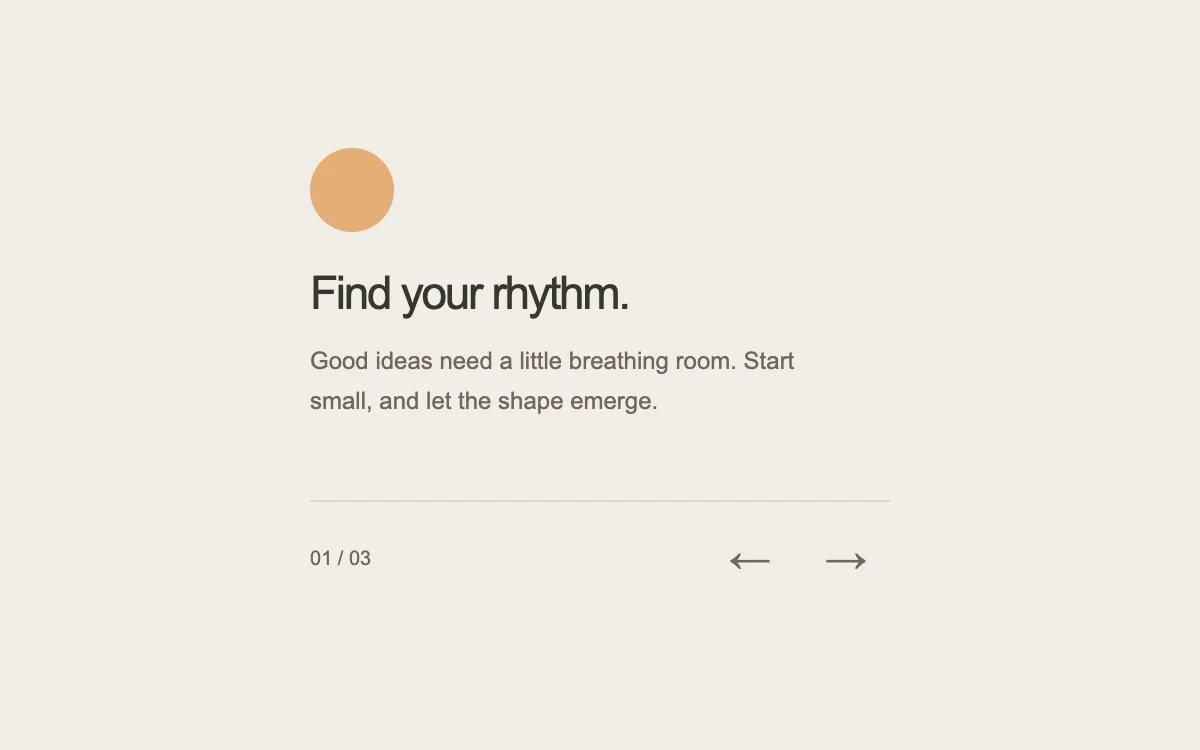
Move to the next chapter
Add to your project
Component source
Standalone React component. Styles are included.
npm install [email protected]Render the default export inside a container with a defined height. Its optional active prop stops movement when false. This example works with React 19; Next.js projects can use it as a client component.
View source code
/**
 * Adapted from https://github.com/ibelick/motion-primitives/blob/120f64f6ca60348e251f929e9c81f11ccbe45eda/components/core/transition-panel.tsx
 * Standalone composition; inline styles and artwork; bounded motion and reduced-motion behavior.
 *
 * MIT License
 *
 * Copyright (c) 2024 ibelick
 *
 * Permission is hereby granted, free of charge, to any person obtaining a copy
 * of this software and associated documentation files (the "Software"), to deal
 * in the Software without restriction, including without limitation the rights
 * to use, copy, modify, merge, publish, distribute, sublicense, and/or sell
 * copies of the Software, and to permit persons to whom the Software is
 * furnished to do so, subject to the following conditions:
 *
 * The above copyright notice and this permission notice shall be included in all
 * copies or substantial portions of the Software.
 *
 * THE SOFTWARE IS PROVIDED "AS IS", WITHOUT WARRANTY OF ANY KIND, EXPRESS OR
 * IMPLIED, INCLUDING BUT NOT LIMITED TO THE WARRANTIES OF MERCHANTABILITY,
 * FITNESS FOR A PARTICULAR PURPOSE AND NONINFRINGEMENT. IN NO EVENT SHALL THE
 * AUTHORS OR COPYRIGHT HOLDERS BE LIABLE FOR ANY CLAIM, DAMAGES OR OTHER
 * LIABILITY, WHETHER IN AN ACTION OF CONTRACT, TORT OR OTHERWISE, ARISING FROM,
 * OUT OF OR IN CONNECTION WITH THE SOFTWARE OR THE USE OR OTHER DEALINGS IN THE
 * SOFTWARE.
 */

"use client"

import { AnimatePresence, motion } from "motion/react"
import { useEffect, useState } from "react"

// Read after hydration; subscribe so an OS preference change updates this instance.
function useReducedMotion() {
  const [reduced, setReduced] = useState<boolean | null>(null)
  useEffect(() => {
    const media = window.matchMedia("(prefers-reduced-motion: reduce)")
    const update = () => setReduced(media.matches)
    update()
    media.addEventListener("change", update)
    return () => media.removeEventListener("change", update)
  }, [])
  return reduced
}

const chapters = [
  {
    title: "Find your rhythm.",
    detail: "Good ideas need a little breathing room. Start small, and let the shape emerge.",
    color: "#e4ad77",
    shape: "circle",
  },
  {
    title: "Try another angle.",
    detail: "Turn it around. Look again. Sometimes a small shift changes everything.",
    color: "#a8b89c",
    shape: "square",
  },
  {
    title: "Make it your own.",
    detail: "Keep the unexpected detail. That might be the part that makes it yours.",
    color: "#a6a6cd",
    shape: "arch",
  },
]

export default function TransitionPanel({ active = true }: { active?: boolean }) {
  const reduced = useReducedMotion()
  const [index, setIndex] = useState(0)
  const [direction, setDirection] = useState(1)
  const [keyboard, setKeyboard] = useState(false)
  const canAnimate = active && reduced === false && !keyboard
  const chapter = chapters[index]
  const move = (delta: number, fromKeyboard: boolean) => {
    setKeyboard(fromKeyboard)
    setDirection(delta)
    setIndex((current) => (current + delta + chapters.length) % chapters.length)
  }
  return (
    <div
      style={{
        width: "100%",
        height: "100%",
        minHeight: 280,
        display: "grid",
        gridTemplateColumns: "minmax(0, 1fr)",
        placeItems: "center",
        background: "#f1ede8",
        color: "#373530",
        fontFamily: "inherit",
        padding: 24,
        boxSizing: "border-box",
      }}
    >
      <div style={{ width: 290, maxWidth: "100%" }}>
        <div style={{ position: "relative", overflow: "hidden", minHeight: 164 }} aria-live="polite" aria-atomic="true">
          <AnimatePresence initial={false} mode="popLayout" custom={canAnimate ? direction : 0}>
            <motion.div
              key={index}
              custom={canAnimate ? direction : 0}
              variants={{
                enter: (d: number) => ({ opacity: 0, x: 18 * d, filter: d ? "blur(2px)" : "blur(0px)" }),
                center: { opacity: 1, x: 0, filter: "blur(0px)" },
                exit: (d: number) => ({ opacity: 0, x: -18 * d, filter: d ? "blur(2px)" : "blur(0px)" }),
              }}
              initial="enter"
              animate="center"
              exit="exit"
              transition={{ duration: canAnimate ? 0.24 : 0, ease: [0.25, 1, 0.5, 1] }}
            >
              <div
                aria-hidden="true"
                style={{
                  width: 42,
                  height: 42,
                  marginBottom: 17,
                  background: chapter.color,
                  borderRadius: chapter.shape === "circle" ? "50%" : chapter.shape === "arch" ? "50% 50% 4px 4px" : 7,
                  transform: chapter.shape === "square" ? "rotate(-12deg)" : undefined,
                }}
              />
              <h3
                style={{ fontSize: 23, letterSpacing: "-.05em", lineHeight: 1.2, margin: "0 0 10px", fontWeight: 500 }}
              >
                {chapter.title}
              </h3>
              <p style={{ fontSize: 12, lineHeight: 1.65, maxWidth: 250, color: "#6e665d", margin: 0 }}>
                {chapter.detail}
              </p>
            </motion.div>
          </AnimatePresence>
        </div>
        <div
          style={{
            display: "flex",
            justifyContent: "space-between",
            alignItems: "center",
            marginTop: 12,
            borderTop: "1px solid #ded8ce",
            paddingTop: 6,
          }}
        >
          <span style={{ fontSize: 10, fontVariantNumeric: "tabular-nums", color: "#6d665c" }}>
            0{index + 1} <span style={{ color: "#6b6761" }}>/ 03</span>
          </span>
          <div style={{ display: "flex", gap: 4 }}>
            {[-1, 1].map((delta) => (
              <button
                key={delta}
                type="button"
                aria-label={delta === -1 ? "Previous chapter" : "Next chapter"}
                onClick={(event) => move(delta, event.detail === 0)}
                style={{
                  width: 44,
                  height: 44,
                  border: 0,
                  background: "transparent",
                  color: "#6f685e",
                  borderRadius: 8,
                  cursor: "pointer",
                  fontSize: 21,
                }}
              >
                {delta === -1 ? "←" : "→"}
              </button>
            ))}
          </div>
        </div>
      </div>
    </div>
  )
}
Where it works well
Move between onboarding steps, short stories or explanatory cards while keeping navigation in place.
Reduced motion
Chapters change immediately without translation or blur; keyboard changes are also immediate.
Things to know
Uses three bounded text panels. For longer or focusable content, review height and focus behavior.