
Components & interactionsSpotlight hover card
A little light follows you
A soft spring-driven light follows the pointer within a quiet card.
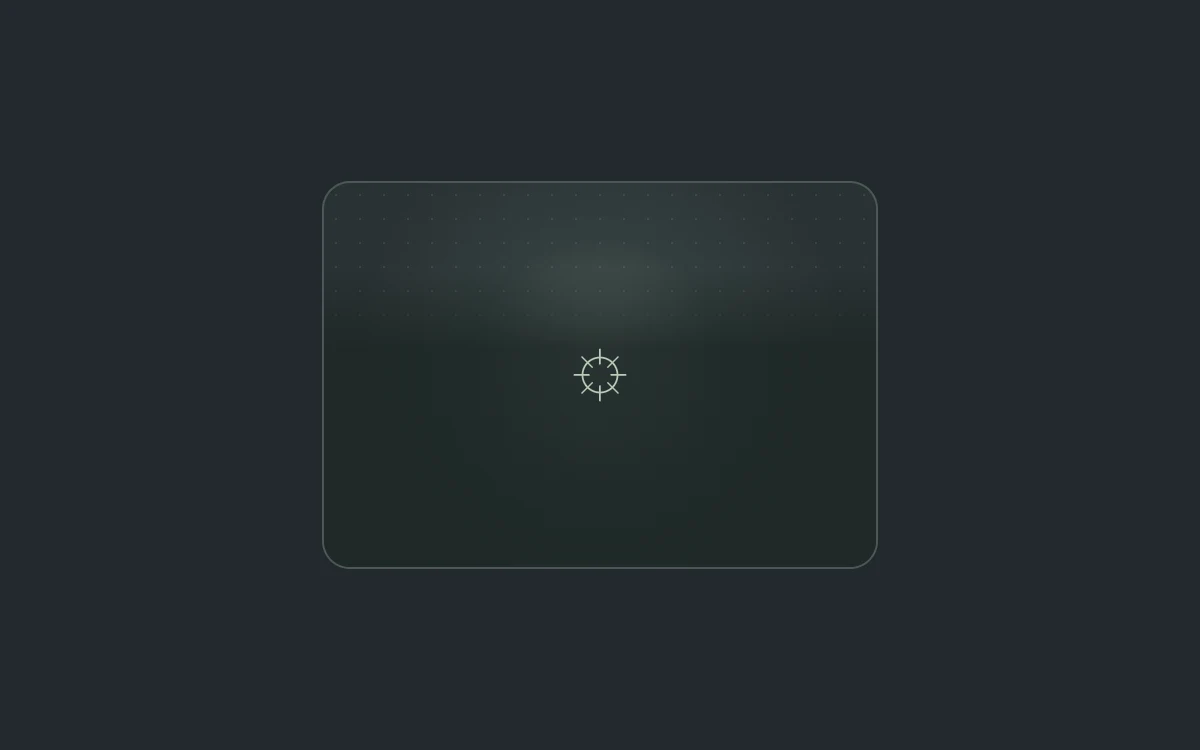
Move your pointer across the card
Add to your project
Component source
Standalone React component. Styles are included.
npm install [email protected]Render the default export inside a container with a defined height. Its optional active prop stops movement when false. This example works with React 19; Next.js projects can use it as a client component.
View source code
/**
 * Adapted from https://github.com/ibelick/motion-primitives/blob/120f64f6ca60348e251f929e9c81f11ccbe45eda/components/core/spotlight.tsx
 * Standalone composition; inline styles and artwork; bounded motion and reduced-motion behavior.
 *
 * MIT License
 *
 * Copyright (c) 2024 ibelick
 *
 * Permission is hereby granted, free of charge, to any person obtaining a copy
 * of this software and associated documentation files (the "Software"), to deal
 * in the Software without restriction, including without limitation the rights
 * to use, copy, modify, merge, publish, distribute, sublicense, and/or sell
 * copies of the Software, and to permit persons to whom the Software is
 * furnished to do so, subject to the following conditions:
 *
 * The above copyright notice and this permission notice shall be included in all
 * copies or substantial portions of the Software.
 *
 * THE SOFTWARE IS PROVIDED "AS IS", WITHOUT WARRANTY OF ANY KIND, EXPRESS OR
 * IMPLIED, INCLUDING BUT NOT LIMITED TO THE WARRANTIES OF MERCHANTABILITY,
 * FITNESS FOR A PARTICULAR PURPOSE AND NONINFRINGEMENT. IN NO EVENT SHALL THE
 * AUTHORS OR COPYRIGHT HOLDERS BE LIABLE FOR ANY CLAIM, DAMAGES OR OTHER
 * LIABILITY, WHETHER IN AN ACTION OF CONTRACT, TORT OR OTHERWISE, ARISING FROM,
 * OUT OF OR IN CONNECTION WITH THE SOFTWARE OR THE USE OR OTHER DEALINGS IN THE
 * SOFTWARE.
 */

"use client"

import { motion, useSpring } from "motion/react"
import { useEffect, useRef, useState } from "react"

// Read after hydration; subscribe so an OS preference change updates this instance.
function useReducedMotion() {
  const [reduced, setReduced] = useState<boolean | null>(null)
  useEffect(() => {
    const media = window.matchMedia("(prefers-reduced-motion: reduce)")
    const update = () => setReduced(media.matches)
    update()
    media.addEventListener("change", update)
    return () => media.removeEventListener("change", update)
  }, [])
  return reduced
}

export default function SpotlightCard({ active = true }: { active?: boolean }) {
  const reduced = useReducedMotion()
  const canAnimate = active && reduced === false
  const ref = useRef<HTMLDivElement>(null)
  const [hovered, setHovered] = useState(false)
  const x = useSpring(138, { stiffness: 160, damping: 26 })
  const y = useSpring(88, { stiffness: 160, damping: 26 })
  useEffect(() => {
    if (!canAnimate) {
      x.jump(138)
      y.jump(88)
    }
  }, [canAnimate, x, y])
  return (
    <div
      style={{
        width: "100%",
        height: "100%",
        minHeight: 280,
        display: "grid",
        gridTemplateColumns: "minmax(0, 1fr)",
        placeItems: "center",
        background: "#24292d",
        color: "#d9e0da",
        padding: 24,
        boxSizing: "border-box",
        fontFamily: "inherit",
      }}
    >
      <div
        ref={ref}
        onPointerMove={(event) => {
          if (!canAnimate || event.pointerType !== "mouse") return
          const rect = ref.current?.getBoundingClientRect()
          if (rect) {
            setHovered(true)
            x.set(
              ((event.clientX - rect.left) / rect.width) * event.currentTarget.offsetWidth -
                event.currentTarget.clientLeft,
            )
            y.set(
              ((event.clientY - rect.top) / rect.height) * event.currentTarget.offsetHeight -
                event.currentTarget.clientTop,
            )
          }
        }}
        onPointerLeave={() => {
          setHovered(false)
          x.set(138)
          y.set(88)
        }}
        style={{
          position: "relative",
          overflow: "hidden",
          width: 278,
          maxWidth: "100%",
          minHeight: 192,
          border: "1px solid #4b5855",
          borderRadius: 14,
          background: "#2a3234",
          boxSizing: "border-box",
        }}
      >
        <motion.div
          aria-hidden="true"
          animate={{ opacity: canAnimate && hovered ? 0.75 : 0.28 }}
          transition={{ duration: canAnimate ? 0.2 : 0 }}
          style={{
            position: "absolute",
            top: -125,
            left: -125,
            width: 250,
            height: 250,
            x,
            y,
            borderRadius: "50%",
            background: "radial-gradient(circle, #bed6c5 0%, #779d8b66 35%, transparent 70%)",
            pointerEvents: "none",
          }}
        />
        <div
          aria-hidden="true"
          style={{
            position: "absolute",
            inset: 0,
            backgroundImage: "radial-gradient(#c1d5c51f .7px, transparent .7px)",
            backgroundSize: "12px 12px",
          }}
        />
        <div
          style={{
            position: "relative",
            display: "grid",
            placeItems: "center",
            padding: 24,
            minHeight: 192,
            boxSizing: "border-box",
            background: "linear-gradient(transparent 22%, #1c2624c7 43%, #1c2624c7)",
          }}
        >
          <svg
            aria-hidden="true"
            viewBox="0 0 32 32"
            width="28"
            height="28"
            fill="none"
            stroke="#b8cbb8"
            strokeWidth="1"
          >
            <circle cx="16" cy="16" r="10" />
            <path d="M16 1v9m0 12v9M1 16h9m12 0h9M5.4 5.4l6.4 6.4m8.4 8.4 6.4 6.4m0-21.2-6.4 6.4m-8.4 8.4-6.4 6.4" />
          </svg>
        </div>
      </div>
    </div>
  )
}
Where it works well
Add a subtle pointer enhancement to a featured card without moving its readable content.
Reduced motion
The light stays centered and subdued. Touch receives the same static treatment.
Things to know
The light is decorative. Do not rely on hover to expose content or essential state.