
Components & interactionsBefore and after image slider
Before meets after
A smooth reveal makes two treatments easy to compare in one view.
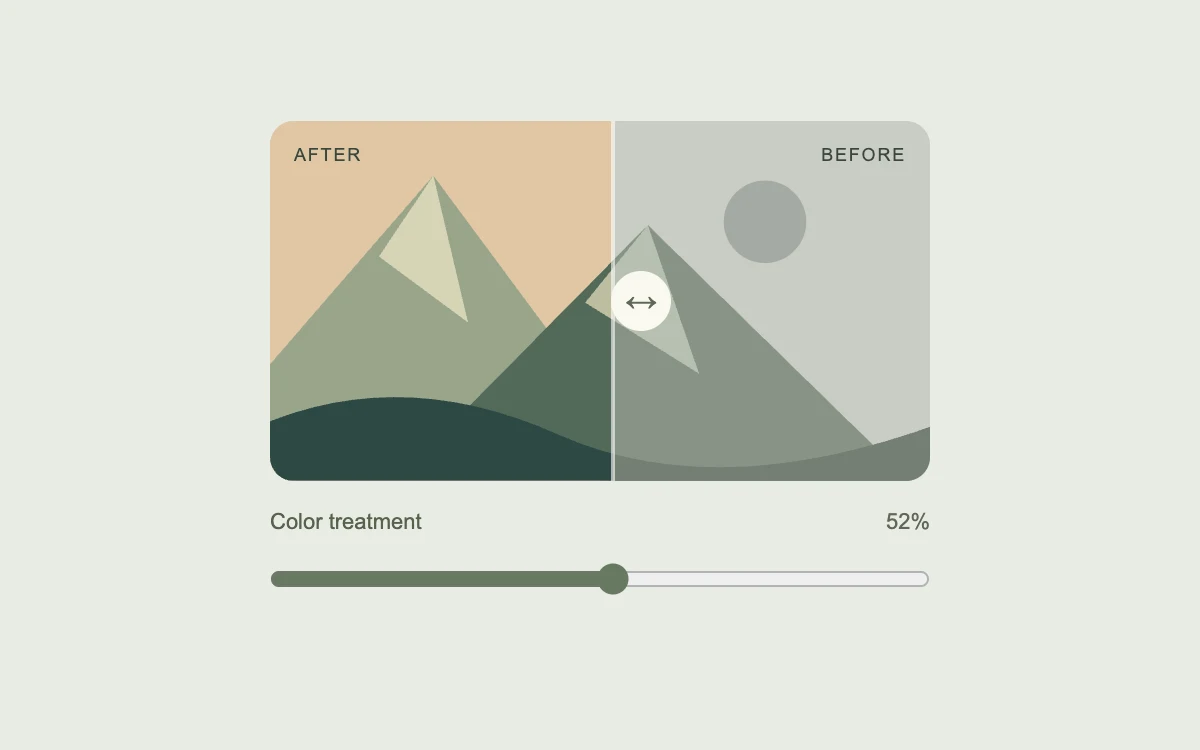
Drag the comparison slider
Add to your project
Component source
Standalone React component. Styles are included.
npm install [email protected]Render the default export inside a container with a defined height. Its optional active prop stops movement when false. This example works with React 19; Next.js projects can use it as a client component.
View source code
/**
 * Adapted from https://github.com/ibelick/motion-primitives/blob/120f64f6ca60348e251f929e9c81f11ccbe45eda/components/core/image-comparison.tsx
 * Standalone composition; inline styles and artwork; bounded motion and reduced-motion behavior.
 *
 * MIT License
 *
 * Copyright (c) 2024 ibelick
 *
 * Permission is hereby granted, free of charge, to any person obtaining a copy
 * of this software and associated documentation files (the "Software"), to deal
 * in the Software without restriction, including without limitation the rights
 * to use, copy, modify, merge, publish, distribute, sublicense, and/or sell
 * copies of the Software, and to permit persons to whom the Software is
 * furnished to do so, subject to the following conditions:
 *
 * The above copyright notice and this permission notice shall be included in all
 * copies or substantial portions of the Software.
 *
 * THE SOFTWARE IS PROVIDED "AS IS", WITHOUT WARRANTY OF ANY KIND, EXPRESS OR
 * IMPLIED, INCLUDING BUT NOT LIMITED TO THE WARRANTIES OF MERCHANTABILITY,
 * FITNESS FOR A PARTICULAR PURPOSE AND NONINFRINGEMENT. IN NO EVENT SHALL THE
 * AUTHORS OR COPYRIGHT HOLDERS BE LIABLE FOR ANY CLAIM, DAMAGES OR OTHER
 * LIABILITY, WHETHER IN AN ACTION OF CONTRACT, TORT OR OTHERWISE, ARISING FROM,
 * OUT OF OR IN CONNECTION WITH THE SOFTWARE OR THE USE OR OTHER DEALINGS IN THE
 * SOFTWARE.
 */

"use client"

import { motion, useSpring, useTransform } from "motion/react"
import { type PointerEvent, useEffect, useId, useState } from "react"

// Read after hydration; subscribe so an OS preference change updates this instance.
function useReducedMotion() {
  const [reduced, setReduced] = useState<boolean | null>(null)
  useEffect(() => {
    const media = window.matchMedia("(prefers-reduced-motion: reduce)")
    const update = () => setReduced(media.matches)
    update()
    media.addEventListener("change", update)
    return () => media.removeEventListener("change", update)
  }, [])
  return reduced
}

function Landscape({ vivid }: { vivid: boolean }) {
  return (
    <svg
      aria-hidden="true"
      viewBox="0 0 400 220"
      preserveAspectRatio="xMidYMid slice"
      style={{ width: "100%", height: "100%", display: "block" }}
    >
      <rect width="400" height="220" fill={vivid ? "#e0c7a5" : "#c9ccc5"} />
      <circle cx="300" cy="62" r="25" fill={vivid ? "#b46343" : "#a5aaa3"} />
      <path d="M-30 183 99 34l117 158z" fill={vivid ? "#9aa58b" : "#a1a89d"} />
      <path d="m99 34 21 89-54-40z" fill={vivid ? "#d6d5b6" : "#c2c7bd"} />
      <path d="M83 212 229 64l170 166z" fill={vivid ? "#526a59" : "#889386"} />
      <path d="m229 64 31 90-69-43z" fill={vivid ? "#bdbea0" : "#b7bfb0"} />
      <path d="M-20 192q92-47 195-1t252-15v44H0z" fill={vivid ? "#2e4945" : "#737f73"} />
    </svg>
  )
}

export default function ImageComparison({ active = true }: { active?: boolean }) {
  const reduced = useReducedMotion()
  const id = useId()
  const [value, setValue] = useState(52)
  const [keyboard, setKeyboard] = useState(false)
  const position = useSpring(52, { stiffness: 380, damping: 36, mass: 0.5 })
  const clipPath = useTransform(position, (current) => `inset(0 ${100 - current}% 0 0)`)
  const left = useTransform(position, (current) => `${current}%`)
  const updatePointer = (event: PointerEvent<HTMLDivElement>) => {
    const rect = event.currentTarget.getBoundingClientRect()
    setKeyboard(false)
    setValue(Math.round(Math.min(100, Math.max(0, ((event.clientX - rect.left) / rect.width) * 100))))
  }
  useEffect(() => {
    if (active && reduced === false && !keyboard) position.set(value)
    else position.jump(value)
  }, [active, reduced, keyboard, position, value])
  return (
    <div
      style={{
        width: "100%",
        height: "100%",
        minHeight: 280,
        padding: 24,
        boxSizing: "border-box",
        display: "grid",
        gridTemplateColumns: "minmax(0, 1fr)",
        placeItems: "center",
        background: "#e9ece4",
        fontFamily: "inherit",
        color: "#57624d",
      }}
    >
      <div style={{ width: 330, maxWidth: "100%" }}>
        <div
          role="img"
          aria-label={`Landscape comparison: color treatment revealed across ${value} percent of the image`}
          onPointerDown={(event) => {
            if (event.button !== 0) return
            event.currentTarget.setPointerCapture(event.pointerId)
            updatePointer(event)
          }}
          onPointerMove={(event) => {
            if (event.currentTarget.hasPointerCapture(event.pointerId)) updatePointer(event)
          }}
          onPointerUp={(event) => event.currentTarget.releasePointerCapture(event.pointerId)}
          style={{
            position: "relative",
            height: 180,
            borderRadius: 12,
            overflow: "hidden",
            cursor: "ew-resize",
            touchAction: "pan-y",
            userSelect: "none",
          }}
        >
          <Landscape vivid={false} />
          <motion.div style={{ position: "absolute", inset: 0, clipPath }}>
            <Landscape vivid />
          </motion.div>
          <span
            aria-hidden="true"
            style={{
              position: "absolute",
              top: 12,
              left: 12,
              color: "#39463b",
              fontSize: 9,
              letterSpacing: ".1em",
              textTransform: "uppercase",
            }}
          >
            After
          </span>
          <span
            aria-hidden="true"
            style={{
              position: "absolute",
              top: 12,
              right: 12,
              color: "#39463b",
              fontSize: 9,
              letterSpacing: ".1em",
              textTransform: "uppercase",
            }}
          >
            Before
          </span>
          <motion.div
            aria-hidden="true"
            style={{
              position: "absolute",
              insetBlock: 0,
              left,
              width: 2,
              marginLeft: -1,
              background: "#fff9",
              pointerEvents: "none",
              display: "grid",
              placeItems: "center",
            }}
          >
            <span
              style={{
                width: 30,
                height: 30,
                display: "grid",
                placeItems: "center",
                borderRadius: "50%",
                background: "#f9f9f0",
                color: "#5e6857",
                fontSize: 16,
              }}
            >
              ↔
            </span>
          </motion.div>
        </div>
        <label htmlFor={id} style={{ display: "flex", justifyContent: "space-between", marginTop: 14, fontSize: 11 }}>
          <span>Color treatment</span>
          <span style={{ color: "#61685a", fontVariantNumeric: "tabular-nums" }}>{value}%</span>
        </label>
        <input
          id={id}
          type="range"
          aria-label="Reveal color treatment"
          min={0}
          max={100}
          value={value}
          onPointerDown={() => setKeyboard(false)}
          onKeyDown={() => setKeyboard(true)}
          onChange={(event) => setValue(Number(event.target.value))}
          style={{ width: "100%", margin: 0, height: 44, accentColor: "#687961", cursor: "ew-resize" }}
        />
      </div>
    </div>
  )
}
Where it works well
Compare image grading, themes or visual edits without switching back and forth between separate images.
Reduced motion
The reveal follows the slider immediately. Keyboard adjustments also skip the spring.
Things to know
Uses original inline SVG artwork. Replace both landscape layers with equally sized images and suitable alternative text for real projects.