
A room for light
Ultramarine shutters lift in sequence to reveal two architectural studies.
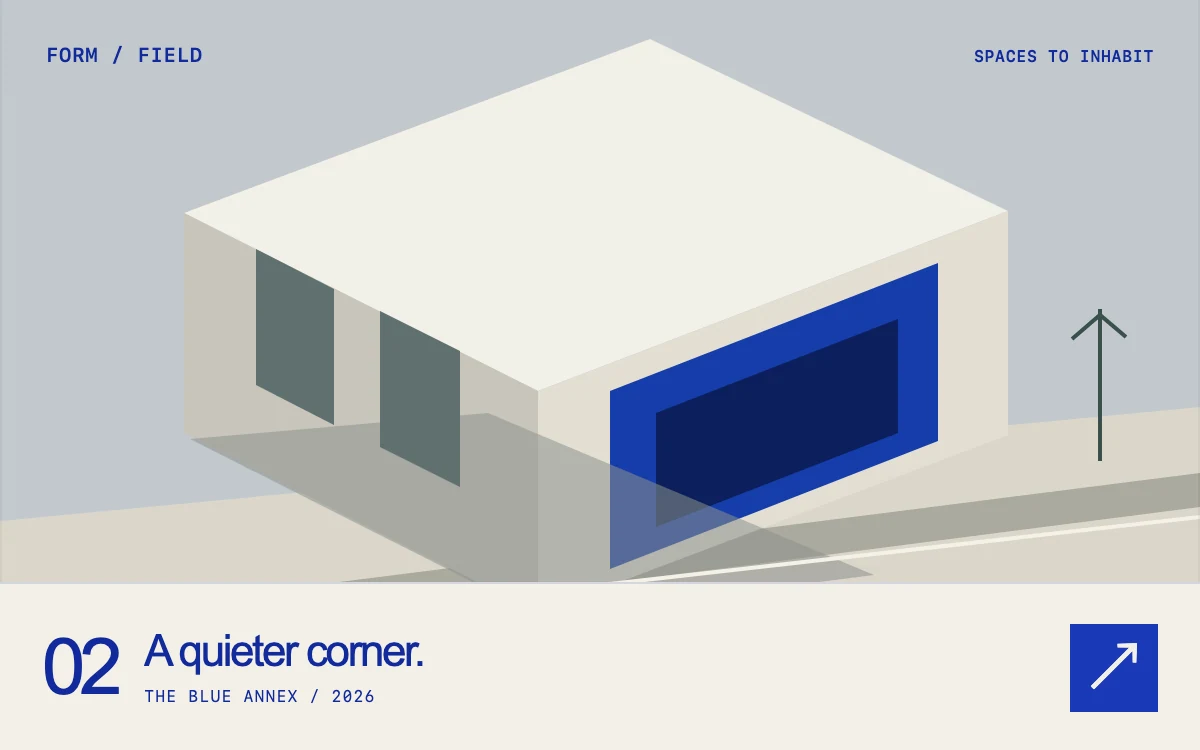
Reveal the next study
Subframe Original · MIT
Add to your project
Component source
Standalone React component. Styles are included.
React only. No additional packages.
Render the default export inside a container with a defined height. Its optional active prop stops movement when false. This example works with React 19; Next.js projects can use it as a client component.
View source code
/**
 * MIT License
 *
 * Copyright (c) 2026 Subframe
 *
 * Permission is hereby granted, free of charge, to any person obtaining a copy
 * of this software and associated documentation files (the "Software"), to deal
 * in the Software without restriction, including without limitation the rights
 * to use, copy, modify, merge, publish, distribute, sublicense, and/or sell
 * copies of the Software, and to permit persons to whom the Software is
 * furnished to do so, subject to the following conditions:
 *
 * The above copyright notice and this permission notice shall be included in all
 * copies or substantial portions of the Software.
 *
 * THE SOFTWARE IS PROVIDED "AS IS", WITHOUT WARRANTY OF ANY KIND, EXPRESS OR
 * IMPLIED, INCLUDING BUT NOT LIMITED TO THE WARRANTIES OF MERCHANTABILITY,
 * FITNESS FOR A PARTICULAR PURPOSE AND NONINFRINGEMENT. IN NO EVENT SHALL THE
 * AUTHORS OR COPYRIGHT HOLDERS BE LIABLE FOR ANY CLAIM, DAMAGES OR OTHER
 * LIABILITY, WHETHER IN AN ACTION OF CONTRACT, TORT OR OTHERWISE, ARISING FROM,
 * OUT OF OR IN CONNECTION WITH THE SOFTWARE OR THE USE OR OTHER DEALINGS IN THE
 * SOFTWARE.
 */

"use client"

import { useEffect, useState } from "react"

function useReducedMotion() {
  const [reduced, setReduced] = useState(true)
  useEffect(() => {
    const query = window.matchMedia("(prefers-reduced-motion: reduce)")
    const update = () => setReduced(query.matches)
    update()
    query.addEventListener("change", update)
    return () => query.removeEventListener("change", update)
  }, [])
  return reduced
}

function Architecture({ alternate }: { alternate: boolean }) {
  return (
    <svg viewBox="0 0 600 360" preserveAspectRatio="xMidYMid slice" aria-hidden="true">
      <rect width="600" height="360" fill={alternate ? "#c2c9ce" : "#b0babd"} />
      <path d="M0 280 600 223V360H0Z" fill="#dbd6ca" />
      <path d="M0 332 600 256V273L0 350Z" fill="#aaa99f" />
      {alternate ? (
        <>
          <path d="M92 126 325 39 504 125 269 215Z" fill="#f2f0e8" />
          <path d="M92 126 269 215V326L92 236Z" fill="#c7c5bb" />
          <path d="M269 215 504 125V237L269 326Z" fill="#e2ded3" />
          <path d="M305 215 469 151V240L305 304Z" fill="#173daa" />
          <path d="M328 226 449 179V236L328 283Z" fill="#0b205c" />
          <path d="M95 239 271 328 437 307 244 226Z" fill="#8c928c" opacity=".55" />
          <path d="M128 144 167 164V232L128 212Z" fill="#5f706f" />
          <path d="M190 175 230 195V263L190 243Z" fill="#5f706f" />
        </>
      ) : (
        <>
          <path d="M84 164 328 67 484 126 244 220Z" fill="#ece8dc" />
          <path d="M84 164 244 220V311L84 253Z" fill="#a9aba0" />
          <path d="M244 220 484 126V218L244 311Z" fill="#e3dfd0" />
          <path d="M107 180 142 193V258L107 245ZM164 201 201 215V280L164 267Z" fill="#606f6b" />
          <path
            d="M276 223 307 211V278L276 290ZM338 198 369 186V254L338 266ZM400 174 433 161V229L400 242Z"
            fill="#102a6f"
          />
          <path d="M336 84 380 67 476 103 432 120Z" fill="#1644be" />
          <path d="M432 120 476 103V143L432 160Z" fill="#092d91" />
          <path d="M336 84 432 120V160L336 123Z" fill="#2a56c4" />
          <path d="M85 253 244 311 482 280 390 239 243 313Z" fill="#858b82" opacity=".6" />
        </>
      )}
      <path d="M0 346 600 278" stroke="#f4f1e7" strokeWidth="2" />
      <path d="M550 250v-76m-14 15 14-12 13 11" stroke="#3b504c" strokeWidth="2" fill="none" />
      <path d="M0 0H600V360H0Z" fill="none" stroke="#0000000a" strokeWidth="2" />
    </svg>
  )
}

export default function ShutterScene({ active = true }: { active?: boolean }) {
  const reduced = useReducedMotion()
  const [scene, setScene] = useState({ index: 0, sequence: 0, animate: false })
  return (
    <section className="sf-shutters" data-active={active} data-animate={scene.animate && !reduced}>
      <div className="sf-shutters-art">
        <Architecture alternate={scene.index === 1} />
      </div>
      <div key={scene.sequence} className="sf-shutters-blinds" aria-hidden="true">
        {Array.from({ length: 7 }, (_, index) => (
          <span key={index} style={{ animationDelay: `${index * 45}ms` }} />
        ))}
      </div>
      <header className="sf-shutters-header">
        <span>FORM / FIELD</span>
        <span>SPACES TO INHABIT</span>
      </header>
      <div className="sf-shutters-caption" aria-live="polite">
        <span className="sf-shutters-number">0{scene.index + 1}</span>
        <div>
          <h3>{scene.index === 0 ? "A room for light." : "A quieter corner."}</h3>
          <p>{scene.index === 0 ? "COURTYARD HOUSE / 2026" : "THE BLUE ANNEX / 2026"}</p>
        </div>
        <button
          type="button"
          aria-label="Reveal the next architecture study"
          onClick={(event) =>
            setScene((current) => ({
              index: 1 - current.index,
              sequence: current.sequence + 1,
              animate: active && event.detail > 0,
            }))
          }
        >
          ↗
        </button>
      </div>
      <style>{`
        .sf-shutters{position:relative;width:100%;height:100%;min-height:300px;overflow:hidden;background:#d9d7cd;color:#122a9c;font-family:Arial,Helvetica,sans-serif;container-type:inline-size}.sf-shutters *{box-sizing:border-box}.sf-shutters-art{position:absolute;inset:0 0 54px}.sf-shutters-art svg{width:100%;height:100%;display:block}.sf-shutters-header{position:absolute;top:22px;left:23px;right:23px;display:flex;justify-content:space-between;gap:14px;font:10px/1 ui-monospace,SFMono-Regular,monospace;font-weight:600;letter-spacing:.035em}.sf-shutters-header span:last-child{font-size:8px;padding-top:2px}
        .sf-shutters-caption{position:absolute;bottom:0;inset-inline:0;min-height:84px;display:flex;align-items:center;gap:14px;background:#f3f0e7;padding:16px 21px;border-top:1px solid #172ca822}.sf-shutters-number{font-size:39px;font-weight:350;letter-spacing:-.08em;line-height:1}.sf-shutters-caption h3{margin:0;font-size:22px;line-height:1.15;letter-spacing:-.055em;font-weight:500}.sf-shutters-caption p{margin:6px 0 0;font:8px/1.2 ui-monospace,SFMono-Regular,monospace;letter-spacing:.07em}.sf-shutters-caption button{margin-left:auto;color:#f3f0e7;background:#1939b8;border:0;min-width:44px;min-height:44px;cursor:pointer;font:30px/1 Arial,sans-serif}.sf-shutters-caption button:focus-visible{outline:2px solid #142b99;outline-offset:4px}.sf-shutters-caption button:active{opacity:.7}
        .sf-shutters-blinds{display:flex;position:absolute;inset:0 0 84px;pointer-events:none}.sf-shutters-blinds span{flex:1;background:#173bbe;transform:scaleY(0);transform-origin:top}.sf-shutters[data-animate=true] .sf-shutters-blinds span{animation:sf-shutters-open 820ms cubic-bezier(.16,1,.3,1) both}.sf-shutters[data-active=false] *{animation-play-state:paused!important}
        @keyframes sf-shutters-open{from{transform:scaleY(1)}to{transform:scaleY(0)}}
        @container(max-width:350px){.sf-shutters-caption{gap:10px;padding-inline:16px}.sf-shutters-caption h3{font-size:19px}.sf-shutters-number{font-size:33px}.sf-shutters-header{font-size:9px;left:16px;right:16px}.sf-shutters-header span:last-child{font-size:7px}}
        @media(prefers-reduced-motion:reduce){.sf-shutters-blinds{display:none}.sf-shutters *{animation:none!important}}
      `}</style>
    </section>
  )
}
Where it works well
Introduce a selected architectural project, an art direction study or a visual case study with a brief material reveal.
Reduced motion
The study and caption change immediately. Keyboard activation skips the shutter sequence.
Things to know
The seven-panel reveal is decorative and does not hide interactive controls. Replace both original SVG illustrations with equally sized artwork when adapting.