
Print lab
A working image proofing bench develops color treatments into a downloadable contact strip.
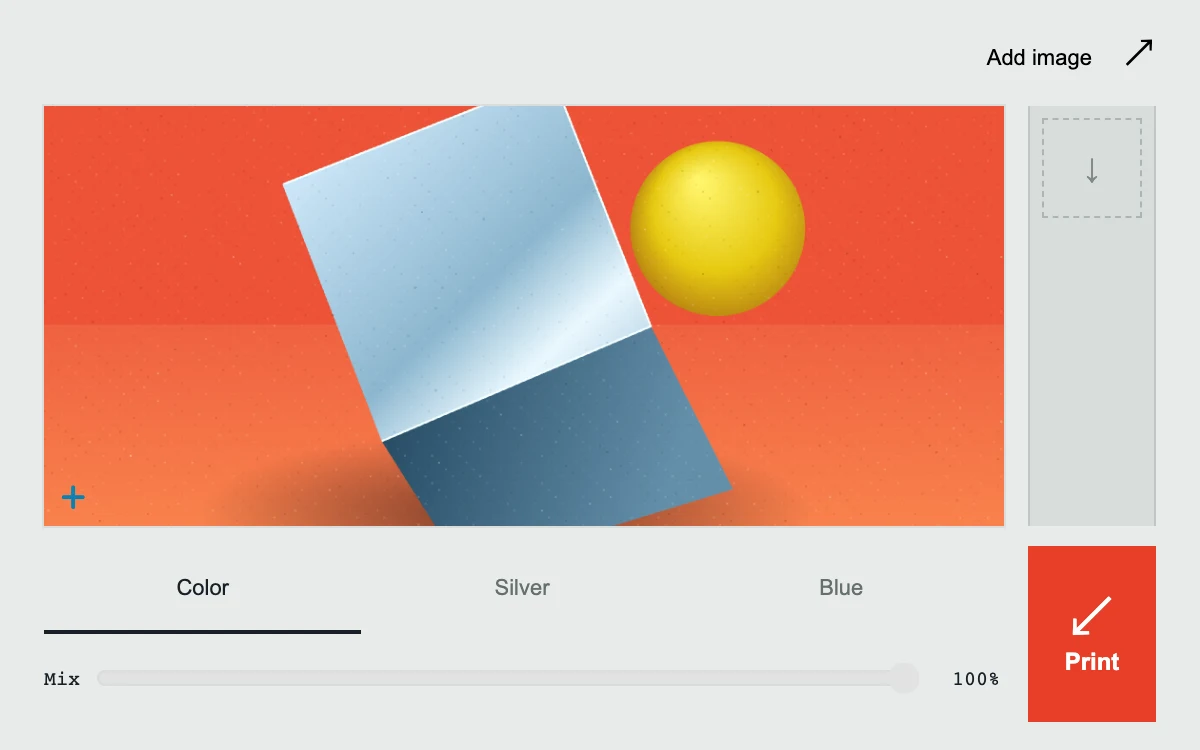
Choose a treatment, adjust its mix, and print a proof
Subframe Original · MIT
Add to your project
Component source
Standalone React component. Styles are included.
React only. No additional packages.
Render the default export inside a container with a defined height. Its optional active prop stops movement when false. This example works with React 19; Next.js projects can use it as a client component.
View source code
/**
 * MIT License
 *
 * Copyright (c) 2026 Subframe
 *
 * Permission is hereby granted, free of charge, to any person obtaining a copy
 * of this software and associated documentation files (the "Software"), to deal
 * in the Software without restriction, including without limitation the rights
 * to use, copy, modify, merge, publish, distribute, sublicense, and/or sell
 * copies of the Software, and to permit persons to whom the Software is
 * furnished to do so, subject to the following conditions:
 *
 * The above copyright notice and this permission notice shall be included in all
 * copies or substantial portions of the Software.
 *
 * THE SOFTWARE IS PROVIDED "AS IS", WITHOUT WARRANTY OF ANY KIND, EXPRESS OR
 * IMPLIED, INCLUDING BUT NOT LIMITED TO THE WARRANTIES OF MERCHANTABILITY,
 * FITNESS FOR A PARTICULAR PURPOSE AND NONINFRINGEMENT. IN NO EVENT SHALL THE
 * AUTHORS OR COPYRIGHT HOLDERS BE LIABLE FOR ANY CLAIM, DAMAGES OR OTHER
 * LIABILITY, WHETHER IN AN ACTION OF CONTRACT, TORT OR OTHERWISE, ARISING FROM,
 * OUT OF OR IN CONNECTION WITH THE SOFTWARE OR THE USE OR OTHER DEALINGS IN THE
 * SOFTWARE.
 */

"use client"

import { useEffect, useId, useRef, useState } from "react"

const WIDTH = 560
const HEIGHT = 400
const stocks = ["Color", "Silver", "Blue"] as const

function drawStillLife(context: CanvasRenderingContext2D) {
  context.fillStyle = "#ed5237"
  context.fillRect(0, 0, WIDTH, HEIGHT)
  const floor = context.createLinearGradient(0, 200, 0, HEIGHT)
  floor.addColorStop(0, "#ef6040")
  floor.addColorStop(1, "#ff9753")
  context.fillStyle = floor
  context.fillRect(0, 205, WIDTH, HEIGHT - 205)
  context.save()
  context.translate(270, 315)
  context.scale(1, 0.27)
  const shadow = context.createRadialGradient(0, 0, 10, 0, 0, 180)
  shadow.addColorStop(0, "#512620b8")
  shadow.addColorStop(1, "#51262000")
  context.fillStyle = shadow
  context.fillRect(-190, -190, 380, 380)
  context.restore()
  // A folded aluminum ribbon, painted as three planes and one rolled edge.
  const plane = context.createLinearGradient(146, 92, 365, 320)
  plane.addColorStop(0, "#d7eeff")
  plane.addColorStop(0.45, "#8bb6ce")
  plane.addColorStop(0.62, "#eaf8ff")
  plane.addColorStop(1, "#649abb")
  context.fillStyle = plane
  context.beginPath()
  context.moveTo(139, 123)
  context.lineTo(297, 61)
  context.lineTo(354, 206)
  context.lineTo(197, 273)
  context.closePath()
  context.fill()
  const face = context.createLinearGradient(190, 270, 360, 320)
  face.addColorStop(0, "#254a63")
  face.addColorStop(1, "#648fa9")
  context.fillStyle = face
  context.beginPath()
  context.moveTo(197, 273)
  context.lineTo(354, 206)
  context.lineTo(402, 301)
  context.lineTo(245, 349)
  context.closePath()
  context.fill()
  context.strokeStyle = "#f3ffff"
  context.lineWidth = 1.2
  context.beginPath()
  context.moveTo(140, 123)
  context.lineTo(297, 61)
  context.lineTo(354, 206)
  context.lineTo(197, 273)
  context.stroke()
  const sphere = context.createRadialGradient(382, 121, 2, 400, 153, 68)
  sphere.addColorStop(0, "#fff56c")
  sphere.addColorStop(0.52, "#e6c911")
  sphere.addColorStop(1, "#9d5b13")
  context.fillStyle = sphere
  context.beginPath()
  context.arc(393, 149, 51, 0, Math.PI * 2)
  context.fill()
  // A fixed, fine screen grain keeps every proof deterministic.
  let seed = 17
  for (let i = 0; i < 9000; i++) {
    seed = (seed * 1664525 + 1013904223) >>> 0
    const x = seed % WIDTH
    seed = (seed * 1664525 + 1013904223) >>> 0
    context.fillStyle = i % 2 ? "#fff1" : "#1207000b"
    context.fillRect(x, seed % HEIGHT, 1, 1)
  }
}

export default function PrintLab({ active = true }: { active?: boolean }) {
  const canvas = useRef<HTMLCanvasElement>(null)
  const source = useRef<HTMLCanvasElement | null>(null)
  const fileInput = useRef<HTMLInputElement>(null)
  const pendingImage = useRef<{ url: string; image: HTMLImageElement } | null>(null)
  const sequence = useRef(0)
  const loadedImage = useRef<HTMLImageElement | null>(null)
  const [density, setDensity] = useState(1)
  const [stock, setStock] = useState(0)
  const [strength, setStrength] = useState(100)
  const [revision, setRevision] = useState(0)
  const [proofs, setProofs] = useState<{ id: number; url: string; stock: string }[]>([])
  const [message, setMessage] = useState("")
  const [instant, setInstant] = useState(false)
  const id = useId()

  useEffect(() => {
    const element = canvas.current!
    let pending = 0
    const measure = () => {
      const bounds = element.getBoundingClientRect()
      const next = Math.max(bounds.width / WIDTH, bounds.height / HEIGHT) * Math.min(devicePixelRatio, 2)
      setDensity(Math.max(1, Math.ceil(next * 10) / 10))
    }
    const schedule = () => {
      cancelAnimationFrame(pending)
      pending = requestAnimationFrame(() => {
        pending = requestAnimationFrame(measure)
      })
    }
    const resize = new ResizeObserver(schedule)
    resize.observe(element)
    const transforms = new MutationObserver(schedule)
    for (let ancestor = element.parentElement; ancestor; ancestor = ancestor.parentElement)
      transforms.observe(ancestor, { attributes: true, attributeFilter: ["style", "class"] })
    window.addEventListener("resize", schedule)
    measure()
    return () => {
      resize.disconnect()
      transforms.disconnect()
      window.removeEventListener("resize", schedule)
      cancelAnimationFrame(pending)
      if (pendingImage.current) {
        pendingImage.current.image.onload = null
        pendingImage.current.image.onerror = null
        URL.revokeObjectURL(pendingImage.current.url)
        pendingImage.current = null
      }
    }
  }, [])

  useEffect(() => {
    const original = document.createElement("canvas")
    original.width = Math.round(WIDTH * density)
    original.height = Math.round(HEIGHT * density)
    const context = original.getContext("2d")
    if (!context) return
    context.setTransform(original.width / WIDTH, 0, 0, original.height / HEIGHT, 0, 0)
    const image = loadedImage.current
    if (image) {
      const scale = Math.max(WIDTH / image.naturalWidth, HEIGHT / image.naturalHeight)
      context.drawImage(
        image,
        (WIDTH - image.naturalWidth * scale) / 2,
        (HEIGHT - image.naturalHeight * scale) / 2,
        image.naturalWidth * scale,
        image.naturalHeight * scale,
      )
    } else drawStillLife(context)
    source.current = original
    setRevision((value) => value + 1)
    return () => {
      original.width = 0
      original.height = 0
    }
  }, [density])

  useEffect(() => {
    const context = canvas.current?.getContext("2d")
    if (!context || !source.current) return
    canvas.current!.width = source.current.width
    canvas.current!.height = source.current.height
    context.drawImage(source.current, 0, 0)
    if (stock === 0) return
    const pixels = context.getImageData(0, 0, source.current.width, source.current.height)
    const mix = strength / 100
    for (let i = 0; i < pixels.data.length; i += 4) {
      const luminance = (0.2126 * pixels.data[i] + 0.7152 * pixels.data[i + 1] + 0.0722 * pixels.data[i + 2]) / 255
      const light = Math.max(0, Math.min(1, (luminance - 0.17) * 1.5))
      const ink = stock === 1 ? [14, 15, 16] : [12, 37, 153]
      const paper = stock === 1 ? [247, 247, 241] : [219, 240, 255]
      for (let channel = 0; channel < 3; channel++) {
        pixels.data[i + channel] =
          pixels.data[i + channel] * (1 - mix) + (ink[channel] + (paper[channel] - ink[channel]) * light) * mix
      }
    }
    context.putImageData(pixels, 0, 0)
  }, [stock, strength, revision])

  function loadImage(file?: File) {
    if (!file) return
    if (!file.type.startsWith("image/") || file.size > 12 * 1024 * 1024) {
      setMessage("Choose an image under 12 MB.")
      return
    }
    if (pendingImage.current) {
      pendingImage.current.image.onload = null
      pendingImage.current.image.onerror = null
      URL.revokeObjectURL(pendingImage.current.url)
    }
    const image = new Image()
    const url = URL.createObjectURL(file)
    pendingImage.current = { image, url }
    image.onload = () => {
      const context = source.current?.getContext("2d")
      if (context && image.naturalWidth && image.naturalHeight) {
        loadedImage.current = image
        const scale = Math.max(WIDTH / image.naturalWidth, HEIGHT / image.naturalHeight)
        context.fillStyle = "white"
        context.fillRect(0, 0, WIDTH, HEIGHT)
        context.drawImage(
          image,
          (WIDTH - image.naturalWidth * scale) / 2,
          (HEIGHT - image.naturalHeight * scale) / 2,
          image.naturalWidth * scale,
          image.naturalHeight * scale,
        )
        setRevision((value) => value + 1)
        setMessage("")
      }
      URL.revokeObjectURL(url)
      pendingImage.current = null
    }
    image.onerror = () => {
      URL.revokeObjectURL(url)
      pendingImage.current = null
      setMessage("This image could not be opened.")
    }
    image.src = url
  }

  function print() {
    if (!canvas.current) return
    const next = ++sequence.current
    const proof = { id: next, url: canvas.current.toDataURL("image/png"), stock: stocks[stock] }
    setProofs((previous) => [proof, ...previous].slice(0, 4))
    setMessage(`Proof ${next} ready. Select its thumbnail to download.`)
  }

  return (
    <section
      className="sf-print-lab"
      data-still={!active || instant}
      onKeyDownCapture={() => setInstant(true)}
      onPointerDownCapture={() => setInstant(false)}
      aria-label="Image proofing"
    >
      <header>
        <button type="button" className="pl-add" onClick={() => fileInput.current?.click()}>
          Add image <span aria-hidden="true">↗</span>
        </button>
      </header>
      <input
        ref={fileInput}
        type="file"
        accept="image/*"
        aria-label="Choose local image"
        hidden
        onChange={(event) => {
          loadImage(event.target.files?.[0])
          event.target.value = ""
        }}
      />
      <div className="pl-workspace">
        <div className="pl-negative">
          <canvas
            ref={canvas}
            width={WIDTH}
            height={HEIGHT}
            role="img"
            aria-label={`${stocks[stock]} image preview at ${strength} percent filter strength`}
          />
          <span className="pl-register" aria-hidden="true">
            +
          </span>
        </div>
        <div className="pl-strip" aria-label="Recent proofs">
          {proofs.map((proof) => (
            <a
              key={proof.id}
              href={proof.url}
              download={`subframe-proof-${proof.id}.png`}
              aria-label={`Download ${proof.stock} proof ${proof.id}`}
            >
              <img src={proof.url} width="560" height="400" alt="" />
              <span>{String(proof.id).padStart(2, "0")}</span>
            </a>
          ))}
          {proofs.length === 0 && (
            <div className="pl-empty" aria-hidden="true">
              <span>↓</span>
            </div>
          )}
        </div>
      </div>
      <footer>
        <div className="pl-settings">
          <div className="pl-stocks" aria-label="Print treatment">
            {stocks.map((name, index) => (
              <button key={name} type="button" aria-pressed={stock === index} onClick={() => setStock(index)}>
                {name}
              </button>
            ))}
          </div>
          <label htmlFor={`${id}-strength`}>
            Mix{" "}
            <input
              id={`${id}-strength`}
              type="range"
              min="0"
              max="100"
              value={strength}
              disabled={stock === 0}
              onChange={(event) => setStrength(+event.target.value)}
            />
            <output htmlFor={`${id}-strength`}>{strength}%</output>
          </label>
        </div>
        <button type="button" className="pl-print" onClick={print} aria-label="Print proof">
          <span aria-hidden="true">↙</span>Print
        </button>
      </footer>
      <span className="pl-message" role="status">
        {message}
      </span>
      <style>{`
        .sf-print-lab{width:100%;height:100%;min-height:280px;position:relative;display:flex;flex-direction:column;overflow:hidden;background:#e9ebea;color:#172026;font-family:Arial,sans-serif;isolation:isolate;padding:0 22px 14px;box-sizing:border-box}.sf-print-lab *{box-sizing:border-box}.sf-print-lab header{height:53px;flex:none;display:flex;align-items:center;justify-content:flex-end}.sf-print-lab button{border:0;font:inherit;cursor:pointer;touch-action:manipulation}.sf-print-lab button:focus-visible,.sf-print-lab a:focus-visible,.sf-print-lab input:focus-visible{outline:2px solid #d63f24;outline-offset:3px}.sf-print-lab .pl-add{background:transparent;font-size:11px;min-height:44px;padding:0}.sf-print-lab .pl-add span{margin-left:12px;font-size:17px}.sf-print-lab .pl-workspace{display:flex;gap:12px;flex:1;min-height:0}.sf-print-lab .pl-negative{min-width:0;position:relative;flex:1;background:#e84c33;overflow:hidden;box-shadow:0 0 0 1px #16212b12}.sf-print-lab canvas{display:block;width:100%;height:100%;object-fit:cover}.sf-print-lab .pl-register{position:absolute;left:8px;bottom:2px;color:#fff;mix-blend-mode:difference;font:22px monospace}.sf-print-lab .pl-strip{width:64px;flex:none;background:#d8dcdb;border-left:1px solid #bfc7c5;border-right:1px solid #bfc7c5;overflow-y:auto;scrollbar-width:none;padding:6px;display:flex;flex-direction:column;gap:5px}.sf-print-lab .pl-strip a{display:block;flex:none;background:white;color:#172026;position:relative;text-decoration:none;padding:3px;min-height:44px;animation:sf-proof-delivery .32s cubic-bezier(.2,.8,.2,1) both;box-shadow:0 1px 2px #10201520}.sf-print-lab .pl-strip img{width:100%;height:31px;object-fit:cover;display:block}.sf-print-lab .pl-strip a span{font:7px monospace;display:block;padding-top:2px}.sf-print-lab .pl-empty{border:1px dashed #acb6b2;height:50px;display:grid;place-items:center;color:#7e8984}.sf-print-lab footer{display:flex;gap:14px;align-items:center;padding-top:10px;flex:none}.sf-print-lab .pl-settings{flex:1;min-width:0}.sf-print-lab .pl-stocks{display:flex;gap:1px}.sf-print-lab .pl-stocks button{flex:1;background:transparent;border-bottom:2px solid transparent;min-height:44px;font-size:11px;padding:4px 2px;color:#65706c}.sf-print-lab .pl-stocks button[aria-pressed=true]{color:#172026;border-color:#172026}.sf-print-lab label{display:flex;align-items:center;gap:8px;font:10px monospace;height:44px}.sf-print-lab input[type=range]{width:100%;min-width:0;accent-color:#172026;height:44px;margin:0}.sf-print-lab input:disabled{opacity:.28}.sf-print-lab output{width:32px;flex:none;font-variant-numeric:tabular-nums;text-align:right}.sf-print-lab .pl-print{width:64px;align-self:stretch;flex:none;background:#e83f28;color:#fff;font-size:12px;font-weight:600;display:flex;align-items:center;justify-content:center;flex-direction:column;gap:3px;transition:background .15s ease,transform .15s ease}.sf-print-lab .pl-print span{font-size:25px;line-height:25px;font-weight:400}.sf-print-lab .pl-print:active{transform:scale(.97)}.sf-print-lab .pl-message{position:absolute;width:1px;height:1px;overflow:hidden;clip-path:inset(50%)}.sf-print-lab[data-still=true] *{animation:none!important;transition:none!important}@keyframes sf-proof-delivery{from{opacity:0;transform:translateY(-12px) rotate(-3deg)}to{opacity:1;transform:translateY(0) rotate(0)}}@media(hover:hover) and (pointer:fine){.sf-print-lab .pl-print:hover{background:#cb2d18}.sf-print-lab .pl-strip a:hover{outline:1px solid #172026}}@media(prefers-reduced-motion:reduce){.sf-print-lab *{animation:none!important;transition:none!important}}`}</style>
    </section>
  )
}
Where it works well
Preview image treatments and keep comparable snapshots without switching between tools.
Reduced motion
Proofs appear immediately; processing, capture, and downloads still work.
Things to know
Includes original procedural artwork and optional local image input. Four in-memory PNG proofs, no camera or storage. Images crop to560×400. Canvas2D processing, not AI filtering.