
Components & interactionsDraggable 3D cube
Orientation cube
A ceramic orange cube orbits under the pointer and snaps to named faces.
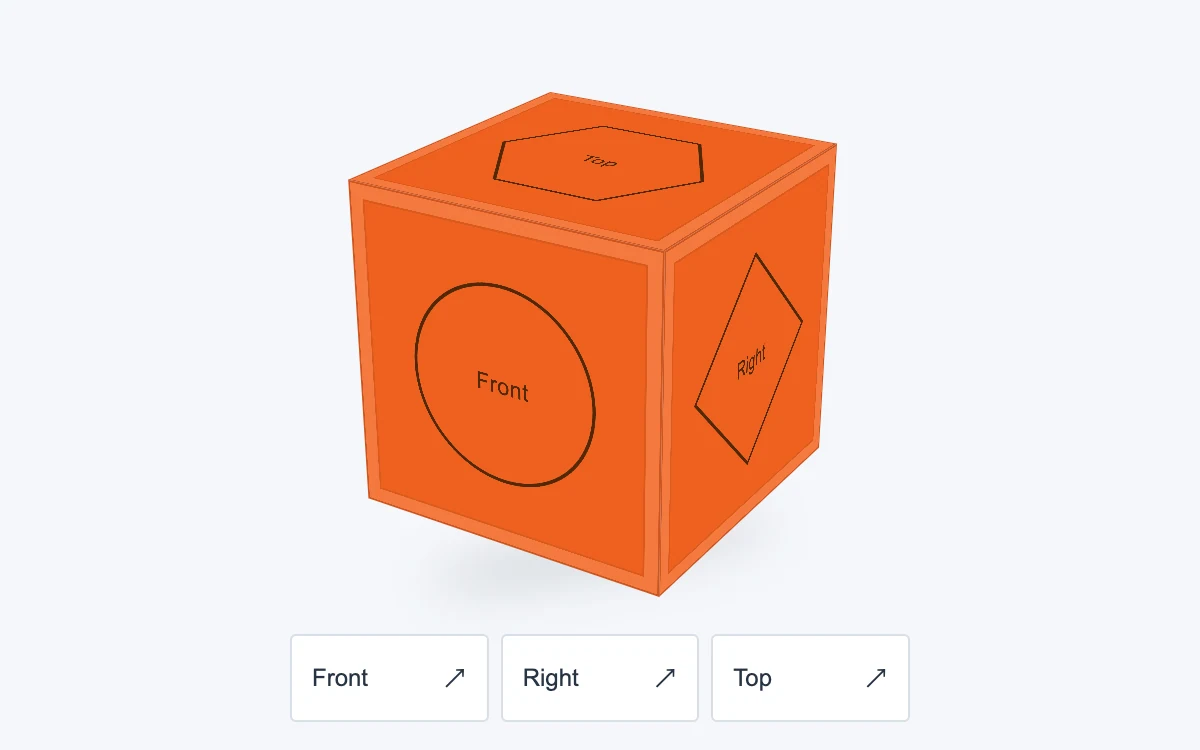
Drag the cube, use arrow keys, or choose a face
Subframe Original · MIT
Add to your project
Component source
Standalone React component. Styles are included.
React only. No additional packages.
Render the default export inside a container with a defined height. Its optional active prop stops movement when false. This example works with React 19; Next.js projects can use it as a client component.
View source code
/**
 * MIT License
 * Copyright (c) 2026 Subframe
 * Permission is hereby granted, free of charge, to any person obtaining a copy
 * of this software and associated documentation files (the "Software"), to deal
 * in the Software without restriction, including without limitation the rights
 * to use, copy, modify, merge, publish, distribute, sublicense, and/or sell
 * copies of the Software, and to permit persons to whom the Software is
 * furnished to do so, subject to the following conditions:
 * The above copyright notice and this permission notice shall be included in
 * all copies or substantial portions of the Software.
 * THE SOFTWARE IS PROVIDED "AS IS", WITHOUT WARRANTY OF ANY KIND, EXPRESS OR
 * IMPLIED, INCLUDING BUT NOT LIMITED TO THE WARRANTIES OF MERCHANTABILITY,
 * FITNESS FOR A PARTICULAR PURPOSE AND NONINFRINGEMENT. IN NO EVENT SHALL THE
 * AUTHORS OR COPYRIGHT HOLDERS BE LIABLE FOR ANY CLAIM, DAMAGES OR OTHER
 * LIABILITY, WHETHER IN AN ACTION OF CONTRACT, TORT OR OTHERWISE, ARISING FROM,
 * OUT OF OR IN CONNECTION WITH THE SOFTWARE OR THE USE OR OTHER DEALINGS IN
 * THE SOFTWARE.
 */
"use client"

import { useEffect, useRef, useState } from "react"

const CUBE_FACES = [
  { name: "Front", shape: "M110 60a50 50 0 1 1-100 0 50 50 0 0 1 100 0Z", labelY: 60 },
  { name: "Back", shape: "M15 15h90v90H15Z", labelY: 60 },
  { name: "Right", shape: "M60 5 115 60 60 115 5 60Z", labelY: 60 },
  { name: "Left", shape: "M60 8 114 106H6Z", labelY: 72 },
  { name: "Top", shape: "M32 12h56l28 48-28 48H32L4 60Z", labelY: 60 },
  { name: "Bottom", shape: "M35 25h50a35 35 0 0 1 0 70H35a35 35 0 0 1 0-70Z", labelY: 60 },
]

function useReducedMotion() {
  const [reduced, setReduced] = useState(true)
  useEffect(() => {
    const query = matchMedia("(prefers-reduced-motion: reduce)")
    const update = () => setReduced(query.matches)
    update()
    query.addEventListener("change", update)
    return () => query.removeEventListener("change", update)
  }, [])
  return reduced
}

export default function OrientationCube({ active = true }: { active?: boolean }) {
  const reduced = useReducedMotion()
  const [angle, setAngle] = useState({ x: -24, y: -32 })
  const [dragging, setDragging] = useState(false)
  const [instant, setInstant] = useState(false)
  const pointer = useRef<{ id: number; x: number; y: number } | null>(null)
  const faces = [
    { name: "Front", x: 0, y: 0 },
    { name: "Right", x: 0, y: -90 },
    { name: "Top", x: -90, y: 0 },
  ]
  useEffect(() => {
    if (!active) {
      pointer.current = null
      setDragging(false)
    }
  }, [active])
  return (
    <section className="sf-orientation" data-instant={!active || reduced || dragging || instant}>
      <div className="sf-orientation-ground" aria-hidden="true" />
      <div
        className="sf-orientation-stage"
        role="slider"
        aria-label="Cube orientation"
        aria-valuemin={-180}
        aria-valuemax={180}
        aria-valuenow={Math.round(((((angle.y + 180) % 360) + 360) % 360) - 180)}
        aria-valuetext={`Horizontal ${Math.round(angle.y)} degrees, vertical ${Math.round(angle.x)} degrees`}
        tabIndex={0}
        onPointerDown={(e) => {
          if (e.button !== 0) return
          e.currentTarget.setPointerCapture(e.pointerId)
          pointer.current = { id: e.pointerId, x: e.clientX, y: e.clientY }
          setDragging(true)
          setInstant(false)
        }}
        onPointerMove={(e) => {
          const p = pointer.current
          if (!p || p.id !== e.pointerId) return
          const bounds = e.currentTarget.getBoundingClientRect()
          const dx = ((e.clientX - p.x) * e.currentTarget.clientWidth) / bounds.width,
            dy = ((e.clientY - p.y) * e.currentTarget.clientHeight) / bounds.height
          p.x = e.clientX
          p.y = e.clientY
          setAngle((a) => ({ x: Math.max(-90, Math.min(90, a.x - dy * 0.65)), y: a.y + dx * 0.65 }))
        }}
        onPointerUp={(e) => {
          if (pointer.current?.id !== e.pointerId) return
          pointer.current = null
          setDragging(false)
          if (e.currentTarget.hasPointerCapture(e.pointerId)) e.currentTarget.releasePointerCapture(e.pointerId)
        }}
        onPointerCancel={() => {
          pointer.current = null
          setDragging(false)
        }}
        onLostPointerCapture={() => {
          pointer.current = null
          setDragging(false)
        }}
        onKeyDown={(e) => {
          if (!["ArrowLeft", "ArrowRight", "ArrowUp", "ArrowDown", "Home"].includes(e.key)) return
          e.preventDefault()
          setInstant(true)
          if (e.key === "Home") setAngle({ x: -24, y: -32 })
          else
            setAngle((a) => ({
              x: Math.max(-90, Math.min(90, a.x + (e.key === "ArrowUp" ? -10 : e.key === "ArrowDown" ? 10 : 0))),
              y: a.y + (e.key === "ArrowLeft" ? -10 : e.key === "ArrowRight" ? 10 : 0),
            }))
        }}
      >
        {/* Larger face artwork keeps projected SVG edges sharp in enlarged previews. */}
        <div
          className="sf-orientation-cube"
          style={{
            transform: `scale3d(0.3333333333, 0.3333333333, 0.3333333333) rotateX(${angle.x}deg) rotateY(${angle.y}deg)`,
          }}
          aria-hidden="true"
        >
          {CUBE_FACES.map((face, i) => (
            <div className={`sf-orientation-face sf-orientation-face-${i}`} key={face.name}>
              <svg viewBox="0 0 120 120">
                <path d={face.shape} />
                <text x="60" y={face.labelY} dy=".35em" textAnchor="middle">
                  {face.name}
                </text>
              </svg>
            </div>
          ))}
        </div>
      </div>
      <div className="sf-orientation-controls">
        {faces.map((face) => (
          <button
            type="button"
            key={face.name}
            onClick={(e) => {
              setInstant(e.detail === 0)
              setAngle((a) => ({ x: face.x, y: face.y + Math.round((a.y - face.y) / 360) * 360 }))
            }}
          >
            {face.name}
            <span aria-hidden="true">↗</span>
          </button>
        ))}
      </div>
      <style>{`.sf-orientation{position:relative;container-type:inline-size;width:100%;height:100%;min-height:280px;overflow:hidden;background:#f5f7fa;color:#273443;font:12px Arial,sans-serif}.sf-orientation *{box-sizing:border-box}.sf-orientation-stage{position:absolute;left:50%;top:43%;width:170px;height:170px;transform:translate(-50%,-50%);perspective:850px;cursor:grab;touch-action:none;user-select:none;outline-offset:18px}.sf-orientation-stage:active{cursor:grabbing}.sf-orientation-ground{position:absolute;left:50%;top:71%;width:174px;height:20px;transform:translateX(-50%) rotate(-10deg);border-radius:50%;background:#34465c30;filter:blur(12px)}.sf-orientation-cube{position:absolute;left:50%;top:50%;margin:-255px;width:510px;height:510px;transform-style:preserve-3d;transition:transform 500ms cubic-bezier(.22,1,.36,1)}.sf-orientation[data-instant=true] .sf-orientation-cube{transition:none}.sf-orientation-face{position:absolute;inset:0;backface-visibility:hidden;background:#ef611f;border:3px solid #853e2555;box-shadow:inset 0 0 0 21px #f4793d,inset 0 0 0 24px #99431d40;color:#512807;display:grid;place-items:center}.sf-orientation-face svg{width:360px;height:360px;overflow:visible}.sf-orientation-face path{fill:none;stroke:currentColor;stroke-width:1.7;stroke-linejoin:round}.sf-orientation-face text{fill:currentColor;font:12px Arial,sans-serif;letter-spacing:.025em}.sf-orientation-face-0{transform:translateZ(255px)}.sf-orientation-face-1{transform:rotateY(180deg) translateZ(255px)}.sf-orientation-face-2{transform:rotateY(90deg) translateZ(255px)}.sf-orientation-face-3{transform:rotateY(-90deg) translateZ(255px)}.sf-orientation-face-4{transform:rotateX(90deg) translateZ(255px)}.sf-orientation-face-5{transform:rotateX(-90deg) translateZ(255px)}.sf-orientation-controls{position:absolute;bottom:14px;left:50%;transform:translateX(-50%);display:flex;gap:6px;width:min(310px,90%)}.sf-orientation-controls button{flex:1;display:flex;justify-content:space-between;align-items:center;min-height:44px;background:#fff;border:1px solid #d9e0e8;border-radius:3px;color:inherit;font:inherit;cursor:pointer;padding:10px}.sf-orientation-controls button:active{background:#dbe5ef}.sf-orientation :focus-visible{outline:2px solid #1648ad;outline-offset:4px}@container(max-width:380px){.sf-orientation-stage{width:150px;height:150px}.sf-orientation-cube{scale:.88 .88 .88;transform-origin:50% 50%}}@media(prefers-reduced-motion:reduce){.sf-orientation-cube{transition:none!important}}`}</style>
    </section>
  )
}
Where it works well
Spatial orientation controls and small product or object inspectors.
Reduced motion
Face changes settle immediately. Direct pointer and keyboard rotation remain available.
Things to know
CSS six-face object, not a mesh renderer or twisty-puzzle simulator.