
Field console
A full-width field of fine contours bends under a direct drag, with one orange trace revealing its motion.
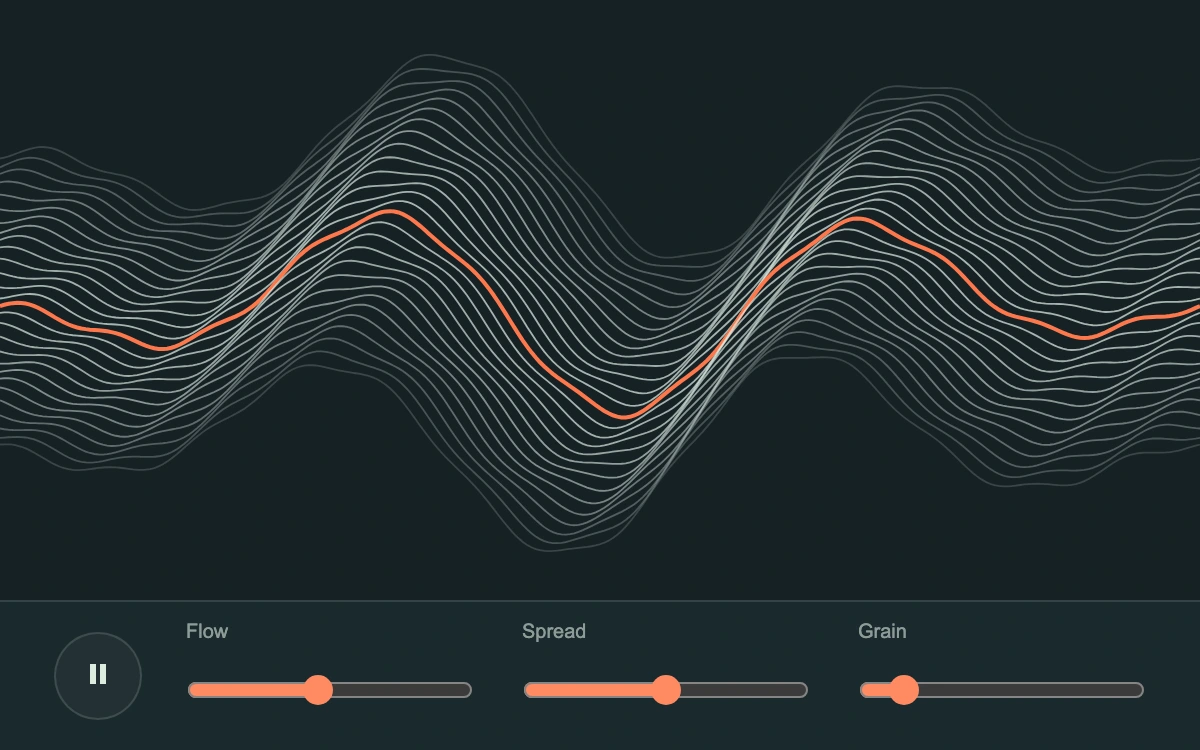
Drag the wave field or hold arrow keys; adjust flow, spread and grain.
Subframe Original · MIT
Add to your project
Component source
Standalone React component. Styles are included.
React only. No additional packages.
Render the default export inside a container with a defined height. Its optional active prop stops movement when false. This example works with React 19; Next.js projects can use it as a client component.
View source code
"use client"

/**
 * MIT License
 *
 * Copyright (c) 2026 Subframe
 *
 * Permission is hereby granted, free of charge, to any person obtaining a copy
 * of this software and associated documentation files (the "Software"), to deal
 * in the Software without restriction, including without limitation the rights
 * to use, copy, modify, merge, publish, distribute, sublicense, and/or sell
 * copies of the Software, and to permit persons to whom the Software is
 * furnished to do so, subject to the following conditions:
 *
 * The above copyright notice and this permission notice shall be included in all
 * copies or substantial portions of the Software.
 *
 * THE SOFTWARE IS PROVIDED "AS IS", WITHOUT WARRANTY OF ANY KIND, EXPRESS OR
 * IMPLIED, INCLUDING BUT NOT LIMITED TO THE WARRANTIES OF MERCHANTABILITY,
 * FITNESS FOR A PARTICULAR PURPOSE AND NONINFRINGEMENT. IN NO EVENT SHALL THE
 * AUTHORS OR COPYRIGHT HOLDERS BE LIABLE FOR ANY CLAIM, DAMAGES OR OTHER
 * LIABILITY, WHETHER IN AN ACTION OF CONTRACT, TORT OR OTHERWISE, ARISING FROM,
 * OUT OF OR IN CONNECTION WITH THE SOFTWARE OR THE USE OR OTHER DEALINGS IN THE
 * SOFTWARE.
 */
import { type PointerEvent, useEffect, useRef, useState } from "react"

export default function FieldConsole({ active = true }: { active?: boolean }) {
  const canvas = useRef<HTMLCanvasElement>(null)
  const target = useRef({ x: 0, y: 0 }),
    current = useRef({ x: 0, y: 0 }),
    time = useRef(0),
    drawNow = useRef<() => void>(() => {})
  const parameters = useRef([0.45, 0.5, 0.12])
  const [values, setValues] = useState([0.45, 0.5, 0.12]),
    [reduced, setReduced] = useState(true),
    [paused, setPaused] = useState(false)
  const [point, setPoint] = useState({ x: 0, y: 0 })
  useEffect(() => {
    const q = matchMedia("(prefers-reduced-motion: reduce)")
    const update = () => setReduced(q.matches)
    update()
    q.addEventListener("change", update)
    return () => q.removeEventListener("change", update)
  }, [])
  useEffect(() => {
    const el = canvas.current,
      ctx = el?.getContext("2d")
    if (!el || !ctx) return
    let frame = 0,
      previous = 0,
      width = 0,
      height = 0
    const render = (now: number, animate: boolean) => {
      const dt = previous ? Math.min(50, now - previous) / 1000 : 0
      previous = now
      const amount = active && !reduced && !paused ? 1 - Math.exp(-dt * 20) : 1
      current.current.x += (target.current.x - current.current.x) * amount
      current.current.y += (target.current.y - current.current.y) * amount
      const [flow, spread, grain] = parameters.current
      if (animate) time.current += dt * (0.3 + flow * 2.7)
      ctx.fillStyle = "#172125"
      ctx.fillRect(0, 0, width, height)
      const frequency = 2.4 + current.current.x * 1.4,
        amp = (0.18 - current.current.y * 0.12) * height
      for (let layer = 0; layer < 28; layer++) {
        ctx.strokeStyle =
          layer === 14 ? "#ff784c" : `rgba(220,237,228,${0.18 + Math.sin((layer / 27) * Math.PI) * 0.55})`
        ctx.lineWidth = layer === 14 ? 2 : 0.9
        ctx.beginPath()
        for (let i = 0; i <= 280; i++) {
          const x = (i * width) / 280,
            p = (i / 280) * Math.PI * 2
          const wave = Math.sin(p * frequency - time.current + layer * (0.045 + spread * 0.025)) * amp
          const fine = Math.sin(p * 13 + time.current * 2 + layer) * grain * height * 0.06
          const y =
            height / 2 +
            wave * Math.sin((Math.PI * i) / 280) +
            fine +
            (layer - 13.5) * (0.014 + spread * 0.008) * height
          if (i === 0) ctx.moveTo(x, y)
          else ctx.lineTo(x, y)
        }
        ctx.stroke()
      }
    }
    const tick = (now: number) => {
      render(now, true)
      frame = requestAnimationFrame(tick)
    }
    const resize = () => {
      const dpr = Math.min(devicePixelRatio || 1, 2),
        bounds = el.getBoundingClientRect()
      width = el.clientWidth
      height = el.clientHeight
      if (!width || !height) return
      el.width = Math.round(bounds.width * dpr)
      el.height = Math.round(bounds.height * dpr)
      ctx.setTransform(el.width / width, 0, 0, el.height / height, 0, 0)
      render(performance.now(), false)
    }
    let resizeFrame = 0
    const resizeViewport = () => {
      cancelAnimationFrame(resizeFrame)
      resizeFrame = requestAnimationFrame(resize)
    }
    drawNow.current = () => render(performance.now(), false)
    const observer = new ResizeObserver(resize)
    observer.observe(el)
    // An ancestor transform changes raster density without resizing the layout box.
    const transforms = new MutationObserver(resizeViewport)
    for (let ancestor = el.parentElement; ancestor; ancestor = ancestor.parentElement)
      transforms.observe(ancestor, { attributes: true, attributeFilter: ["style", "class"] })
    resize()
    window.addEventListener("resize", resizeViewport)
    if (active && !reduced && !paused) frame = requestAnimationFrame(tick)
    return () => {
      cancelAnimationFrame(frame)
      cancelAnimationFrame(resizeFrame)
      observer.disconnect()
      transforms.disconnect()
      window.removeEventListener("resize", resizeViewport)
      drawNow.current = () => {}
    }
  }, [active, reduced, paused])
  const update = (x: number, y: number, instant = false) => {
    target.current = { x, y }
    setPoint({ x, y })
    if (instant || reduced || !active) current.current = { x, y }
    drawNow.current()
  }
  const drag = (e: PointerEvent<HTMLButtonElement>) => {
    const r = e.currentTarget.getBoundingClientRect(),
      x =
        ((e.clientX - r.left - r.width / 2) * e.currentTarget.offsetWidth) /
        r.width /
        (e.currentTarget.offsetWidth / 2),
      y =
        ((e.clientY - r.top - r.height / 2) * e.currentTarget.offsetHeight) /
        r.height /
        (e.currentTarget.offsetHeight / 2),
      d = Math.max(1, Math.hypot(x, y))
    update(x / d, y / d, true)
  }
  const release = () => update(0, 0)
  const pointer = useRef<number | null>(null)
  useEffect(() => {
    if (!active) {
      pointer.current = null
      target.current = { x: 0, y: 0 }
      current.current = { x: 0, y: 0 }
      setPoint({ x: 0, y: 0 })
      drawNow.current()
    }
  }, [active])
  return (
    <section className="sf-field-console">
      <button
        className="sf-fc-screen"
        type="button"
        disabled={!active}
        aria-label="Drag the wave field to change frequency and amplitude. Hold arrow keys to reshape."
        onPointerDown={(e) => {
          if (pointer.current !== null || e.button !== 0) return
          pointer.current = e.pointerId
          e.currentTarget.setPointerCapture(e.pointerId)
          drag(e)
        }}
        onPointerMove={(e) => {
          if (pointer.current === e.pointerId) drag(e)
        }}
        onPointerUp={(e) => {
          if (pointer.current !== e.pointerId) return
          pointer.current = null
          e.currentTarget.releasePointerCapture(e.pointerId)
          release()
        }}
        onPointerCancel={(e) => {
          if (pointer.current !== e.pointerId) return
          pointer.current = null
          release()
        }}
        onLostPointerCapture={(e) => {
          if (pointer.current !== e.pointerId) return
          pointer.current = null
          release()
        }}
        onKeyDown={(e) => {
          const dirs: Record<string, [number, number]> = {
            ArrowLeft: [-0.85, 0],
            ArrowRight: [0.85, 0],
            ArrowUp: [0, -0.85],
            ArrowDown: [0, 0.85],
          }
          if (dirs[e.key]) {
            e.preventDefault()
            update(...dirs[e.key], true)
          }
        }}
        onKeyUp={(e) => {
          if (e.key.startsWith("Arrow")) {
            e.preventDefault()
            update(0, 0, true)
          }
        }}
        onBlur={() => {
          pointer.current = null
          update(0, 0, true)
        }}
      >
        <canvas ref={canvas} aria-hidden="true" />
        <span
          className="sf-fc-cross"
          style={{ left: 50 + point.x * 42 + "%", top: 50 + point.y * 42 + "%", opacity: point.x || point.y ? 1 : 0 }}
          aria-hidden="true"
        />
      </button>
      <div className="sf-fc-controls">
        <button
          type="button"
          disabled={!active}
          className="sf-fc-pause"
          onClick={() => setPaused((v) => !v)}
          aria-label={paused ? "Play wave field" : "Pause wave field"}
          aria-pressed={!paused}
        >
          <svg viewBox="0 0 16 16" aria-hidden="true">
            {paused ? <path d="m5 3 8 5-8 5z" /> : <path d="M4 3h3v10H4zM9 3h3v10H9z" />}
          </svg>
        </button>
        <div className="sf-fc-sliders">
          {["Flow", "Spread", "Grain"].map((label, i) => (
            <label key={label}>
              <span>{label}</span>
              <input
                disabled={!active}
                type="range"
                aria-label={label}
                min="0"
                max="1"
                step=".01"
                value={values[i]}
                onChange={(e) => {
                  const next = [...parameters.current]
                  next[i] = +e.target.value
                  parameters.current = next
                  setValues(next)
                  drawNow.current()
                }}
              />
            </label>
          ))}
        </div>
      </div>
      <style>{`.sf-field-console{width:100%;height:100%;display:flex;flex-direction:column;background:#172125;color:#dceddf;font:11px Arial,sans-serif;overflow:hidden}.sf-field-console *{box-sizing:border-box}.sf-fc-screen{position:relative;flex:1;min-height:0;border:0;padding:0;background:transparent;color:inherit;cursor:crosshair;touch-action:none}.sf-fc-screen canvas{display:block;width:100%;height:100%;position:absolute;inset:0}.sf-fc-cross{position:absolute;pointer-events:none;width:22px;height:22px;transform:translate(-50%,-50%);border:1px solid #ff8b67;border-radius:50%;box-shadow:0 0 0 5px #ff784c15}.sf-fc-cross:after{content:"";position:absolute;width:4px;height:4px;border-radius:50%;background:#ff8b67;left:8px;top:8px}.sf-fc-controls{display:flex;align-items:center;gap:22px;height:75px;flex-shrink:0;padding:0 27px;border-top:1px solid #dceae522;background:#1b292d}.sf-fc-pause{width:44px;height:44px;background:#dceadf0a;border:1px solid #dceadf26;border-radius:50%;flex-shrink:0;color:inherit;cursor:pointer}.sf-fc-pause svg{width:16px;height:16px;fill:currentColor}.sf-fc-sliders{display:flex;gap:24px;flex:1}.sf-fc-sliders label{flex:1;min-width:0;display:flex;flex-direction:column;gap:2px}.sf-fc-sliders label span{font-size:10px;color:#dceadf99}.sf-fc-sliders input{width:100%;height:44px;margin:0;accent-color:#ff8a63;cursor:ew-resize}.sf-field-console :focus-visible{outline:2px solid #ff9a7a;outline-offset:-4px}.sf-field-console :disabled{cursor:default}`}</style>
    </section>
  )
}
Where it works well
Expressive two-axis controls for synthesis, motion studies and procedural visual modulation.
Reduced motion
The wave clock stops and release returns immediately; manual XY and parameter changes still redraw.
Things to know
Procedural visual waves, without audio synthesis, frequency analysis or device communication.