
Embossed paper proof
A movable studio light reveals the shallow relief of a blind-embossed mark on blue paper.
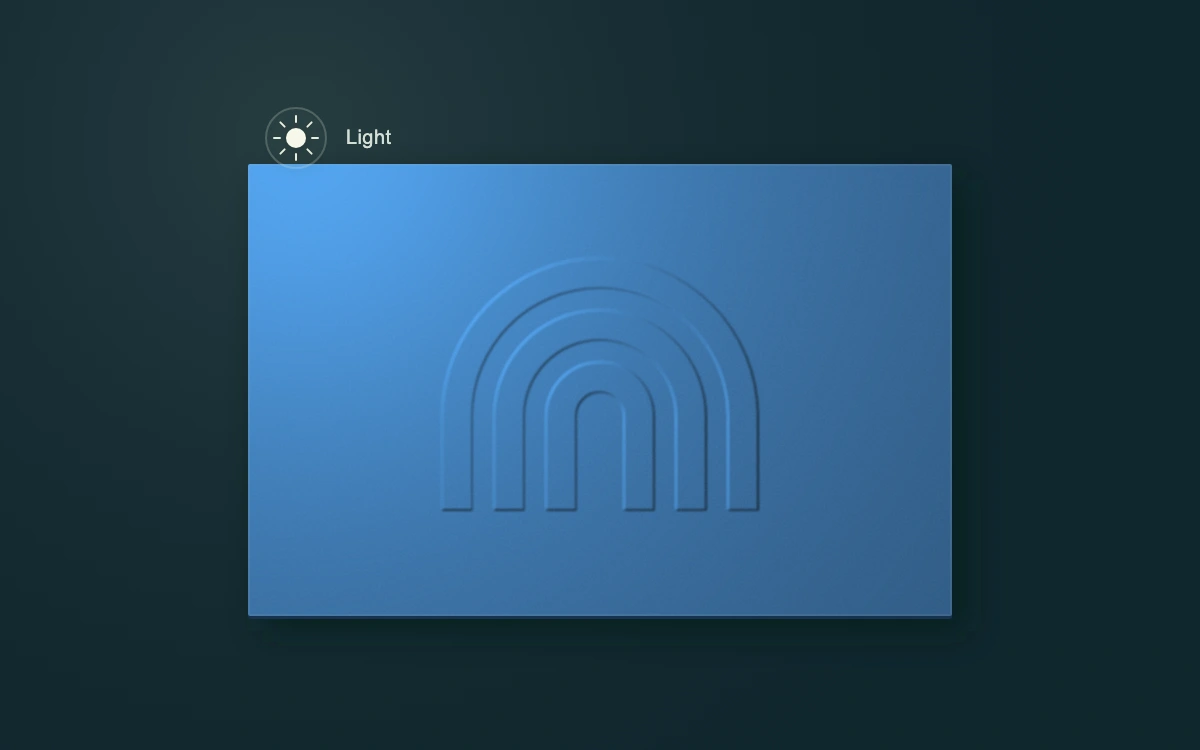
Drag the light or move it with arrow keys
Subframe Original · MIT
Add to your project
Component source
Standalone React component. Styles are included.
React only. No additional packages.
Render the default export inside a container with a defined height. Its optional active prop stops movement when false. This example works with React 19; Next.js projects can use it as a client component.
View source code
/**
 * MIT License
 *
 * Copyright (c) 2026 Subframe
 *
 * Permission is hereby granted, free of charge, to any person obtaining a copy
 * of this software and associated documentation files (the "Software"), to deal
 * in the Software without restriction, including without limitation the rights
 * to use, copy, modify, merge, publish, distribute, sublicense, and/or sell
 * copies of the Software, and to permit persons to whom the Software is
 * furnished to do so, subject to the following conditions:
 *
 * The above copyright notice and this permission notice shall be included in all
 * copies or substantial portions of the Software.
 *
 * THE SOFTWARE IS PROVIDED "AS IS", WITHOUT WARRANTY OF ANY KIND, EXPRESS OR
 * IMPLIED, INCLUDING BUT NOT LIMITED TO THE WARRANTIES OF MERCHANTABILITY,
 * FITNESS FOR A PARTICULAR PURPOSE AND NONINFRINGEMENT. IN NO EVENT SHALL THE
 * AUTHORS OR COPYRIGHT HOLDERS BE LIABLE FOR ANY CLAIM, DAMAGES OR OTHER
 * LIABILITY, WHETHER IN AN ACTION OF CONTRACT, TORT OR OTHERWISE, ARISING FROM,
 * OUT OF OR IN CONNECTION WITH THE SOFTWARE OR THE USE OR OTHER DEALINGS IN THE
 * SOFTWARE.
 */

"use client"

import { useEffect, useId, useRef, useState } from "react"

type Point = { x: number; y: number }
const INITIAL: Point = { x: 148, y: 69 }
const clamp = (v: number, min: number, max: number) => Math.max(min, Math.min(max, v))

export default function LightPosition({ active = true }: { active?: boolean }) {
  const [light, setLight] = useState<Point>(INITIAL)
  const [dragging, setDragging] = useState(false)
  const stage = useRef<HTMLDivElement>(null)
  const handle = useRef<HTMLButtonElement>(null)
  const drag = useRef<{ id: number; start: Point; offset: Point } | null>(null)
  const id = useId().replace(/:/g, "")
  const finish = (cancel = false) => {
    const current = drag.current
    drag.current = null
    setDragging(false)
    if (!current) return
    if (cancel) setLight(current.start)
    if (handle.current?.hasPointerCapture(current.id)) handle.current.releasePointerCapture(current.id)
  }
  useEffect(() => {
    if (!active) finish(true)
  }, [active])
  const update = (next: Point) => setLight({ x: clamp(next.x, 44, 556), y: clamp(next.y, 44, 331) })
  const point = (clientX: number, clientY: number) => {
    const bounds = stage.current!.getBoundingClientRect()
    return { x: ((clientX - bounds.left) / bounds.width) * 600, y: ((clientY - bounds.top) / bounds.height) * 375 }
  }
  const shadow = { x: (300 - light.x) * 0.047, y: (188 - light.y) * 0.047 }
  return (
    <div className="sf-raking" data-active={active} data-dragging={dragging} ref={stage}>
      <style>{`
.sf-raking{width:100%;height:100%;min-height:300px;position:relative;overflow:hidden;background:#10272e;isolation:isolate;color:#f1f0e6;font-family:Arial,sans-serif}.sf-raking *{box-sizing:border-box}.sf-raking-scene{position:absolute;inset:0;width:100%;height:100%;pointer-events:none}.sf-raking-handle{position:absolute;left:0;top:0;width:74px;height:74px;margin:-37px 0 0 -37px;padding:0;border:0;border-radius:50%;background:transparent;cursor:grab;touch-action:none;display:grid;place-items:center;outline:none;-webkit-tap-highlight-color:transparent}.sf-raking-handle:focus-visible{outline:2px solid #e0ecbb;outline-offset:3px}.sf-raking-handle:disabled{cursor:default}.sf-raking[data-dragging=true] .sf-raking-handle{cursor:grabbing}.sf-raking-handle svg{width:38px;height:38px;overflow:visible;filter:drop-shadow(0 1px 2px #0d171955)}.sf-raking-label{position:absolute;top:50%;left:62px;transform:translateY(-50%);font-size:10px;font-weight:500;letter-spacing:.02em;line-height:16px;color:#d4dfd6;pointer-events:none}.sf-raking-help{position:absolute;width:1px;height:1px;overflow:hidden;clip-path:inset(50%);white-space:nowrap}
      `}</style>
      <svg className="sf-raking-scene" viewBox="0 0 600 375" aria-hidden="true">
        <defs>
          <radialGradient id={`${id}-pool`} gradientUnits="userSpaceOnUse" cx={light.x} cy={light.y} r="410">
            <stop stopColor="#a8bbad" stopOpacity=".15" />
            <stop offset="1" stopColor="#111b22" stopOpacity="0" />
          </radialGradient>
          <filter
            id={`${id}-relief`}
            x="124"
            y="82"
            width="352"
            height="226"
            filterUnits="userSpaceOnUse"
            colorInterpolationFilters="sRGB"
          >
            <feGaussianBlur in="SourceAlpha" stdDeviation=".5" result="height" />
            <feDiffuseLighting
              in="height"
              surfaceScale=".4"
              diffuseConstant="1.35"
              lightingColor="#397bb8"
              result="lit"
            >
              <fePointLight x={light.x} y={light.y} z="150" />
            </feDiffuseLighting>
            <feComponentTransfer>
              <feFuncR type="linear" slope=".66" intercept=".12" />
              <feFuncG type="linear" slope=".66" intercept=".21" />
              <feFuncB type="linear" slope=".66" intercept=".3" />
            </feComponentTransfer>
          </filter>
          <filter id={`${id}-grain`} x="0" y="0" width="100%" height="100%">
            <feTurbulence type="fractalNoise" baseFrequency=".95" numOctaves="3" seed="17" stitchTiles="stitch" />
            <feColorMatrix type="saturate" values="0" />
            <feComponentTransfer>
              <feFuncA type="linear" slope=".24" />
            </feComponentTransfer>
          </filter>
          <filter id={`${id}-shadow`} x="-30%" y="-30%" width="160%" height="160%">
            <feGaussianBlur stdDeviation="8" />
          </filter>
          <clipPath id={`${id}-paper`}>
            <rect x="124" y="82" width="352" height="226" rx="1" />
          </clipPath>
        </defs>
        <rect width="600" height="375" fill={`url(#${id}-pool)`} />
        <rect
          x={124 + shadow.x}
          y={84 + shadow.y}
          width="352"
          height="226"
          rx="1"
          fill="#061a17"
          opacity=".58"
          filter={`url(#${id}-shadow)`}
        />
        <rect x="124" y="83.5" width="352" height="226" rx="1" fill="#17334f" />
        <g clipPath={`url(#${id}-paper)`}>
          <rect x="124" y="82" width="352" height="226" fill="#275381" />
          <g filter={`url(#${id}-relief)`} fill="white">
            <path transform="translate(0 28)" d="M221 227v-47a79 79 0 0 1 158 0v47h-15v-47a64 64 0 0 0-128 0v47z" />
            <path transform="translate(0 28)" d="M247 227v-47a53 53 0 0 1 106 0v47h-15v-47a38 38 0 0 0-76 0v47z" />
            <path transform="translate(0 28)" d="M273 227v-47a27 27 0 0 1 54 0v47h-15v-47a12 12 0 0 0-24 0v47z" />
          </g>
          <rect
            x="124"
            y="82"
            width="352"
            height="226"
            filter={`url(#${id}-grain)`}
            opacity=".8"
            style={{ mixBlendMode: "soft-light" }}
          />
          <rect x="124.5" y="82.5" width="351" height="225" fill="none" stroke="#acc1aa" strokeOpacity=".11" />
        </g>
      </svg>
      <button
        ref={handle}
        type="button"
        className="sf-raking-handle"
        disabled={!active}
        style={{ left: `${light.x / 6}%`, top: `${light.y / 3.75}%` }}
        aria-label={`Light position, horizontal ${Math.round(light.x / 6)} percent, vertical ${Math.round(
          light.y / 3.75,
        )} percent`}
        aria-describedby={`${id}-help`}
        aria-keyshortcuts="ArrowUp ArrowDown ArrowLeft ArrowRight Home Escape"
        onBlur={() => {
          if (drag.current) finish(true)
        }}
        onPointerDown={(event) => {
          if (event.button !== 0 || drag.current) return
          const at = point(event.clientX, event.clientY)
          drag.current = { id: event.pointerId, start: light, offset: { x: at.x - light.x, y: at.y - light.y } }
          event.currentTarget.setPointerCapture(event.pointerId)
          setDragging(true)
        }}
        onPointerMove={(event) => {
          if (drag.current?.id !== event.pointerId) return
          const at = point(event.clientX, event.clientY)
          update({ x: at.x - drag.current.offset.x, y: at.y - drag.current.offset.y })
        }}
        onPointerUp={(event) => {
          if (drag.current?.id === event.pointerId) finish()
        }}
        onPointerCancel={(event) => {
          if (drag.current?.id === event.pointerId) finish(true)
        }}
        onLostPointerCapture={() => {
          if (drag.current) finish(true)
        }}
        onKeyDown={(event) => {
          if (event.key === "Escape") {
            if (drag.current) {
              event.preventDefault()
              finish(true)
            }
            return
          }
          if (event.key === "Home") {
            event.preventDefault()
            finish()
            setLight(INITIAL)
            return
          }
          if (!["ArrowLeft", "ArrowRight", "ArrowUp", "ArrowDown"].includes(event.key)) return
          event.preventDefault()
          const step = event.shiftKey ? 24 : 8
          update({
            x: light.x + (event.key === "ArrowLeft" ? -step : event.key === "ArrowRight" ? step : 0),
            y: light.y + (event.key === "ArrowUp" ? -step : event.key === "ArrowDown" ? step : 0),
          })
        }}
      >
        <svg viewBox="0 0 38 38" aria-hidden="true">
          <circle cx="19" cy="19" r="15" fill="#f3f5e8" fillOpacity=".025" stroke="#e1e9d2" strokeOpacity=".23" />
          <circle cx="19" cy="19" r="5" fill="#f7f8e9" />
          <path
            d="M19 8v3m0 16v3M8 19h3m16 0h3M11.2 11.2l2.1 2.1m11.4 11.4 2.1 2.1m0-15.6-2.1 2.1M13.3 24.7l-2.1 2.1"
            stroke="#e8edda"
            strokeWidth="1"
            strokeLinecap="round"
          />
        </svg>
        <span
          className="sf-raking-label"
          style={light.x > 500 ? { left: -10, transform: "translate(-100%, -50%)" } : undefined}
        >
          Light
        </span>
      </button>
      <span id={`${id}-help`} className="sf-raking-help">
        Drag the light to inspect the embossed paper. Arrow keys move the light; Shift moves farther. Home resets.
        Escape cancels a drag.
      </span>
    </div>
  )
}
Where it works well
Interactive material proofs, print finishing previews, and direct two-dimensional light controls.
Reduced motion
Light, relief shading, and cast shadow follow input immediately; no idle animation or transition.
Things to know
SVG point-light diffuse shading over an authored height mask with an approximate projected card shadow. No arbitrary 3D scene, uploaded material, or physically based renderer.