
Components & interactionsDrag-to-select rectangle
Marquee selection
A bounded selection rectangle gathers nearby objects with immediate feedback.
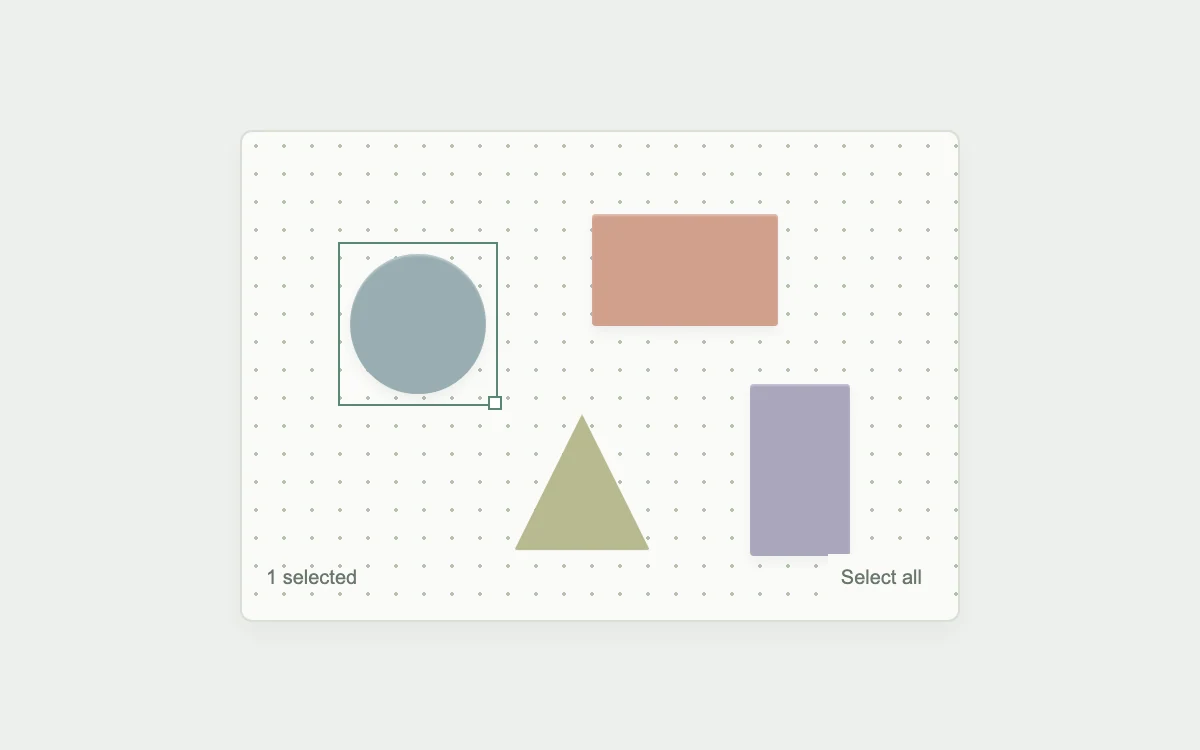
Drag empty space; Shift adds to the selection
Subframe Original · MIT
Add to your project
Component source
Standalone React component. Styles are included.
React only. No additional packages.
Render the default export inside a container with a defined height. Its optional active prop stops movement when false. This example works with React 19; Next.js projects can use it as a client component.
View source code
/**
 * MIT License
 *
 * Copyright (c) 2026 Subframe
 *
 * Permission is hereby granted, free of charge, to any person obtaining a copy
 * of this software and associated documentation files (the "Software"), to deal
 * in the Software without restriction, including without limitation the rights
 * to use, copy, modify, merge, publish, distribute, sublicense, and/or sell
 * copies of the Software, and to permit persons to whom the Software is
 * furnished to do so, subject to the following conditions:
 *
 * The above copyright notice and this permission notice shall be included in all
 * copies or substantial portions of the Software.
 *
 * THE SOFTWARE IS PROVIDED "AS IS", WITHOUT WARRANTY OF ANY KIND, EXPRESS OR
 * IMPLIED, INCLUDING BUT NOT LIMITED TO THE WARRANTIES OF MERCHANTABILITY,
 * FITNESS FOR A PARTICULAR PURPOSE AND NONINFRINGEMENT. IN NO EVENT SHALL THE
 * AUTHORS OR COPYRIGHT HOLDERS BE LIABLE FOR ANY CLAIM, DAMAGES OR OTHER
 * LIABILITY, WHETHER IN AN ACTION OF CONTRACT, TORT OR OTHERWISE, ARISING FROM,
 * OUT OF OR IN CONNECTION WITH THE SOFTWARE OR THE USE OR OTHER DEALINGS IN THE
 * SOFTWARE.
 */

"use client"

import { useRef, useState } from "react"
const objects = [
  { x: 15, y: 25, w: 19, h: 29, color: "#98adb1", shape: "circle" },
  { x: 49, y: 17, w: 26, h: 23, color: "#d1a08d", shape: "rect" },
  { x: 38, y: 58, w: 19, h: 28, color: "#b8b990", shape: "triangle" },
  { x: 71, y: 52, w: 14, h: 35, color: "#a9a6bd", shape: "rect" },
]
export default function LassoSelection({ active = true }: { active?: boolean }) {
  const [selected, setSelected] = useState<number[]>([0]),
    [box, setBox] = useState<{ x: number; y: number; w: number; h: number } | null>(null)
  const stage = useRef<HTMLDivElement>(null),
    drag = useRef<{ x: number; y: number; initial: number[]; previous: number[] } | null>(null)
  return (
    <div className="sf-lassoselect" data-active={active}>
      <style>{`
.sf-lassoselect{height:100%;min-height:300px;display:grid;place-items:center;background:#eef0ed;font:11px Arial;color:#6a776c}.sf-lassoselect *{box-sizing:border-box}.sf-lassoselect-board{width:min(360px,91%);height:246px;position:relative;background:#fafbf8;background-image:radial-gradient(#b3c0ae 1px,transparent 1px);background-size:14px 14px;border:1px solid #d9dfd5;border-radius:6px;box-shadow:0 6px 16px #2433200b;touch-action:none;cursor:crosshair}.sf-lassoselect-object{position:absolute;border:0;background:none;padding:0;cursor:pointer;touch-action:none}.sf-lassoselect-object i{display:block;width:100%;height:100%;box-shadow:inset 0 1px 1px #fff5,0 3px 5px #43594312;transition:transform 150ms ease}.sf-lassoselect-object[aria-pressed=true]{outline:1px solid #598775;outline-offset:5px}.sf-lassoselect-object[aria-pressed=true]:after{content:"";position:absolute;right:-8px;bottom:-8px;width:5px;height:5px;background:#fff;border:1px solid #598775}.sf-lassoselect-object:focus-visible{outline:2px solid #347354;outline-offset:5px}.sf-lassoselect-marquee{position:absolute;border:1px solid #5e927a;background:#6caa8622;pointer-events:none}.sf-lassoselect-toolbar{position:absolute;bottom:10px;left:12px;right:12px;display:flex;justify-content:space-between;align-items:center;font:10px Arial;pointer-events:none}.sf-lassoselect-toolbar button{pointer-events:auto;border:0;background:#fafbf8;font:10px Arial;color:#6a776c;padding:6px;cursor:pointer}.sf-lassoselect[data-active=false] *{transition:none}@media(prefers-reduced-motion:reduce){.sf-lassoselect *{transition:none}}
`}</style>
      <div
        className="sf-lassoselect-board"
        ref={stage}
        aria-label="Object selection canvas"
        onPointerDown={(e) => {
          if (e.target !== e.currentTarget) return
          const r = e.currentTarget.getBoundingClientRect()
          const p = {
            x: ((e.clientX - r.left) / r.width) * 100,
            y: ((e.clientY - r.top) / r.height) * 100,
            initial: e.shiftKey ? selected : [],
            previous: selected,
          }
          drag.current = p
          setSelected(p.initial)
          setBox({ x: p.x, y: p.y, w: 0, h: 0 })
          e.currentTarget.setPointerCapture(e.pointerId)
        }}
        onPointerMove={(e) => {
          if (!drag.current) return
          const r = e.currentTarget.getBoundingClientRect(),
            p = drag.current,
            x = Math.max(0, Math.min(100, ((e.clientX - r.left) / r.width) * 100)),
            y = Math.max(0, Math.min(100, ((e.clientY - r.top) / r.height) * 100))
          const b = { x: Math.min(x, p.x), y: Math.min(y, p.y), w: Math.abs(x - p.x), h: Math.abs(y - p.y) }
          setBox(b)
          setSelected([
            ...new Set([
              ...p.initial,
              ...objects.flatMap((o, i) =>
                o.x < b.x + b.w && o.x + o.w > b.x && o.y < b.y + b.h && o.y + o.h > b.y ? [i] : [],
              ),
            ]),
          ])
        }}
        onPointerUp={() => {
          drag.current = null
          setBox(null)
        }}
        onPointerCancel={() => {
          if (drag.current) setSelected(drag.current.previous)
          drag.current = null
          setBox(null)
        }}
        onLostPointerCapture={() => {
          drag.current = null
          setBox(null)
        }}
      >
        {objects.map((o, i) => (
          <button
            type="button"
            className="sf-lassoselect-object"
            key={i}
            style={{ left: `${o.x}%`, top: `${o.y}%`, width: `${o.w}%`, height: `${o.h}%` }}
            aria-label={`Select ${o.shape} ${i + 1}`}
            aria-pressed={selected.includes(i)}
            onClick={() => setSelected((s) => (s.includes(i) ? s.filter((v) => v !== i) : [...s, i]))}
          >
            <i
              style={{
                background: o.color,
                borderRadius: o.shape === "circle" ? "50%" : 2,
                clipPath: o.shape === "triangle" ? "polygon(50% 0,100% 100%,0 100%)" : undefined,
              }}
            />
          </button>
        ))}
        {box && (
          <div
            className="sf-lassoselect-marquee"
            style={{ left: `${box.x}%`, top: `${box.y}%`, width: `${box.w}%`, height: `${box.h}%` }}
          />
        )}
        <div className="sf-lassoselect-toolbar">
          <output aria-live="polite">{selected.length} selected</output>
          <button type="button" onClick={() => setSelected(selected.length === 4 ? [] : [0, 1, 2, 3])}>
            {selected.length === 4 ? "Deselect all" : "Select all"}
          </button>
        </div>
      </div>
    </div>
  )
}
Where it works well
Selecting groups on a design surface or timeline.
Reduced motion
Selection follows input directly; no decorative travel.
Things to know
Axis-aligned intersection selection over four fixed shapes, not a freehand polygon lasso or editable canvas.