
Folded color proof
Three movable color stops paint a sharply folded paper proof, making color placement and material shading visible together.
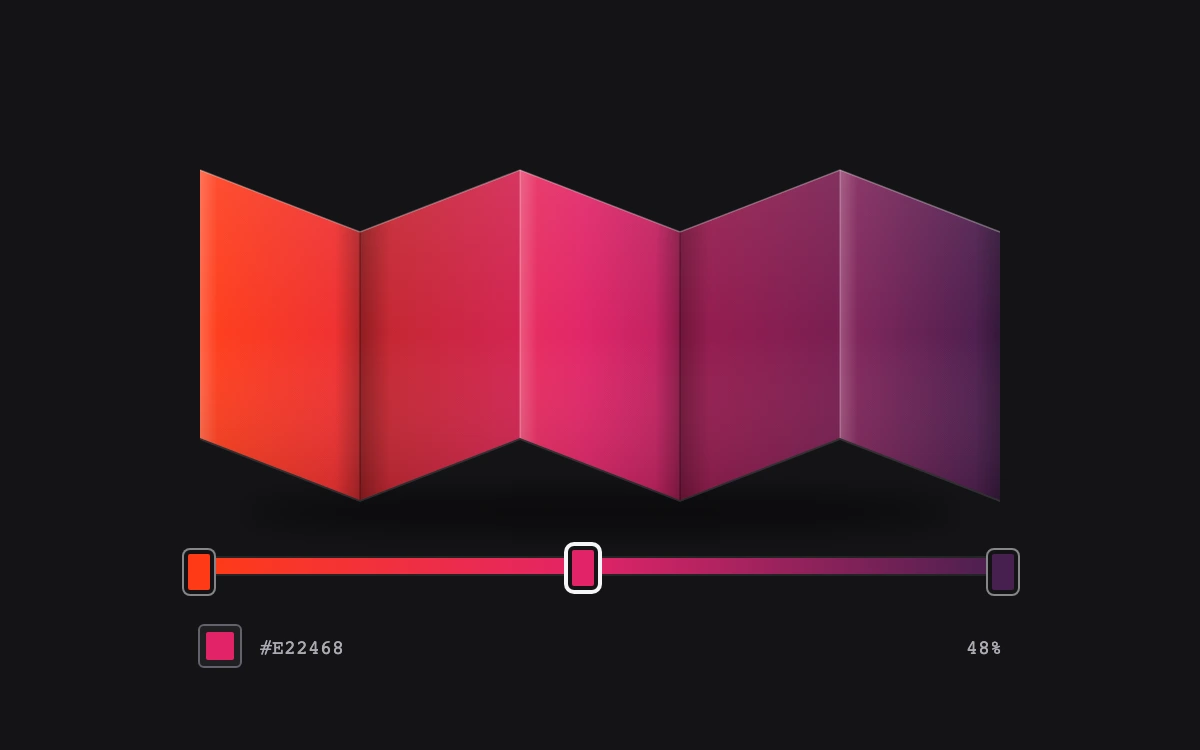
Drag a color stop or use its arrow keys, then edit the selected color
Subframe Original · MIT
Add to your project
Component source
Standalone React component. Styles are included.
React only. No additional packages.
Render the default export inside a container with a defined height. Its optional active prop stops movement when false. This example works with React 19; Next.js projects can use it as a client component.
View source code
/**
 * MIT License
 *
 * Copyright (c) 2026 Subframe
 *
 * Permission is hereby granted, free of charge, to any person obtaining a copy
 * of this software and associated documentation files (the "Software"), to deal
 * in the Software without restriction, including without limitation the rights
 * to use, copy, modify, merge, publish, distribute, sublicense, and/or sell
 * copies of the Software, and to permit persons to whom the Software is
 * furnished to do so, subject to the following conditions:
 *
 * The above copyright notice and this permission notice shall be included in all
 * copies or substantial portions of the Software.
 *
 * THE SOFTWARE IS PROVIDED "AS IS", WITHOUT WARRANTY OF ANY KIND, EXPRESS OR
 * IMPLIED, INCLUDING BUT NOT LIMITED TO THE WARRANTIES OF MERCHANTABILITY,
 * FITNESS FOR A PARTICULAR PURPOSE AND NONINFRINGEMENT. IN NO EVENT SHALL THE
 * AUTHORS OR COPYRIGHT HOLDERS BE LIABLE FOR ANY CLAIM, DAMAGES OR OTHER
 * LIABILITY, WHETHER IN AN ACTION OF CONTRACT, TORT OR OTHERWISE, ARISING FROM,
 * OUT OF OR IN CONNECTION WITH THE SOFTWARE OR THE USE OR OTHER DEALINGS IN THE
 * SOFTWARE.
 */

"use client"

import { useId, useRef, useState } from "react"

const initial = [
  { id: "vermilion", color: "#ff3b16", at: 0 },
  { id: "carmine", color: "#e22468", at: 48 },
  { id: "aubergine", color: "#48204f", at: 100 },
]
const folds = [
  "M34 43 114 74 114 208 34 177Z",
  "M114 74 194 43 194 177 114 208Z",
  "M194 43 274 74 274 208 194 177Z",
  "M274 74 354 43 354 177 274 208Z",
  "M354 43 434 74 434 208 354 177Z",
]
export default function GradientStopEditor({ active = true }: { active?: boolean }) {
  const id = useId().replace(/:/g, "")
  const [stops, setStops] = useState(initial)
  const [selected, setSelected] = useState(1)
  const track = useRef<HTMLDivElement>(null)
  const drag = useRef<{ pointerId: number; index: number; x: number; at: number; width: number } | null>(null)
  const change = (index: number, at: number) =>
    setStops((s) => s.map((v, i) => (i === index ? { ...v, at: Math.max(0, Math.min(100, at)) } : v)))
  const sorted = [...stops].sort((a, b) => a.at - b.at)
  const gradient = `linear-gradient(90deg,${sorted.map((s) => `${s.color} ${s.at}%`).join(",")})`
  return (
    <div className="sf-ge2" data-active={active}>
      <style>{`
.sf-ge2{height:100%;min-height:300px;display:grid;place-items:center;background:#141417;color:#f1f1f2;font:11px Arial,sans-serif}.sf-ge2 *{box-sizing:border-box}.sf-ge2-panel{width:min(470px,90%)}.sf-ge2-art{width:100%;height:237px;display:block;overflow:visible}.sf-ge2-controls{padding:0 34px}.sf-ge2-track{height:8px;position:relative;border-radius:1px;margin:0 0 25px;touch-action:none;box-shadow:0 0 0 1px #ffffff12}.sf-ge2-stop{position:absolute;top:-14px;width:36px;height:43px;transform:translateX(-50%);border:0;background:none;display:grid;place-items:center;padding:0;cursor:ew-resize;touch-action:none}.sf-ge2-stop i{height:22px;width:15px;display:block;border-radius:3px;border:2px solid #141417;box-shadow:0 0 0 1px #86858a;transition:transform 120ms cubic-bezier(.2,.8,.2,1)}.sf-ge2-stop[data-selected=true] i{box-shadow:0 0 0 2px #f6f5f7;transform:translateY(-2px)}.sf-ge2-row{display:flex;align-items:center;justify-content:space-between;color:#ada9b2;font:10px ui-monospace,monospace}.sf-ge2-color{display:flex;align-items:center;gap:9px}.sf-ge2-color input{width:22px;height:22px;border:1px solid #64616b;border-radius:3px;padding:3px;background:#202023;cursor:pointer}.sf-ge2-color input::-webkit-color-swatch-wrapper{padding:0}.sf-ge2-color input::-webkit-color-swatch{border:0;border-radius:1px}.sf-ge2-stop:focus-visible{outline:2px solid white;outline-offset:0;border-radius:4px}.sf-ge2-color input:focus-visible{outline:2px solid white;outline-offset:3px}.sf-ge2[data-active=false] *{transition:none}@media(prefers-reduced-motion:reduce){.sf-ge2 *{transition:none}}
`}</style>
      <div className="sf-ge2-panel">
        <svg className="sf-ge2-art" viewBox="0 0 468 237" role="img" aria-label="Folded paper color proof">
          <defs>
            <linearGradient id={`${id}-color`} x1="34" x2="434" y1="0" y2="0" gradientUnits="userSpaceOnUse">
              {sorted.map((s) => (
                <stop key={s.id} offset={`${s.at}%`} stopColor={s.color} />
              ))}
            </linearGradient>
            <linearGradient id={`${id}-face`} x1="0" x2="1">
              <stop offset="0" stopColor="white" stopOpacity=".22" />
              <stop offset=".11" stopColor="white" stopOpacity=".025" />
              <stop offset=".84" stopColor="black" stopOpacity=".02" />
              <stop offset="1" stopColor="black" stopOpacity=".28" />
            </linearGradient>
            <linearGradient id={`${id}-back`} x1="0" x2="1">
              <stop offset="0" stopColor="black" stopOpacity=".42" />
              <stop offset=".19" stopColor="black" stopOpacity=".18" />
              <stop offset="1" stopColor="black" stopOpacity=".09" />
            </linearGradient>
            <linearGradient id={`${id}-falloff`} x1="0" y1="0" x2="0" y2="1">
              <stop offset="0" stopColor="white" stopOpacity=".08" />
              <stop offset=".5" stopColor="white" stopOpacity="0" />
              <stop offset="1" stopColor="black" stopOpacity=".14" />
            </linearGradient>
            <filter id={`${id}-shadow`} x="-20%" y="-100%" width="140%" height="300%">
              <feGaussianBlur stdDeviation="8" />
            </filter>
          </defs>
          <ellipse cx="234" cy="214" rx="181" ry="8" fill="#000" opacity=".6" filter={`url(#${id}-shadow)`} />
          {folds.map((d, i) => (
            <g key={d}>
              <path d={d} fill={`url(#${id}-color)`} />
              <path d={d} fill={`url(#${id}-${i % 2 === 0 ? "face" : "back"})`} />
              <path d={d} fill={`url(#${id}-falloff)`} />
            </g>
          ))}
          <path
            d="m34 43 80 31 80-31 80 31 80-31 80 31"
            fill="none"
            stroke="#fff"
            strokeOpacity=".32"
            strokeWidth=".7"
          />
          {[114, 274].map((x) => (
            <path key={x} d={`M${x} 74v134`} stroke="#000" strokeOpacity=".36" strokeWidth=".6" />
          ))}
          {[194, 354].map((x) => (
            <path key={x} d={`M${x} 43v134`} stroke="#fff" strokeOpacity=".24" strokeWidth=".7" />
          ))}
          <path d="M34 177v1l80 31 80-31 80 31 80-31 80 31v-1l-80-31-80 31-80-31-80 31Z" fill="#ffffff" opacity=".12" />
        </svg>
        <div className="sf-ge2-controls">
          <div className="sf-ge2-track" ref={track} style={{ background: gradient }}>
            {stops.map((s, i) => (
              <button
                type="button"
                key={s.id}
                role="slider"
                className="sf-ge2-stop"
                style={{ left: `${s.at}%`, zIndex: selected === i ? 2 : 1 }}
                aria-label={`Color stop ${i + 1}`}
                aria-valuemin={0}
                aria-valuemax={100}
                aria-valuenow={Math.round(s.at)}
                aria-valuetext={`${s.color}, ${Math.round(s.at)} percent`}
                data-selected={selected === i}
                onFocus={() => {
                  if (!drag.current || drag.current.index === i) setSelected(i)
                }}
                onPointerDown={(e) => {
                  if (e.button !== 0 || drag.current) return
                  setSelected(i)
                  drag.current = {
                    pointerId: e.pointerId,
                    index: i,
                    x: e.clientX,
                    at: s.at,
                    width: track.current!.getBoundingClientRect().width,
                  }
                  e.currentTarget.setPointerCapture(e.pointerId)
                }}
                onPointerMove={(e) => {
                  const d = drag.current
                  if (d?.index === i && d.pointerId === e.pointerId)
                    change(i, d.at + ((e.clientX - d.x) / d.width) * 100)
                }}
                onPointerUp={(e) => {
                  if (drag.current?.pointerId !== e.pointerId) return
                  drag.current = null
                }}
                onPointerCancel={(e) => {
                  if (drag.current?.pointerId !== e.pointerId) return
                  drag.current = null
                }}
                onLostPointerCapture={(e) => {
                  if (drag.current?.pointerId !== e.pointerId) return
                  drag.current = null
                }}
                onKeyDown={(e) => {
                  if (!["ArrowLeft", "ArrowRight", "Home", "End"].includes(e.key)) return
                  e.preventDefault()
                  change(
                    i,
                    e.key === "Home"
                      ? 0
                      : e.key === "End"
                      ? 100
                      : s.at + (e.key === "ArrowRight" ? 1 : -1) * (e.shiftKey ? 10 : 1),
                  )
                }}
              >
                <i style={{ background: s.color }} />
              </button>
            ))}
          </div>
          <div className="sf-ge2-row">
            <label className="sf-ge2-color">
              <input
                type="color"
                aria-label="Selected stop color"
                value={stops[selected].color}
                onChange={(e) => {
                  const color = e.target.value
                  setStops((s) => s.map((v, i) => (i === selected ? { ...v, color } : v)))
                }}
              />
              {stops[selected].color.toUpperCase()}
            </label>
            <output>{Math.round(stops[selected].at)}%</output>
          </div>
        </div>
      </div>
    </div>
  )
}
Where it works well
Art directing a gradient against dimensional artwork rather than judging it only in a flat swatch.
Reduced motion
Color and position edits are immediate; reduced motion removes the small selection lift transition.
Things to know
Three fixed editable stops, original SVG folded-paper geometry, and authored face lighting. No add/remove, CSS parser, color-space conversion, or physically based renderer. Coincident stops remain independently reachable with Tab.