
Exposure wheel
A knurled exposure ring changes the brightness of an architectural photograph in precise one-third-stop increments.
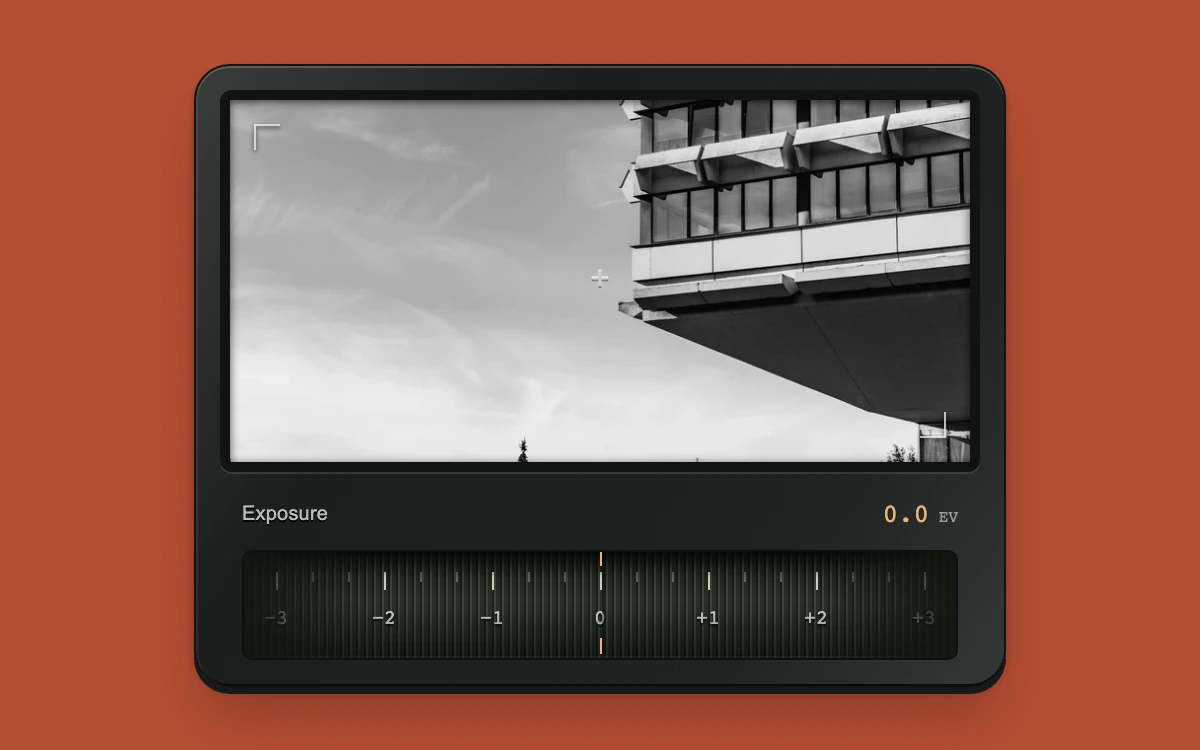
Drag the wheel or adjust exposure with arrow keys.
Subframe Original · MIT
Add to your project
Component source
Standalone React component. Styles are included.
React only. No additional packages.
Download images (1)
Save these files in your static assets folder at /motion/assets/, or update their paths in the component.
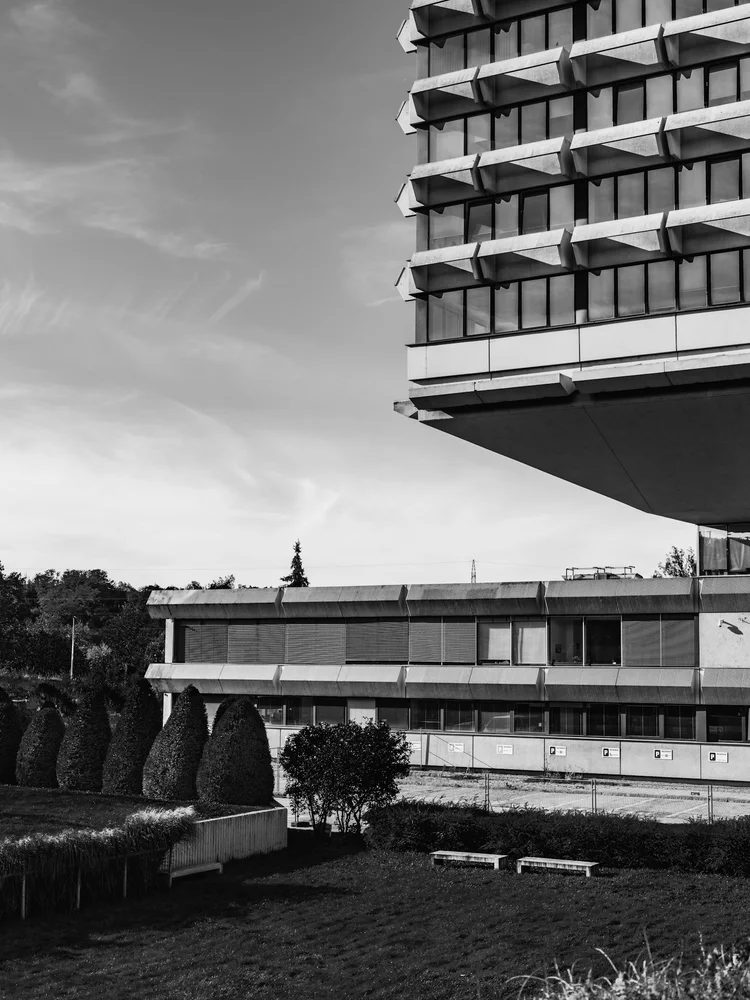
Render the default export inside a container with a defined height. Its optional active prop stops movement when false. This example works with React 19; Next.js projects can use it as a client component.
View source code
/**
 * MIT License
 *
 * Copyright (c) 2026 Subframe
 *
 * Permission is hereby granted, free of charge, to any person obtaining a copy
 * of this software and associated documentation files (the "Software"), to deal
 * in the Software without restriction, including without limitation the rights
 * to use, copy, modify, merge, publish, distribute, sublicense, and/or sell
 * copies of the Software, and to permit persons to whom the Software is
 * furnished to do so, subject to the following conditions:
 *
 * The above copyright notice and this permission notice shall be included in all
 * copies or substantial portions of the Software.
 *
 * THE SOFTWARE IS PROVIDED "AS IS", WITHOUT WARRANTY OF ANY KIND, EXPRESS OR
 * IMPLIED, INCLUDING BUT NOT LIMITED TO THE WARRANTIES OF MERCHANTABILITY,
 * FITNESS FOR A PARTICULAR PURPOSE AND NONINFRINGEMENT. IN NO EVENT SHALL THE
 * AUTHORS OR COPYRIGHT HOLDERS BE LIABLE FOR ANY CLAIM, DAMAGES OR OTHER
 * LIABILITY, WHETHER IN AN ACTION OF CONTRACT, TORT OR OTHERWISE, ARISING FROM,
 * OUT OF OR IN CONNECTION WITH THE SOFTWARE OR THE USE OR OTHER DEALINGS IN THE
 * SOFTWARE.
 */

"use client"

import { useRef, useState } from "react"

const limit = (value: number) => Math.max(-3, Math.min(3, Math.round(value * 3) / 3))
export default function CameraWheel({ active = true }: { active?: boolean }) {
  const [ev, setEv] = useState(0)
  const drag = useRef<{ x: number; value: number; pointer: number } | null>(null)
  const [dragging, setDragging] = useState(false)
  const release = (event: React.PointerEvent<HTMLDivElement>) => {
    if (drag.current?.pointer !== event.pointerId) return
    drag.current = null
    setDragging(false)
  }
  return (
    <div className="sf-exposure" data-active={active} data-dragging={dragging}>
      <div className="sf-exposure-camera">
        <div className="sf-exposure-scene">
          <img
            src="/motion/assets/concrete-projections.webp"
            width="750"
            height="1000"
            alt="Monochrome cantilevered concrete building"
            draggable={false}
            style={{ filter: `brightness(${2 ** ev})` }}
          />
          <span className="sf-exposure-corner sf-exposure-corner-a" aria-hidden="true" />
          <span className="sf-exposure-corner sf-exposure-corner-b" aria-hidden="true" />
          <span className="sf-exposure-plus" aria-hidden="true">
            +
          </span>
        </div>
        <div className="sf-exposure-panel">
          <div className="sf-exposure-heading">
            <span>Exposure</span>
            <output aria-live="off">
              {ev > 0 ? "+" : ev < 0 ? "−" : ""}
              {Math.abs(ev).toFixed(1)}
              <small> EV</small>
            </output>
          </div>
          <div
            className="sf-exposure-wheel"
            role="slider"
            tabIndex={0}
            aria-label="Exposure compensation"
            aria-valuemin={-3}
            aria-valuemax={3}
            aria-valuenow={Number(ev.toFixed(2))}
            aria-valuetext={`${ev.toFixed(2)} exposure stops`}
            onPointerDown={(e) => {
              if (e.button !== 0 || drag.current) return
              e.preventDefault()
              e.currentTarget.focus()
              drag.current = { x: e.clientX, value: ev, pointer: e.pointerId }
              setDragging(true)
              e.currentTarget.setPointerCapture(e.pointerId)
            }}
            onPointerMove={(e) => {
              if (!drag.current || drag.current.pointer !== e.pointerId) return
              const scale = e.currentTarget.offsetWidth / e.currentTarget.getBoundingClientRect().width
              setEv(limit(drag.current.value - ((e.clientX - drag.current.x) * scale) / 54))
            }}
            onPointerUp={release}
            onPointerCancel={release}
            onLostPointerCapture={release}
            onKeyDown={(e) => {
              if (["ArrowLeft", "ArrowRight", "ArrowDown", "ArrowUp", "Home", "End"].includes(e.key)) {
                e.preventDefault()
                setEv((v) =>
                  e.key === "Home"
                    ? -3
                    : e.key === "End"
                    ? 3
                    : limit(v + (["ArrowRight", "ArrowUp"].includes(e.key) ? 1 / 3 : -1 / 3)),
                )
              }
            }}
          >
            <div className="sf-exposure-knurl" aria-hidden="true" style={{ backgroundPositionX: `${-ev * 54}px` }} />
            <div className="sf-exposure-ticks" aria-hidden="true" style={{ transform: `translateX(${-ev * 54}px)` }}>
              {Array.from({ length: 31 }, (_, i) => {
                const v = (i - 15) / 3
                return (
                  <span key={i} style={{ left: `calc(50% + ${v * 54}px)` }} data-major={i % 3 === 0}>
                    {i % 3 === 0 ? (
                      <b>
                        {v > 0 ? "+" : v < 0 ? "−" : ""}
                        {Math.abs(v)}
                      </b>
                    ) : null}
                  </span>
                )
              })}
            </div>
            <span className="sf-exposure-index" aria-hidden="true" />
          </div>
        </div>
      </div>
      <style>{`
.sf-exposure{width:100%;height:100%;background:#b64e35;display:grid;place-items:center;font-family:Arial,sans-serif;overflow:hidden;color:#e9e9e4}.sf-exposure *{box-sizing:border-box}.sf-exposure-camera{width:406px;max-width:88%;padding:12px;border-radius:18px;background:linear-gradient(125deg,#393d3b,#1b1e1d 32%,#202322 76%,#343837);border:1px solid #111514;box-shadow:inset 0 1px 0 #858a8377,inset 1px 0 #ffffff14,inset 0 -1px #080b0a,0 3px 0 #141a17,0 18px 28px -6px #45221666,0 2px 3px #35120755}.sf-exposure-scene{height:191px;border:5px solid #111413;border-radius:6px;overflow:hidden;position:relative;background:#484b48;box-shadow:0 1px #676d6455,inset 0 2px 5px #0009}.sf-exposure-scene img{width:100%;height:100%;display:block;object-fit:cover;object-position:50% 31%;user-select:none}.sf-exposure-scene:after{content:"";position:absolute;inset:0;pointer-events:none;box-shadow:inset 0 1px 5px #000a;background:linear-gradient(120deg,#ffffff05,transparent 40%)}.sf-exposure-corner{position:absolute;width:13px;height:13px;border-color:#f8f7e9bb;border-style:solid;filter:drop-shadow(0 1px 1px #000)}.sf-exposure-corner-a{left:12px;top:12px;border-width:1px 0 0 1px}.sf-exposure-corner-b{right:12px;bottom:12px;border-width:0 1px 1px 0}.sf-exposure-plus{position:absolute;left:50%;top:50%;transform:translate(-50%,-50%);font:17px Arial;color:#ffffff99;text-shadow:0 1px #0005}.sf-exposure-panel{padding:13px 11px 1px}.sf-exposure-heading{display:flex;align-items:center;justify-content:space-between;margin-bottom:10px;height:16px}.sf-exposure-heading>span{font-size:10px;font-weight:400;letter-spacing:.1px;color:#b8beb4;text-shadow:0 1px #000}.sf-exposure-heading output{font:13px ui-monospace,monospace;font-variant-numeric:tabular-nums;color:#edb276}.sf-exposure-heading small{font-size:8px;color:#949e92}.sf-exposure-wheel{position:relative;height:55px;border-radius:5px;overflow:hidden;border:1px solid #0c100e;background:#181c18;box-shadow:inset 0 2px 5px #000,inset 0 -1px #697362;cursor:ew-resize;touch-action:none;user-select:none}.sf-exposure-knurl{position:absolute;inset:0;background-image:repeating-linear-gradient(90deg,#111712 0 1px,#4a5347 1px 2px,#242c24 2px 4px);background-size:4px 100%;opacity:.64}.sf-exposure-wheel:after{content:"";position:absolute;inset:0;pointer-events:none;background:linear-gradient(90deg,#101710ee,transparent 19%,transparent 81%,#101710ee),linear-gradient(#020601d9,transparent 25%,#a5b19913 48%,#03060388 100%)}.sf-exposure-ticks{position:absolute;inset:0;pointer-events:none}.sf-exposure-ticks span{position:absolute;top:10px;width:1px;height:5px;background:#98a28f80}.sf-exposure-ticks span[data-major=true]{height:9px;background:#c6cfba}.sf-exposure-ticks b{position:absolute;top:16px;left:0;transform:translateX(-50%);font:10px ui-monospace,monospace;color:#d7dfcb;text-shadow:0 1px 1px #000;white-space:nowrap}.sf-exposure-index{position:absolute;z-index:1;top:0;left:50%;width:1px;height:51px;background:linear-gradient(#f4ad70 0 7px,transparent 7px 43px,#f4ad70 43px);box-shadow:1px 0 #0005}.sf-exposure-wheel:focus-visible{outline:2px solid #f5b778;outline-offset:4px}.sf-exposure[data-dragging=true] .sf-exposure-wheel{cursor:grabbing}
`}</style>
    </div>
  )
}
Where it works well
Compact relative scrubbing controls for photographic adjustments, with a fixed index and immediate visual feedback.
Reduced motion
The wheel, index and photograph respond immediately to all input; no inertial or automatic motion runs.
Things to know
The sample JPEG-derived WebP is multiplied with CSS brightness using 2^EV. This is a display approximation, not linear RAW exposure processing; clipped image detail cannot be recovered. Sample photograph is separately licensed under Unsplash.