
Tilt focus
A sharply focused strip cuts through a blurred concrete elevation, with an adjustable tilt and depth.
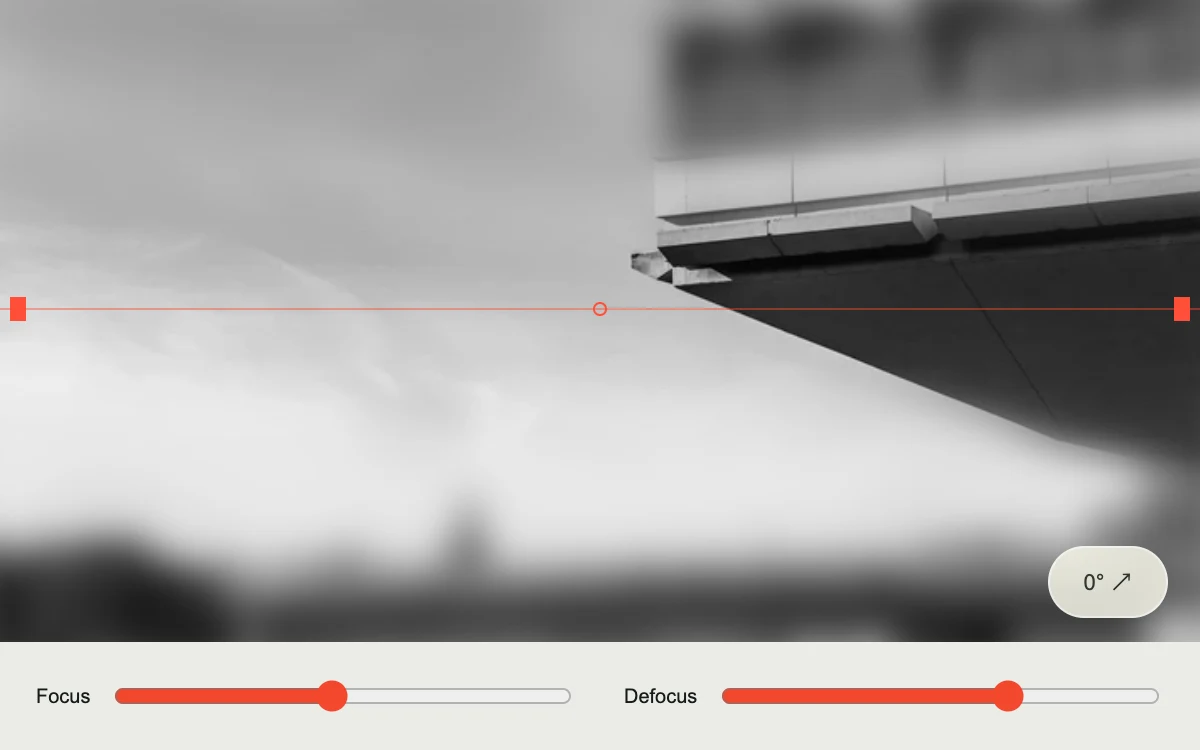
Drag the focal plane and adjust blur or tilt.
Subframe Original · MIT
Add to your project
Component source
Standalone React component. Styles are included.
React only. No additional packages.
Download images (1)
Save these files in your static assets folder at /motion/assets/, or update their paths in the component.
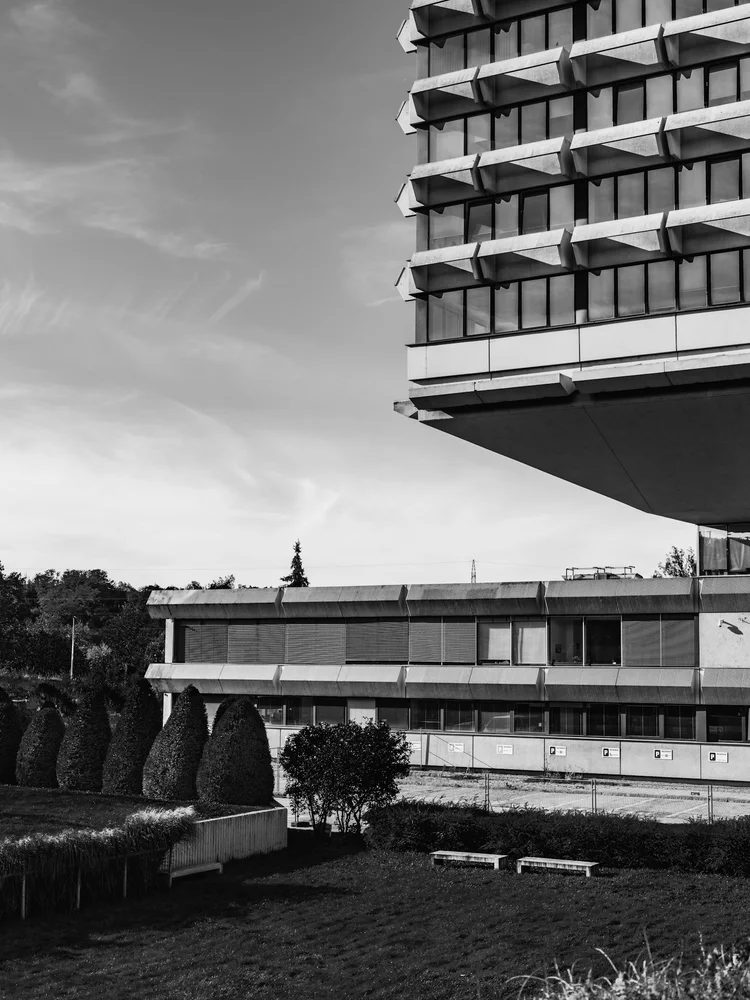
Render the default export inside a container with a defined height. Its optional active prop stops movement when false. This example works with React 19; Next.js projects can use it as a client component.
View source code
/**
 * MIT License
 *
 * Copyright (c) 2026 Subframe
 *
 * Permission is hereby granted, free of charge, to any person obtaining a copy
 * of this software and associated documentation files (the "Software"), to deal
 * in the Software without restriction, including without limitation the rights
 * to use, copy, modify, merge, publish, distribute, sublicense, and/or sell
 * copies of the Software, and to permit persons to whom the Software is
 * furnished to do so, subject to the following conditions:
 *
 * The above copyright notice and this permission notice shall be included in all
 * copies or substantial portions of the Software.
 *
 * THE SOFTWARE IS PROVIDED "AS IS", WITHOUT WARRANTY OF ANY KIND, EXPRESS OR
 * IMPLIED, INCLUDING BUT NOT LIMITED TO THE WARRANTIES OF MERCHANTABILITY,
 * FITNESS FOR A PARTICULAR PURPOSE AND NONINFRINGEMENT. IN NO EVENT SHALL THE
 * AUTHORS OR COPYRIGHT HOLDERS BE LIABLE FOR ANY CLAIM, DAMAGES OR OTHER
 * LIABILITY, WHETHER IN AN ACTION OF CONTRACT, TORT OR OTHERWISE, ARISING FROM,
 * OUT OF OR IN CONNECTION WITH THE SOFTWARE OR THE USE OR OTHER DEALINGS IN THE
 * SOFTWARE.
 */

"use client"

import { useRef, useState } from "react"
export default function TiltFocus({ active = true }: { active?: boolean }) {
  const [focus, setFocus] = useState(48),
    [tilt, setTilt] = useState(false),
    [aperture, setAperture] = useState(10),
    stage = useRef<HTMLDivElement>(null),
    drag = useRef<{ id: number; start: number } | null>(null)
  const locate = (clientY: number) => {
    const b = stage.current!.getBoundingClientRect()
    return Math.max(12, Math.min(88, ((clientY - b.top) / b.height) * 100))
  }
  const mask = `linear-gradient(${tilt ? 115 : 180}deg,transparent ${focus - 22}%,#000 ${focus - 7}%,#000 ${
    focus + 7
  }%,transparent ${focus + 22}%)`
  return (
    <section className="sf-tilt-focus" inert={!active} data-active={active}>
      <div
        className="tf-stage"
        ref={stage}
        onPointerDown={(e) => {
          if ((e.target as HTMLElement).closest("button")) return
          drag.current = { id: e.pointerId, start: focus }
          e.currentTarget.setPointerCapture(e.pointerId)
          setFocus(locate(e.clientY))
        }}
        onPointerMove={(e) => {
          if (drag.current?.id === e.pointerId) setFocus(locate(e.clientY))
        }}
        onPointerUp={() => {
          drag.current = null
        }}
        onPointerCancel={() => {
          if (drag.current) setFocus(drag.current.start)
          drag.current = null
        }}
      >
        <img
          className="tf-soft"
          src="/motion/assets/concrete-projections.webp"
          alt="Concrete cantilever with a movable sharp focal plane"
          draggable={false}
          style={{ filter: `blur(${aperture}px)` }}
        />
        <img
          className="tf-sharp"
          src="/motion/assets/concrete-projections.webp"
          alt=""
          draggable={false}
          style={{ maskImage: mask, WebkitMaskImage: mask }}
        />
        <div
          className="tf-guide"
          style={{ top: focus + "%", transform: `rotate(${tilt ? -25 : 0}deg)` }}
          aria-hidden="true"
        >
          <span />
          <i />
          <span />
        </div>
        <button type="button" className="tf-angle" aria-pressed={tilt} onClick={() => setTilt(!tilt)}>
          {tilt ? "−25°" : "0°"} ↗
        </button>
      </div>
      <footer>
        <label>
          Focus
          <input
            aria-label="Focal plane position"
            type="range"
            min="12"
            max="88"
            value={focus}
            onChange={(e) => setFocus(Number(e.target.value))}
          />
        </label>
        <label>
          Defocus
          <input
            aria-label="Defocus strength"
            type="range"
            min="0"
            max="15"
            value={aperture}
            onChange={(e) => setAperture(Number(e.target.value))}
          />
        </label>
      </footer>
      <style>{`.sf-tilt-focus{height:100%;width:100%;display:flex;flex-direction:column;background:#d9d8d2;color:#161b18;font-family:Arial,sans-serif;overflow:hidden}.tf-stage{position:relative;flex:1;min-height:0;overflow:hidden;touch-action:pan-x;cursor:ns-resize}.tf-stage img{position:absolute;inset:-16px;width:calc(100% + 32px);height:calc(100% + 32px);object-fit:cover;object-position:50% 40%;user-select:none;pointer-events:none}.tf-guide{position:absolute;left:-10%;right:-10%;height:1px;background:#fa4c3270;display:flex;align-items:center;justify-content:space-between;pointer-events:none}.tf-guide span{height:12px;width:8px;background:#ff5038;margin:0 9%}.tf-guide i{width:7px;height:7px;border:1px solid #ff5038;border-radius:50%}.tf-angle{position:absolute;right:16px;bottom:12px;background:#f6f4e9d9;border:1px solid #fff7;color:#31362f;min-height:36px;min-width:60px;padding:0 10px;border-radius:18px;font:11px Arial;cursor:pointer}.tf-angle:before{content:'';position:absolute;inset:-4px}.sf-tilt-focus footer{height:54px;padding:0 18px;display:flex;gap:24px;align-items:center;background:#ebebe7;flex-shrink:0}.sf-tilt-focus label{display:flex;align-items:center;gap:10px;font-size:10px;flex:1;min-width:0}.sf-tilt-focus input{width:100%;min-width:0;accent-color:#f3472d;height:28px}.sf-tilt-focus button:focus-visible,.sf-tilt-focus input:focus-visible{outline:2px solid #d32e16;outline-offset:3px}`}</style>
    </section>
  )
}
Where it works well
Explore an image focal plane through direct manipulation and precise controls.
Reduced motion
The focal plane responds directly to controls without interpolated movement.
Things to know
A CSS mask over one photograph approximates a focal plane; it does not reconstruct optical depth.