
Animation & motionText scramble effect
A signal in the noise
Random letters settle into a short, readable line from left to right.
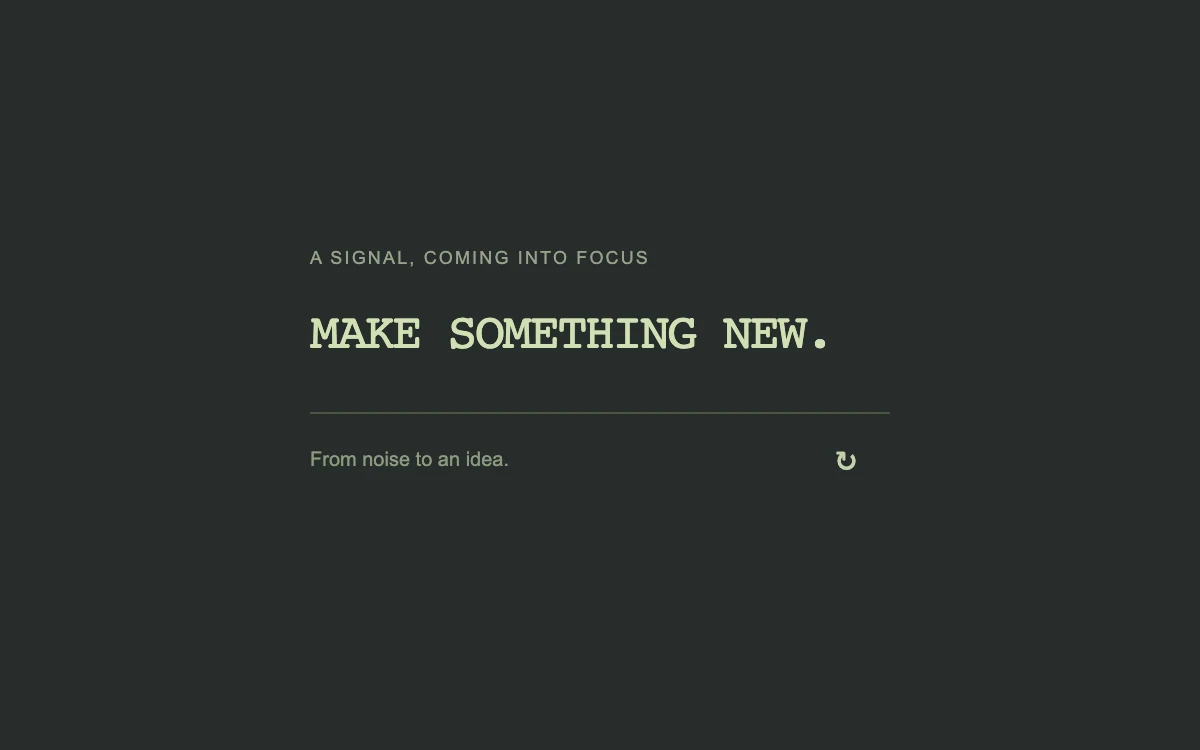
Replay the text scramble
Add to your project
Component source
Standalone React component. Styles are included.
React only. No additional packages.
Render the default export inside a container with a defined height. Its optional active prop stops movement when false. This example works with React 19; Next.js projects can use it as a client component.
View source code
/**
 * Adapted from https://github.com/ibelick/motion-primitives/blob/120f64f6ca60348e251f929e9c81f11ccbe45eda/components/core/text-scramble.tsx
 * Standalone composition; inline styles and artwork; bounded motion and reduced-motion behavior.
 *
 * MIT License
 *
 * Copyright (c) 2024 ibelick
 *
 * Permission is hereby granted, free of charge, to any person obtaining a copy
 * of this software and associated documentation files (the "Software"), to deal
 * in the Software without restriction, including without limitation the rights
 * to use, copy, modify, merge, publish, distribute, sublicense, and/or sell
 * copies of the Software, and to permit persons to whom the Software is
 * furnished to do so, subject to the following conditions:
 *
 * The above copyright notice and this permission notice shall be included in all
 * copies or substantial portions of the Software.
 *
 * THE SOFTWARE IS PROVIDED "AS IS", WITHOUT WARRANTY OF ANY KIND, EXPRESS OR
 * IMPLIED, INCLUDING BUT NOT LIMITED TO THE WARRANTIES OF MERCHANTABILITY,
 * FITNESS FOR A PARTICULAR PURPOSE AND NONINFRINGEMENT. IN NO EVENT SHALL THE
 * AUTHORS OR COPYRIGHT HOLDERS BE LIABLE FOR ANY CLAIM, DAMAGES OR OTHER
 * LIABILITY, WHETHER IN AN ACTION OF CONTRACT, TORT OR OTHERWISE, ARISING FROM,
 * OUT OF OR IN CONNECTION WITH THE SOFTWARE OR THE USE OR OTHER DEALINGS IN THE
 * SOFTWARE.
 */

"use client"

import { useEffect, useState } from "react"

const text = "MAKE SOMETHING NEW."
const characters = "ABCDEFGHIJKLMNOPQRSTUVWXYZ0123456789"

export default function TextScramble({ active = true }: { active?: boolean }) {
  const [reduced, setReduced] = useState(true)
  const [display, setDisplay] = useState(text)
  const [revision, setRevision] = useState(0)
  useEffect(() => {
    const query = window.matchMedia("(prefers-reduced-motion: reduce)")
    const update = () => setReduced(query.matches)
    update()
    query.addEventListener("change", update)
    return () => query.removeEventListener("change", update)
  }, [])
  useEffect(() => {
    if (!active || reduced) {
      setDisplay(text)
      return
    }
    let step = 0
    const steps = 20
    const timer = window.setInterval(() => {
      const progress = step / steps
      setDisplay(
        Array.from(text, (letter, index) =>
          letter === " " || progress * text.length > index
            ? letter
            : characters[Math.floor(Math.random() * characters.length)],
        ).join(""),
      )
      step += 1
      if (step > steps) {
        window.clearInterval(timer)
        setDisplay(text)
      }
    }, 40)
    return () => window.clearInterval(timer)
  }, [active, reduced, revision])
  return (
    <div
      style={{
        width: "100%",
        height: "100%",
        minHeight: 260,
        display: "grid",
        gridTemplateColumns: "minmax(0, 1fr)",
        placeItems: "center",
        background: "#272d2a",
        color: "#d0dfb4",
        fontFamily: "inherit",
        padding: 24,
        boxSizing: "border-box",
      }}
    >
      <div style={{ width: 290, maxWidth: "100%" }}>
        <div
          style={{
            fontSize: 9,
            letterSpacing: ".12em",
            textTransform: "uppercase",
            color: "#97a18c",
            marginBottom: 16,
          }}
        >
          A signal, coming into focus
        </div>
        <h3
          aria-label={text}
          style={{
            fontSize: "clamp(19px, 3.4vw, 25px)",
            fontWeight: 400,
            fontFamily: "ui-monospace, monospace",
            lineHeight: 1.3,
            letterSpacing: "-.05em",
            margin: 0,
            whiteSpace: "nowrap",
          }}
        >
          <span aria-hidden="true">{display}</span>
        </h3>
        <div
          style={{
            borderTop: "1px solid #495342",
            marginTop: 24,
            display: "flex",
            justifyContent: "space-between",
            alignItems: "center",
          }}
        >
          <span style={{ color: "#8d9a80", fontSize: 10 }}>From noise to an idea.</span>
          <button
            type="button"
            onClick={() => setRevision((current) => current + 1)}
            aria-label="Replay text scramble"
            style={{
              minWidth: 44,
              minHeight: 44,
              border: 0,
              background: "transparent",
              color: "#c4d1ac",
              font: "inherit",
              fontSize: 18,
              cursor: "pointer",
              borderRadius: 6,
            }}
          >
            ↻
          </button>
        </div>
      </div>
    </div>
  )
}
Where it works well
Introduce a brief technical or editorial headline. Keep essential reading outside the scramble.
Reduced motion
The final text stays visible, with no changing random characters.
Things to know
The supplied uppercase Latin character set suits this English phrase. Choose a script-appropriate set for other languages.