
Contour objects
A rounded contour changes between three sculptural silhouettes.
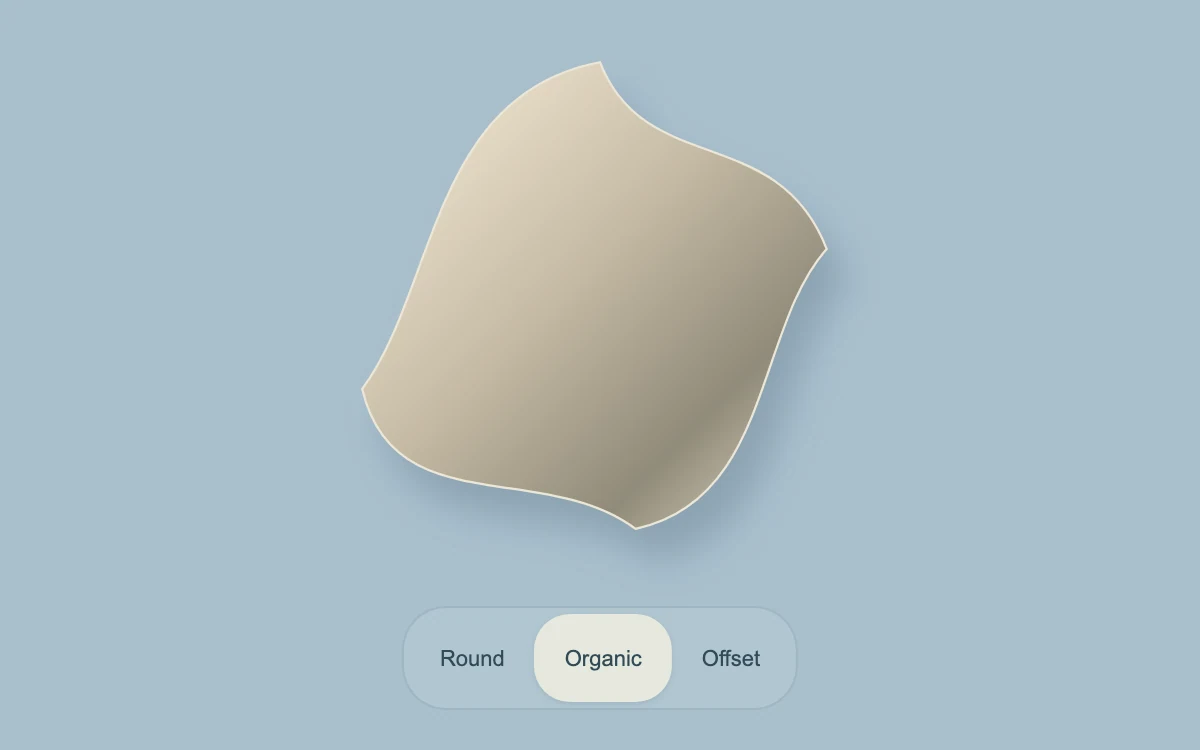
Choose a contour
Subframe Original · MIT
Add to your project
Component source
Standalone React component. Styles are included.
React only. No additional packages.
Render the default export inside a container with a defined height. Its optional active prop stops movement when false. This example works with React 19; Next.js projects can use it as a client component.
View source code
/**
 * MIT License
 *
 * Copyright (c) 2026 Subframe
 *
 * Permission is hereby granted, free of charge, to any person obtaining a copy
 * of this software and associated documentation files (the "Software"), to deal
 * in the Software without restriction, including without limitation the rights
 * to use, copy, modify, merge, publish, distribute, sublicense, and/or sell
 * copies of the Software, and to permit persons to whom the Software is
 * furnished to do so, subject to the following conditions:
 *
 * The above copyright notice and this permission notice shall be included in all
 * copies or substantial portions of the Software.
 *
 * THE SOFTWARE IS PROVIDED "AS IS", WITHOUT WARRANTY OF ANY KIND, EXPRESS OR
 * IMPLIED, INCLUDING BUT NOT LIMITED TO THE WARRANTIES OF MERCHANTABILITY,
 * FITNESS FOR A PARTICULAR PURPOSE AND NONINFRINGEMENT. IN NO EVENT SHALL THE
 * AUTHORS OR COPYRIGHT HOLDERS BE LIABLE FOR ANY CLAIM, DAMAGES OR OTHER
 * LIABILITY, WHETHER IN AN ACTION OF CONTRACT, TORT OR OTHERWISE, ARISING FROM,
 * OUT OF OR IN CONNECTION WITH THE SOFTWARE OR THE USE OR OTHER DEALINGS IN THE
 * SOFTWARE.
 */

"use client"

import { useEffect, useId, useState } from "react"

function useReducedMotion() {
  const [reduced, setReduced] = useState(true)
  useEffect(() => {
    const query = matchMedia("(prefers-reduced-motion: reduce)")
    const update = () => setReduced(query.matches)
    update()
    query.addEventListener("change", update)
    return () => query.removeEventListener("change", update)
  }, [])
  return reduced
}

export default function ShapeMorph({ active = true }: { active?: boolean }) {
  const reduced = useReducedMotion()
  const [instant, setInstant] = useState(false)

  const [shape, setShape] = useState(1)
  const id = useId().replace(/:/g, "")
  const paths = [
    "M150 35C210 35 250 75 250 135C250 195 210 235 150 235C90 235 50 195 50 135C50 75 90 35 150 35Z",
    "M150 28C170 80 230 55 252 112C220 148 227 225 166 238C125 207 57 235 43 175C76 131 74 42 150 28Z",
    "M150 36C210 36 245 40 245 100C245 160 214 228 154 228C94 228 55 199 55 139C55 79 90 36 150 36Z",
  ]
  return (
    <section
      className="sf-shape-morph"
      data-still={!active || reduced || instant}
      onKeyDownCapture={() => setInstant(true)}
      onPointerDownCapture={() => setInstant(false)}
    >
      <svg
        viewBox="0 0 300 270"
        className="sculpture"
        role="img"
        aria-label={["Round contour", "Organic contour", "Offset contour"][shape]}
      >
        <defs>
          <linearGradient id={id} x1="0" y1="0" x2="1" y2="1">
            <stop stopColor="#fbf1db" />
            <stop offset=".45" stopColor="#c6bba5" />
            <stop offset=".75" stopColor="#908b7a" />
            <stop offset="1" stopColor="#e8dfc9" />
          </linearGradient>
        </defs>
        <path
          style={{ d: `path('${paths[shape]}')` }}
          d={paths[shape]}
          fill={`url(#${id})`}
          stroke="#ece6d7"
          strokeWidth="1"
        />
      </svg>
      <div className="choices">
        {["Round", "Organic", "Offset"].map((label, i) => (
          <button type="button" key={label} aria-pressed={i === shape} onClick={() => setShape(i)}>
            {label}
          </button>
        ))}
      </div>
      <style>{`.sf-shape-morph{position:relative;width:100%;height:100%;min-height:280px;overflow:hidden;isolation:isolate;font-family:Arial,sans-serif;color:#202020;background:#a9bfcd;box-sizing:border-box}.sf-shape-morph *{box-sizing:border-box}.sf-shape-morph button,.sf-shape-morph input{font:inherit}.sf-shape-morph button{cursor:pointer;touch-action:manipulation;min-width:44px;min-height:44px}.sf-shape-morph button:focus-visible,.sf-shape-morph input:focus-visible,.sf-shape-morph [tabindex]:focus-visible{outline:2px solid currentColor;outline-offset:4px}.sf-shape-morph[data-still=true] *{transition:none!important;animation-play-state:paused!important}@media(prefers-reduced-motion:reduce){.sf-shape-morph *{transition:none!important;animation:none!important}}.sf-shape-morph .sculpture{position:absolute;height:80%;width:100%;top:0;filter:drop-shadow(10px 16px 9px #3f5a6a45)}.sf-shape-morph .sculpture path{transition:d .7s cubic-bezier(.4,0,.2,1)}.sf-shape-morph .choices{position:absolute;bottom:20px;left:50%;transform:translateX(-50%);display:flex;border:1px solid #6d899744;border-radius:22px;padding:3px;background:#ffffff1a}.sf-shape-morph .choices button{border:0;background:none;height:36px;padding:0 15px;border-radius:18px;font-size:11px;color:#314b56}.sf-shape-morph .choices button[aria-pressed=true]{background:#e5e8dd;box-shadow:0 1px 3px #2a4d5b22}`}</style>
    </section>
  )
}
Where it works well
Explain related shapes, states or identity marks while preserving visual continuity.
Reduced motion
Live reduced-motion preferences remove interpolation and decorative playback. All content and native controls remain available. Keyboard changes settle immediately.
Things to know
Path interpolation requires compatible command structure and browser support for CSS d. Unsupported interpolation still updates the SVG d attribute to the correct selected shape.