
Animation & motionRetro grid background
A moving horizon
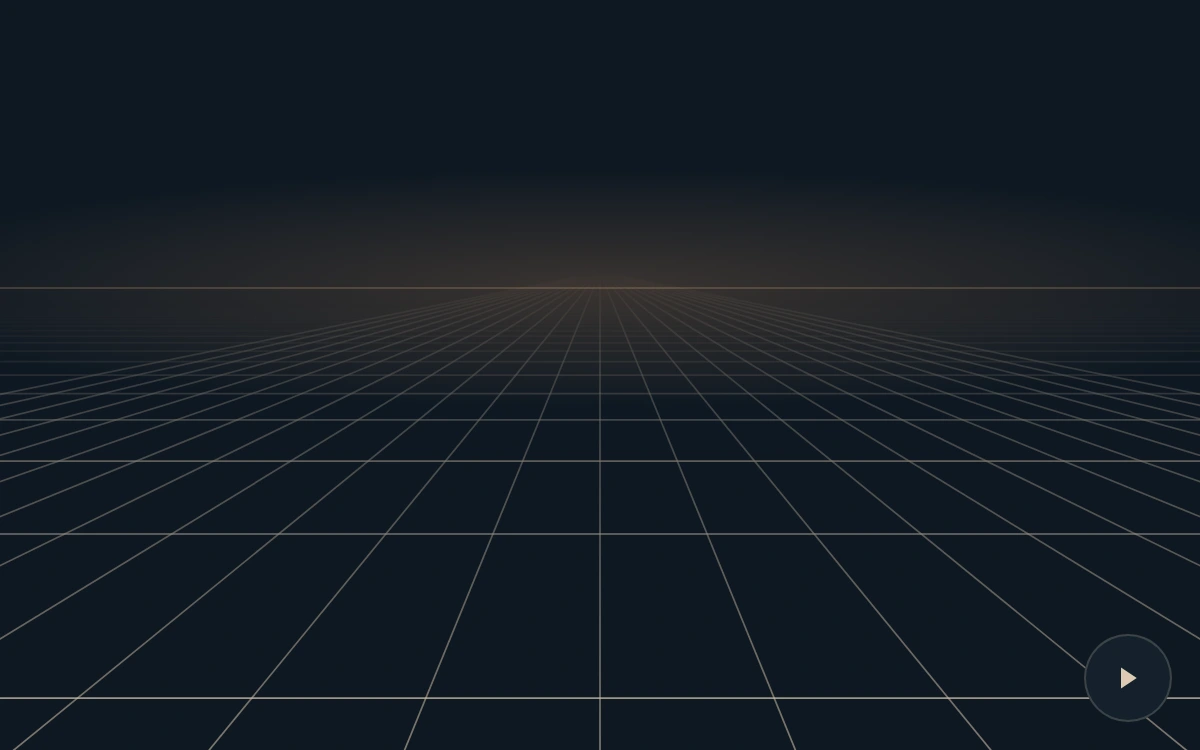
A crisp perspective grid flows toward the viewer and fades before its lines compress at the horizon.
Play or pause the grid
Add to your project
Component source
Standalone React component. Styles are included.
React only. No additional packages.
Render the default export inside a container with a defined height. Its optional active prop stops movement when false. This example works with React 19; Next.js projects can use it as a client component.
View source code
/**
 * Adapted from https://github.com/magicuidesign/magicui/blob/85f97fd27b053339af74ba9dd4ca428ee25989fb/apps/www/registry/magicui/retro-grid.tsx
 * Reworks the moving perspective grid as finite, antialiased SVG projections. Lines fade before horizon compression; no giant CSS plane or WebGL dependency.
 *
 * MIT License
 *
 * Copyright (c) Magic UI
 *
 * Permission is hereby granted, free of charge, to any person obtaining a copy
 * of this software and associated documentation files (the "Software"), to deal
 * in the Software without restriction, including without limitation the rights
 * to use, copy, modify, merge, publish, distribute, sublicense, and/or sell
 * copies of the Software, and to permit persons to whom the Software is
 * furnished to do so, subject to the following conditions:
 *
 * The above copyright notice and this permission notice shall be included in all
 * copies or substantial portions of the Software.
 *
 * THE SOFTWARE IS PROVIDED "AS IS", WITHOUT WARRANTY OF ANY KIND, EXPRESS OR
 * IMPLIED, INCLUDING BUT NOT LIMITED TO THE WARRANTIES OF MERCHANTABILITY,
 * FITNESS FOR A PARTICULAR PURPOSE AND NONINFRINGEMENT. IN NO EVENT SHALL THE
 * AUTHORS OR COPYRIGHT HOLDERS BE LIABLE FOR ANY CLAIM, DAMAGES OR OTHER
 * LIABILITY, WHETHER IN AN ACTION OF CONTRACT, TORT OR OTHERWISE, ARISING FROM,
 * OUT OF OR IN CONNECTION WITH THE SOFTWARE OR THE USE OR OTHER DEALINGS IN THE
 * SOFTWARE.
 */

"use client"

import { useEffect, useId, useRef, useState } from "react"

export default function RetroGrid({ active = true }: { active?: boolean }) {
  const id = useId()
  const rows = useRef<Array<SVGLineElement | null>>([])
  const phase = useRef(0.35)
  const [paused, setPaused] = useState(false)
  const [reduced, setReduced] = useState(true)
  useEffect(() => {
    const media = matchMedia("(prefers-reduced-motion: reduce)")
    const update = () => setReduced(media.matches)
    update()
    media.addEventListener("change", update)
    return () => media.removeEventListener("change", update)
  }, [])
  useEffect(() => {
    let frame = 0,
      last = 0
    const draw = () =>
      rows.current.forEach((line, i) => {
        const distance = i + 1.1 - phase.current
        const y = 136 + 340 / distance
        line?.setAttribute("y1", String(y))
        line?.setAttribute("y2", String(y))
        line?.setAttribute("opacity", String(Math.min(0.76, Math.max(0, (y - 151) / 110))))
      })
    const tick = (now: number) => {
      if (last) phase.current = (phase.current + Math.min((now - last) / 1000, 0.05) * 0.62) % 1
      last = now
      draw()
      frame = requestAnimationFrame(tick)
    }
    const sync = () => {
      cancelAnimationFrame(frame)
      last = 0
      draw()
      if (active && !paused && !reduced && !document.hidden) frame = requestAnimationFrame(tick)
    }
    sync()
    document.addEventListener("visibilitychange", sync)
    return () => {
      cancelAnimationFrame(frame)
      document.removeEventListener("visibilitychange", sync)
    }
  }, [active, paused, reduced])
  return (
    <div className="mg-retro">
      <svg
        viewBox="0 0 600 375"
        preserveAspectRatio="none"
        role="img"
        aria-label="A continuous perspective grid flowing toward the viewer beneath a warm horizon."
      >
        <defs>
          <linearGradient id={`${id}-fade`} x1="0" y1="0" x2="0" y2="1">
            <stop offset="0" stopColor="white" stopOpacity="0" />
            <stop offset=".28" stopColor="white" stopOpacity=".45" />
            <stop offset="1" stopColor="white" />
          </linearGradient>
          <mask id={`${id}-mask`}>
            <rect x="0" y="136" width="600" height="239" fill={`url(#${id}-fade)`} />
          </mask>
          <radialGradient id={`${id}-light`}>
            <stop stopColor="#c68d5e" stopOpacity=".24" />
            <stop offset="1" stopColor="#c68d5e" stopOpacity="0" />
          </radialGradient>
        </defs>
        <ellipse cx="300" cy="144" rx="380" ry="60" fill={`url(#${id}-light)`} />
        <g mask={`url(#${id}-mask)`} stroke="#dfcab0" strokeWidth=".85" fill="none">
          {Array.from({ length: 25 }, (_, i) => (
            <line key={i} x1="300" y1="136" x2={300 + (i - 12) * 112} y2="410" opacity=".54" />
          ))}
          {Array.from({ length: 27 }, (_, i) => (
            <line
              key={`row-${i}`}
              ref={(el) => {
                rows.current[i] = el
              }}
              x1="0"
              x2="600"
              y1={136 + 340 / (i + 0.75)}
              y2={136 + 340 / (i + 0.75)}
            />
          ))}
        </g>
        <path d="M0 144H600" stroke="#d7a579" strokeWidth=".6" opacity=".46" />
      </svg>
      {!reduced && (
        <button
          type="button"
          disabled={!active}
          onClick={() => setPaused((v) => !v)}
          aria-label={paused ? "Play grid" : "Pause grid"}
        >
          <svg viewBox="0 0 16 16" width="14" height="14" aria-hidden="true">
            <path fill="currentColor" d={paused ? "M4 2 13 8 4 14Z" : "M4 3H7V13H4ZM9 3H12V13H9Z"} />
          </svg>
        </button>
      )}
      <style>{`.mg-retro{width:100%;height:100%;min-height:240px;position:relative;overflow:hidden;background:#0e1822;color:#ddcbb4}.mg-retro>svg{width:100%;height:100%;display:block}.mg-retro button{position:absolute;right:14px;bottom:14px;width:44px;height:44px;display:grid;place-items:center;border:1px solid #ddcbb433;border-radius:50%;background:#14212c;color:inherit;cursor:pointer;touch-action:manipulation}.mg-retro button:focus-visible{outline:2px solid #e7b478;outline-offset:3px}.mg-retro button:active{background:#304151}.mg-retro button:disabled{opacity:.45;cursor:default}`}</style>
    </div>
  )
}
Where it works well
Create a legible graphic spatial backdrop for an event, launch or identity.
Reduced motion
The grid remains on a static projected frame; play control is hidden.
Things to know
Finite SVG line projection; no camera,3D scene or WebGL dependency. Decorative backdrop rather than a navigation surface.