
Components & interactionsEmoji reaction picker
Reaction palette
Choose a reaction without covering the message being discussed.
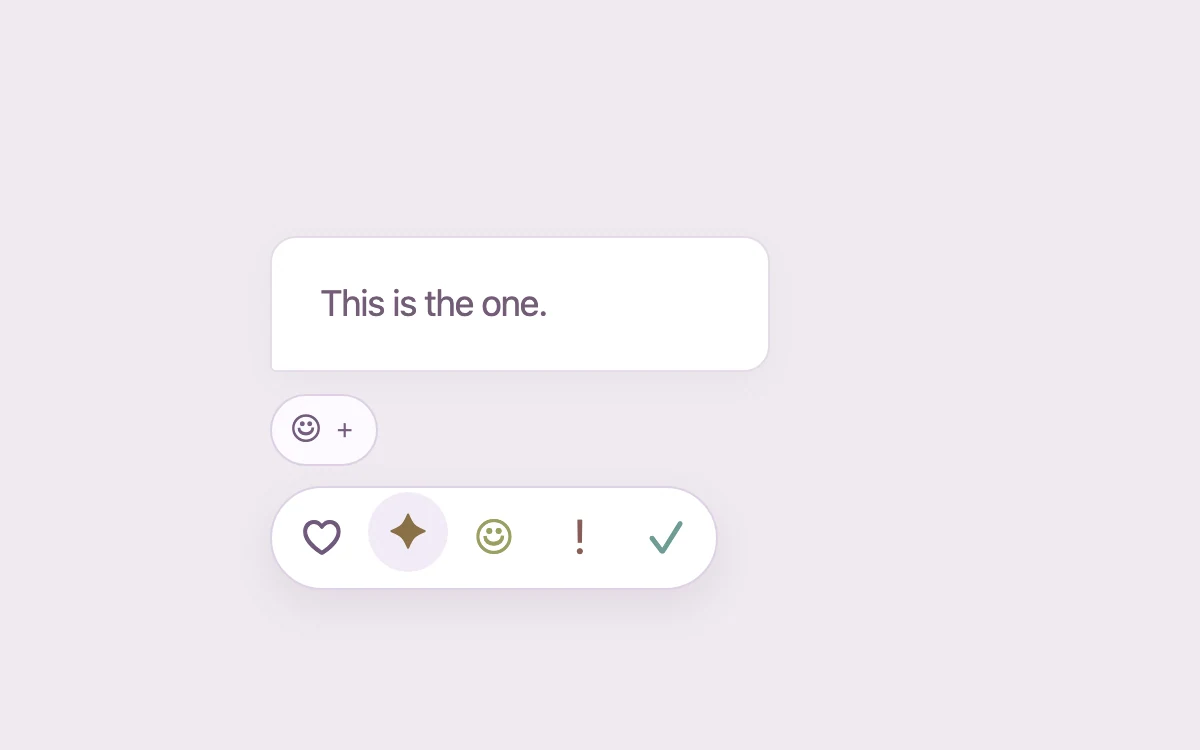
Choose a reaction
Subframe Original · MIT
Add to your project
Component source
Standalone React component. Styles are included.
React only. No additional packages.
Render the default export inside a container with a defined height. Its optional active prop stops movement when false. This example works with React 19; Next.js projects can use it as a client component.
View source code
/**
 * MIT License
 * Copyright (c) 2026 Subframe
 *
 * Permission is hereby granted, free of charge, to any person obtaining a copy
 * of this software and associated documentation files (the "Software"), to deal
 * in the Software without restriction, including without limitation the rights
 * to use, copy, modify, merge, publish, distribute, sublicense, and/or sell
 * copies of the Software, and to permit persons to whom the Software is
 * furnished to do so, subject to the following conditions:
 *
 * The above copyright notice and this permission notice shall be included in all
 * copies or substantial portions of the Software.
 *
 * THE SOFTWARE IS PROVIDED "AS IS", WITHOUT WARRANTY OF ANY KIND, EXPRESS OR
 * IMPLIED, INCLUDING BUT NOT LIMITED TO THE WARRANTIES OF MERCHANTABILITY,
 * FITNESS FOR A PARTICULAR PURPOSE AND NONINFRINGEMENT. IN NO EVENT SHALL THE
 * AUTHORS OR COPYRIGHT HOLDERS BE LIABLE FOR ANY CLAIM, DAMAGES OR OTHER
 * LIABILITY, WHETHER IN AN ACTION OF CONTRACT, TORT OR OTHERWISE, ARISING FROM,
 * OUT OF OR IN CONNECTION WITH THE SOFTWARE OR THE USE OR OTHER DEALINGS IN THE
 * SOFTWARE.
 */
"use client"
import * as React from "react"

export default function Example({ active = true }: { active?: boolean }) {
  const [reduced, setReduced] = React.useState(true)
  const [keyboard, setKeyboard] = React.useState(false)
  React.useEffect(() => {
    const m = matchMedia("(prefers-reduced-motion: reduce)")
    const update = () => setReduced(m.matches)
    update()
    m.addEventListener("change", update)
    return () => m.removeEventListener("change", update)
  }, [])
  const running = active && !reduced

  const [open, setOpen] = React.useState(false),
    [selected, setSelected] = React.useState(-1)
  const reactions = ["♡", "✦", "☺", "!", "✓"],
    labels = ["Love", "Inspired", "Happy", "Surprised", "Agree"]

  const trigger = React.useRef<HTMLButtonElement>(null)
  const popup = React.useRef<HTMLDivElement>(null)
  React.useLayoutEffect(() => {
    if (!open && popup.current?.contains(document.activeElement)) trigger.current?.focus({ preventScroll: true })
  }, [open])

  return (
    <div
      className="sf-reaction-palette"
      data-keyboard={keyboard}
      data-paused={!running}
      onKeyDownCapture={(event) => {
        setKeyboard(true)
        if (event.key === "Escape") setOpen(false)
      }}
      onPointerDownCapture={() => setKeyboard(false)}
    >
      <div className="reaction-demo">
        <div className="quote">This is the one.</div>
        <div className="reaction-anchor">
          <button
            ref={trigger}
            className="reaction-trigger"
            aria-expanded={open}
            aria-label="Choose a reaction"
            onClick={() => setOpen(!open)}
          >
            {selected < 0 ? "☺" : reactions[selected]}
            <span>{selected < 0 ? "+" : "1"}</span>
          </button>
          <div ref={popup} className="reaction-options" data-open={open} inert={!open}>
            {reactions.map((r, i) => (
              <button
                key={r}
                aria-label={labels[i]}
                aria-pressed={selected === i}
                onClick={() => {
                  setSelected(i)
                  setOpen(false)
                }}
                style={{ transitionDelay: open ? i * 18 + "ms" : "0ms" }}
              >
                {r}
              </button>
            ))}
          </div>
        </div>
        <span className="sr" role="status">
          {selected >= 0 ? labels[selected] + " reaction selected" : "No reaction"}
        </span>
      </div>
      <style>{`
.sf-reaction-palette {
  width: 100%;
  height: 100%;
  min-height: 260px;
  box-sizing: border-box;
  display: grid;
  grid-template-columns: minmax(0, 1fr);
  place-items: center;
  padding: 20px;
  background: #edf0f3;
  color: #22272d;
  font: 14px/1.45 -apple-system, BlinkMacSystemFont, "Segoe UI", sans-serif;
  isolation: isolate;
  overflow: hidden;
}
.sf-reaction-palette * {
  box-sizing: border-box;
}
.sf-reaction-palette button,
.sf-reaction-palette input,
.sf-reaction-palette textarea,
.sf-reaction-palette select {
  font: inherit;
  color: inherit;
}
.sf-reaction-palette button {
  cursor: pointer;
  touch-action: manipulation;
}
.sf-reaction-palette button:disabled {
  cursor: default;
  opacity: 0.4;
}
.sf-reaction-palette button:focus-visible,
.sf-reaction-palette input:focus-visible,
.sf-reaction-palette textarea:focus-visible,
.sf-reaction-palette [tabindex]:focus-visible {
  outline: 2px solid #4269e1;
  outline-offset: 3px;
}
.sf-reaction-palette button {
  border: 0;
  background: transparent;
}
.sf-reaction-palette .row {
  display: flex;
  align-items: center;
  gap: 10px;
}
.sf-reaction-palette .muted {
  color: #7a8189;
  font-size: 12px;
}
.sf-reaction-palette .sr {
  position: absolute;
  width: 1px;
  height: 1px;
  padding: 0;
  overflow: hidden;
  clip-path: inset(50%);
}
.sf-reaction-palette svg {
  display: block;
}
.sf-reaction-palette[data-keyboard="true"] *,
.sf-reaction-palette[data-paused="true"] * {
  transition-duration: 0s !important;
  animation-play-state: paused !important;
}
@media (prefers-reduced-motion: reduce) {
  .sf-reaction-palette *,
  .sf-reaction-palette *::before,
  .sf-reaction-palette *::after {
    transition-duration: 0s !important;
    animation: none !important;
  }
}
.sf-reaction-palette {
  background: #f0eaf0;
}
.sf-reaction-palette .reaction-demo {
  position: relative;
  width: min(100%, 330px);
  height: 160px;
  padding-top: 10px;
}
.sf-reaction-palette .quote {
  background: #fff;
  border: 1px solid #e4dce7;
  border-radius: 13px 13px 13px 3px;
  padding: 20px 24px;
  font-size: 18px;
  letter-spacing: -0.5px;
  box-shadow: 0 5px 16px #6a42740a;
  color: #745d78;
  max-width: 250px;
}
.sf-reaction-palette .reaction-anchor {
  position: relative;
  margin-top: 11px;
}
.sf-reaction-palette .reaction-trigger {
  display: flex;
  align-items: center;
  gap: 7px;
  padding: 5px 10px;
  border: 1px solid #ddd0e3;
  border-radius: 20px;
  background: #fcfaff;
  color: #755d7e;
  font-size: 19px;
  height: 36px;
}
.sf-reaction-palette .reaction-trigger span {
  font-size: 11px;
}
.sf-reaction-palette .reaction-options {
  position: absolute;
  display: flex;
  gap: 3px;
  left: 0;
  top: 46px;
  padding: 5px;
  background: #fff;
  border: 1px solid #ded1e5;
  border-radius: 28px;
  box-shadow: 0 8px 20px #61446d1a;
  opacity: 0;
  transform: translateY(-5px) scale(0.96);
  transform-origin: top left;
  transition: transform 180ms cubic-bezier(0.2, 0.8, 0.2, 1), opacity 160ms;
  pointer-events: none;
}
.sf-reaction-palette .reaction-options[data-open="true"] {
  opacity: 1;
  transform: none;
  pointer-events: auto;
}
.sf-reaction-palette .reaction-options button {
  width: 40px;
  height: 40px;
  border-radius: 50%;
  font-size: 24px;
  color: #71597d;
  transform: translateY(5px);
  transition: transform 190ms cubic-bezier(0.2, 0.8, 0.2, 1), background 150ms;
}
.sf-reaction-palette .reaction-options[data-open="true"] button {
  transform: none;
}
.sf-reaction-palette .reaction-options button:nth-child(2) {
  color: #897147;
}
.sf-reaction-palette .reaction-options button:nth-child(3) {
  color: #9b9f61;
}
.sf-reaction-palette .reaction-options button:nth-child(4) {
  color: #885e58;
}
.sf-reaction-palette .reaction-options button:nth-child(5) {
  color: #6f9c96;
}
@media (hover: hover) and (pointer: fine) {
  .sf-reaction-palette .reaction-options button:hover {
    background: #f2ebf6;
    transform: translateY(-3px);
  }
}
`}</style>
    </div>
  )
}
Where it works well
Choose a reaction without covering the message being discussed.
Reduced motion
Live system preference disables decorative motion; all controls remain usable. Keyboard actions settle immediately.
Things to know
Original typographic reaction symbols, not an emoji asset set. Selection remains local.